
因为STM32供货问题,我也被迫要换GD32这颗国产MCU。不过虽然GD32和STM32高度相似,但因为我一向只用开源toolchain,所以免不了还是一番折腾的。本文主要记录这个折腾过程,省得下次再来一遍,当然更好地还是希望下次OpenOCD已经集成GD32支持,不再需自己折腾了。
GD32在国外还是比较知名的,但比较吸引人的还是GD32VF系列,也即RISC-V系列。基本上在外网搜GD32就等于搜GD32VF,大量的结果都是围绕VF系列展开。比如最新的OpenOCD也内置了VF系列的烧写配置,rust也做好了对VF系列的支持,然而也就到此为止,GD32其他系列就跟不存在一样,很少有讨论,也基本没进入现成工具链的支持中。虽然GD32的arm系列基本就是对着STM32的对应产品线copy出来的,但毕竟还是有一些底层区别的。本次就用GD32E230C8T6替换STM32F103C8T6,用OpenOCD基于STLINK烧写为例:
首先,当然是先用stm32的配置尝试启动OpenOCD:
openocd -s conf/ -f conf/openocd.cfg Open On-Chip Debugger 0.11.0-rc1-snapshot (2020-12-10-11:15) Licensed under GNU GPL v2 For bug reports, read http://openocd.org/doc/doxygen/bugs.html Info : auto-selecting first available session transport "hla_swd". To override use 'transport select <transport>'. Info : The selected transport took over low-level target control. The results might differ compared to plain JTAG/SWD Info : clock speed 1000 kHz Info : STLINK V2J33S7 (API v2) VID:PID 0483:3748 Info : Target voltage: 3.244061 Warn : UNEXPECTED idcode: 0x0bf11477 Error: expected 1 of 1: 0x0bb11477
注意到idcode不对,这个比较简单,复制一个`stm32f1x.cfg`的target file,改为`gd32e23x.cfg`,把里面的idcode改成它期望的数值,然后再试一次:
openocd -s conf/ -f conf/openocd.cfg Open On-Chip Debugger 0.11.0-rc1-snapshot (2020-12-10-11:15) Licensed under GNU GPL v2 For bug reports, read http://openocd.org/doc/doxygen/bugs.html Info : auto-selecting first available session transport "hla_swd". To override use 'transport select <transport>'. Info : The selected transport took over low-level target control. The results might differ compared to plain JTAG/SWD Info : clock speed 1000 kHz Info : STLINK V2J33S7 (API v2) VID:PID 0483:3748 Info : Target voltage: 3.245654 Info : stm32f0x.cpu: hardware has 4 breakpoints, 2 watchpoints Info : starting gdb server for stm32f0x.cpu on 3333 Info : Listening on port 3333 for gdb connections flash_chip Info : Listening on port 6666 for tcl connections Info : Listening on port 4444 for telnet connections Info : accepting 'telnet' connection on tcp/4444 Info : Unable to match requested speed 1000 kHz, using 950 kHz Info : Unable to match requested speed 1000 kHz, using 950 kHz target halted due to debug-request, current mode: Thread xPSR: 0x01000000 pc: 0xfffffffe msp: 0xfffffffc Error: Cannot identify target as a stm32x Error: auto_probe failed auto erase enabled Error: checksum mismatch - attempting binary compare diff 0 address 0x08000001. Was 0xff instead of 0x0f diff 1 address 0x08000002. Was 0xff instead of 0x00 diff 2 address 0x08000003. Was 0xff instead of 0x20 diff 3 address 0x08000004. Was 0xff instead of 0xad diff 4 address 0x08000005. Was 0xff instead of 0x54 diff 5 address 0x08000006. Was 0xff instead of 0x00 diff 6 address 0x08000007. Was 0xff instead of 0x08 diff 7 address 0x08000008. Was 0xff instead of 0x29 ... ...
果然直接糊弄还是不行的,应该是底层的烧写参数还是有区别的。我大概知道stm32和gd32两者的烧写时序上是不同的,但我也懒得去折腾细节,直接去Google上搜gd32e230和openocd,虽然有效信息不多,但还是很快发现了2个patch:
http://openocd.zylin.com/#/c/4592/ http://openocd.zylin.com/#/c/5246/
按照作者的说法,这2个补丁是个dirty work,所以最后没被上游接受,但我现在只考虑解决这个问题,而不是搞一个优雅的解决方法,所以我可以直接拿来试试。下面就是把openocd的源代码clone过来,打上这2个补丁。在打补丁过程中,因为现在的最新代码和补丁所基于的版本已经区别相当大了,肯定是不会成功的。但仔细看看失败的地方就会发现,主要的问题在于补丁基于的上游代码还在用if-then-else的分支,而最新的代码改成了switch-case分支,基本的逻辑区别不大。那么就简单了,照着它的逻辑重写一下就行。不过这个补丁确实实现的比较dirty,理论上现在的openocd应该是不需要改代码支持gd32的,应该只需要写个配置文件即可,但这些繁琐的细节就留给其他人去搞吧。这里我fork一份到我的github帐号下,把这次的改进merge进master,短期内有类似需求的人可以直接用我这个版本的openocd:https://github.com/lvsoft/openocd (当然,我是不会去维护这玩意的,未来应该也会有更好的实现方式,所以仅仅是短期内)
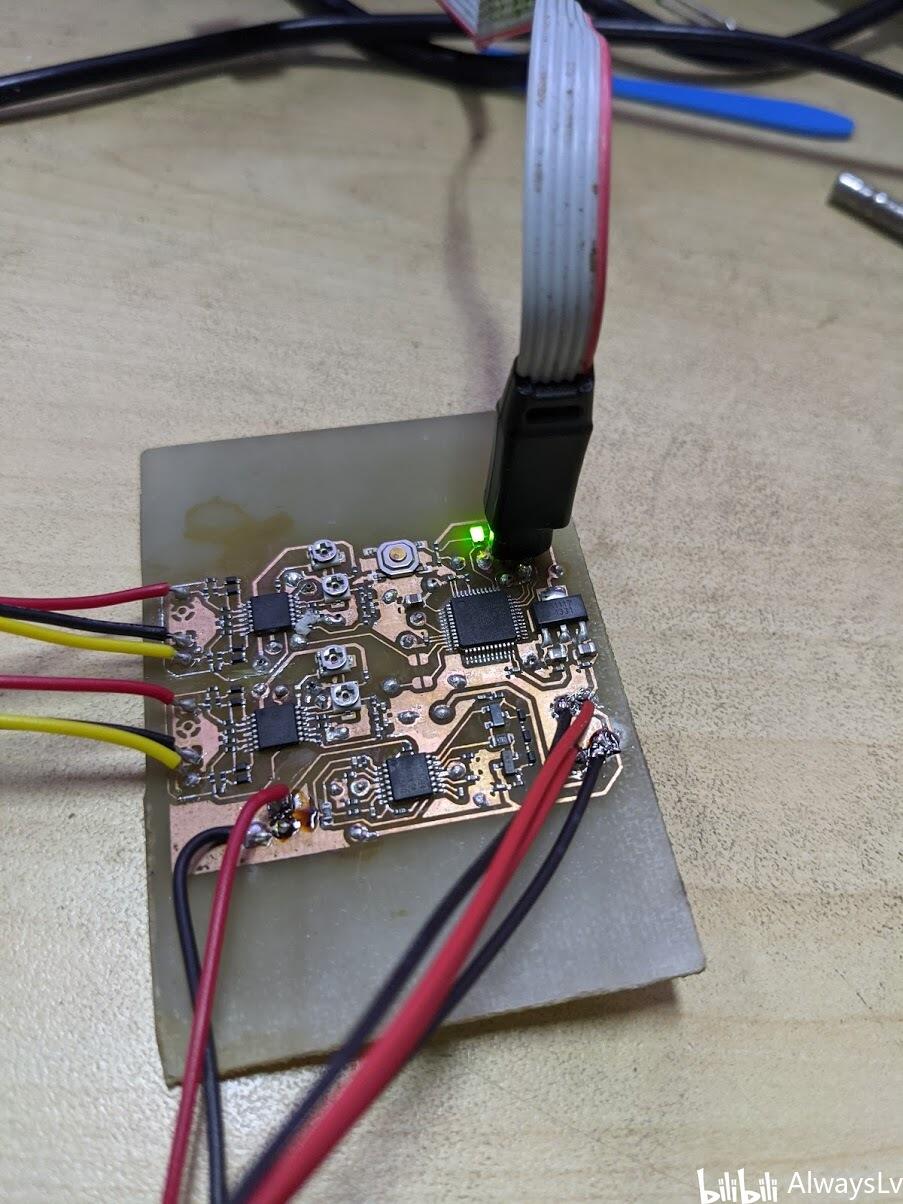
然后编译,安装,启动,试了下一下子就好了。这里我用的还是基于stm32编译的固件。看来gd32果然可以无缝替换stm32,上图为证:
下面再测试下rust的工具链,没啥问题的话,就可以开工搞线性马达了。
