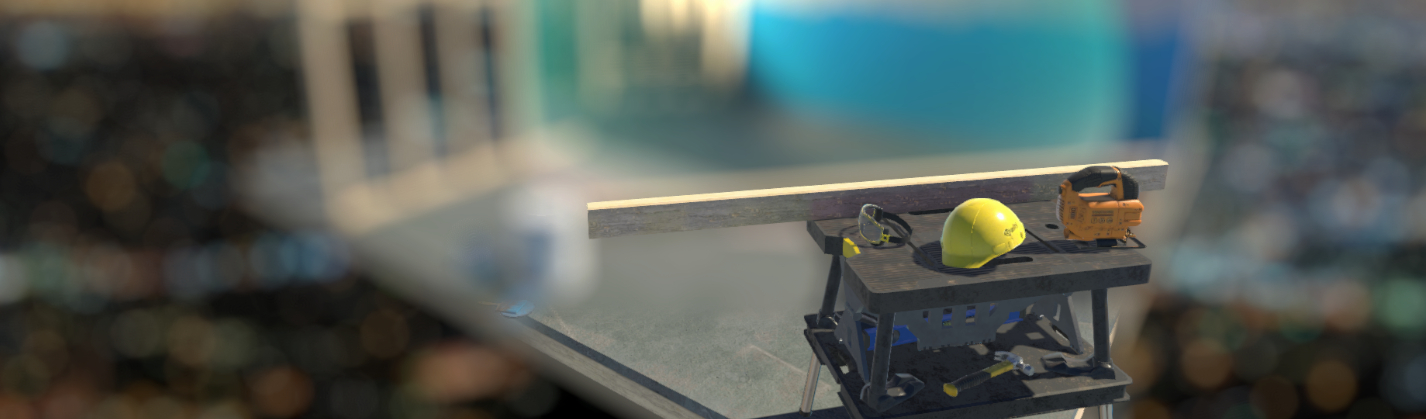

这是最后一篇讲静态模糊效果的文章了,后面的更新不会再包含静态模糊的内容了。这次就直接在urp管线里完成一个景深的效果,它支持如下效果。
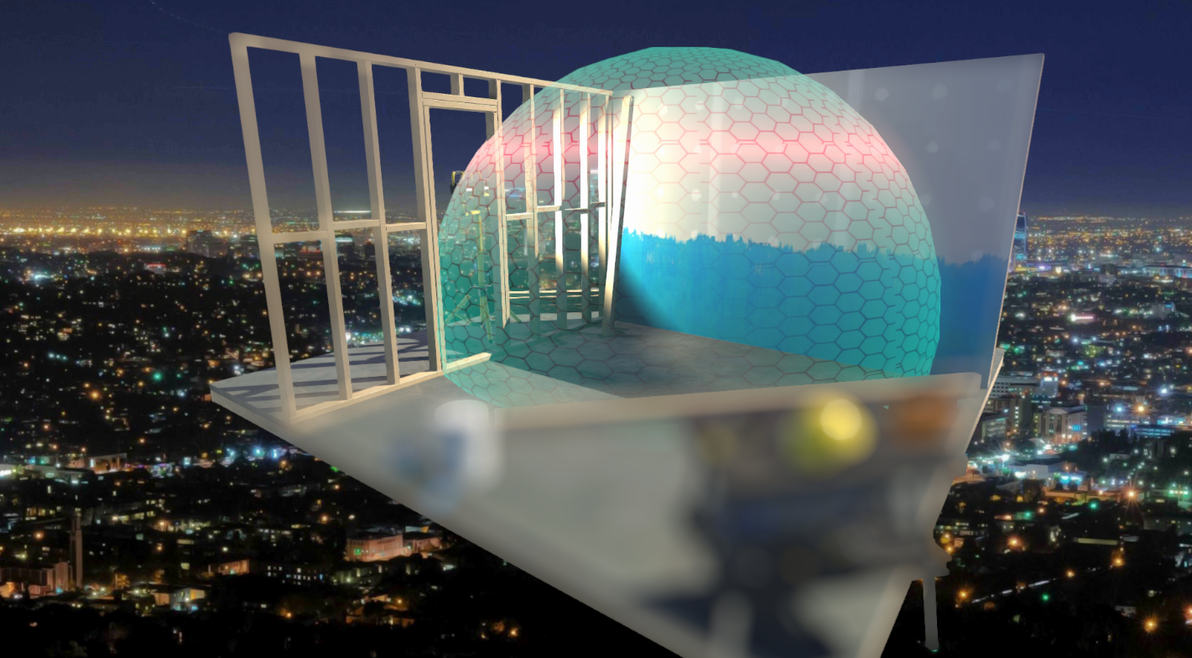
近处景深模糊
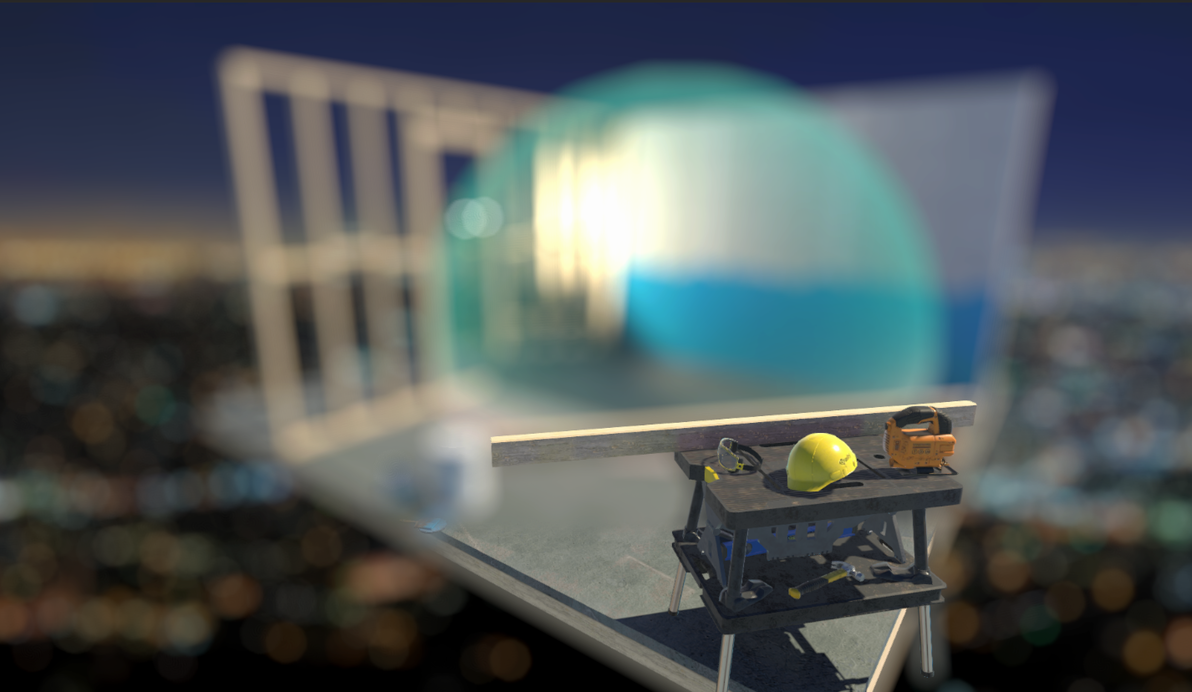
远处景深模糊
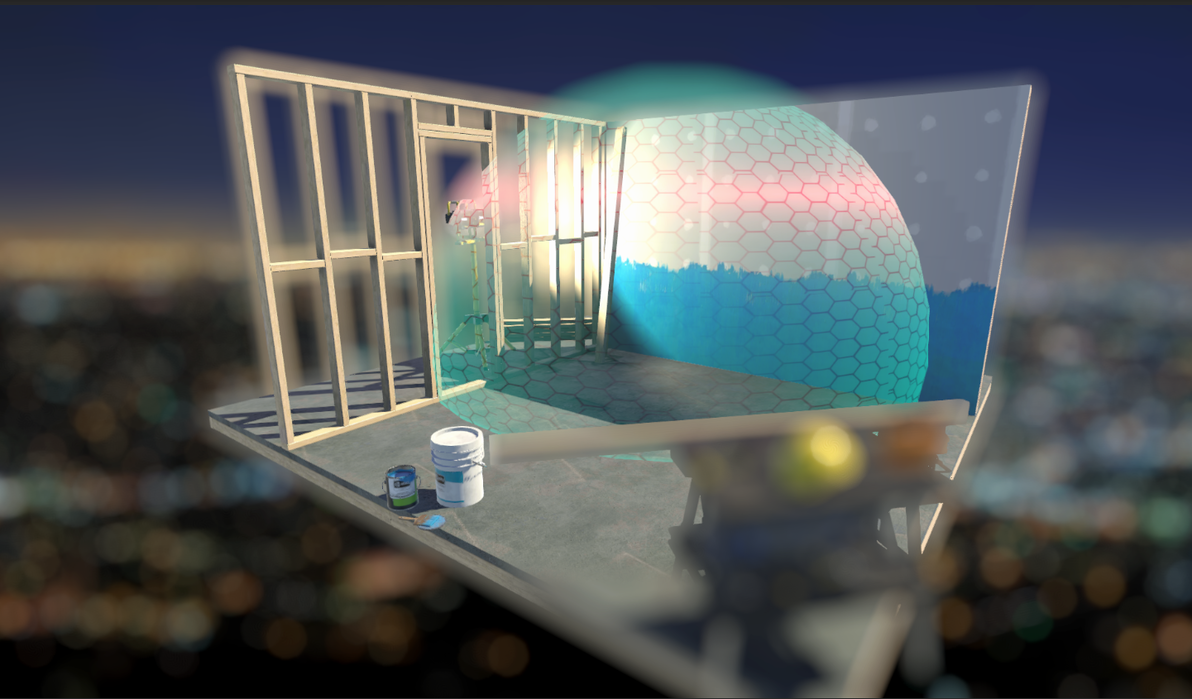
近处和远处同时模糊,中间不模糊(感觉怪怪的)建议少用
而它的核心原理,是我们在RenderFeather里通过上一篇专栏里(https://www.bilibili.com/read/cv6640445)中讲解的模糊算法在shader的第一个pass里计算得到散景模糊图并把它存到一张降采样的RT里,然后使用源相机图像和这个模糊图像在shader里的第二个pass里进行插值混合。RenderFeather的处理非常简单,执行函数如下图所示。
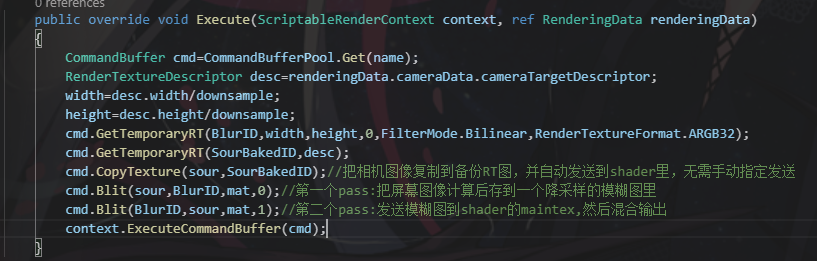
RenderFeather的执行函数
RenderFeather的其他部分和之前的专栏一样,这里我在参数里说明了各个参数的作用,希望能帮到读者的理解。
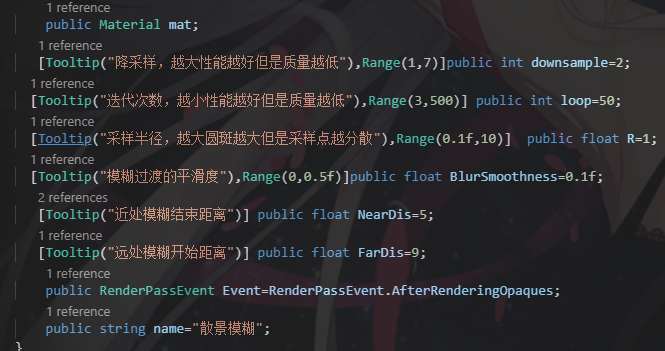
参数意义
shader部分,关于第二个pass的线性混合,我们需要在shader里得到这样一个曲线:
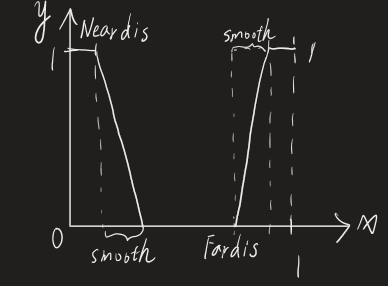
混合曲线
把这个曲线根据线性的深度(深度的获取在这篇文章里讲过,这里不多做赘述https://www.bilibili.com/read/cv6519977)输出,就能得到这样一个图像:近处和远处白色的部分(值为1)为模糊的图像,中间黑色的部分(值为0)为清晰的图像;然后通过renderfeather去控制距离,smooth去控制过渡的平滑度。
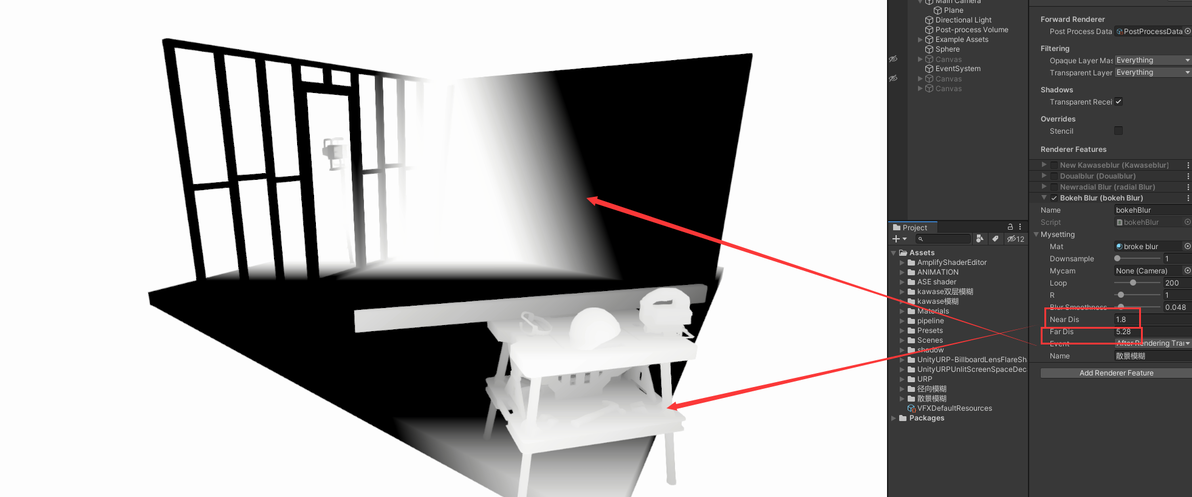
把曲线输出效果
在这个pass里,我们通过smoothstep函数去实现这个效果,分别计算近处和远处,然后加起来,写法如下。

片元函数
最终把混合的图像输出,就能得到近处和远处都模糊,而中间不模糊的效果。我们还可以通过调整近处的距离为0,就只让远处模糊;或者调整远处距离很大,只让近处模糊。
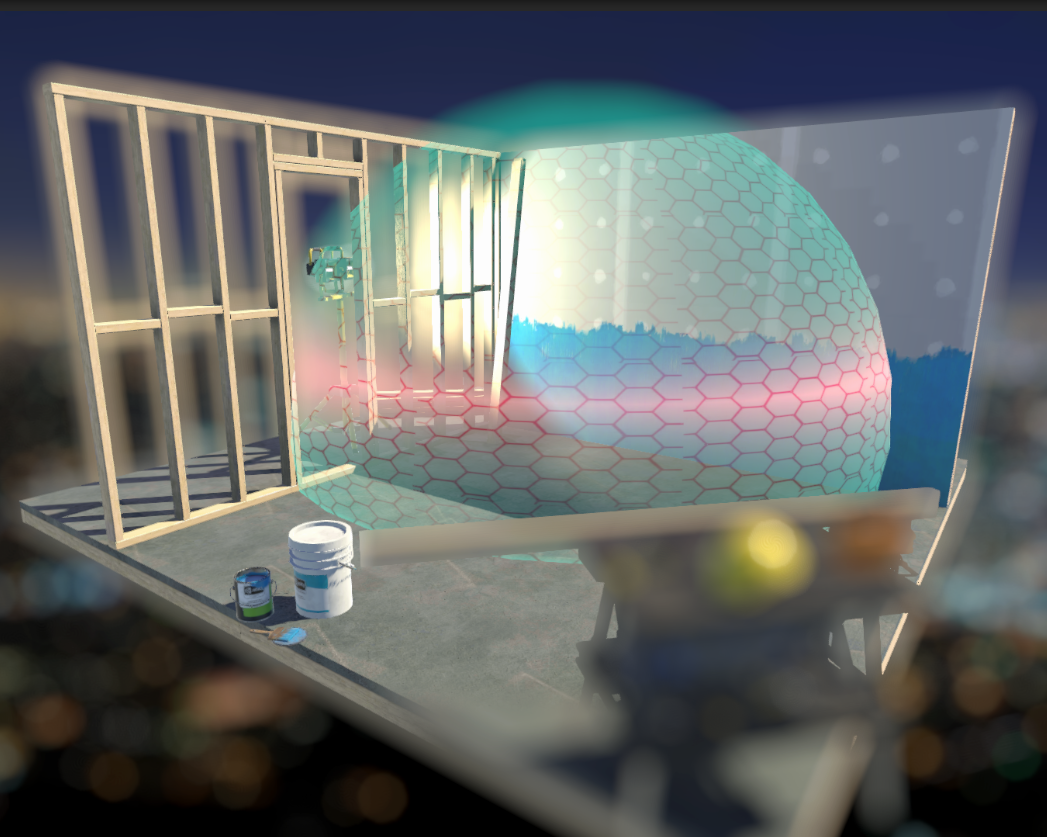
混合输出效果图
这里就完成了我们的效果了,整体来说本效果的关键是上一篇文章(https://www.bilibili.com/read/cv6640445)里利用黄金角度和平均分布去得到圆斑的算法,下面附上源码,如果直接复制报错,是空格的问题,先替换所有的空格。
RenderFeather
using UnityEngine;
using UnityEngine.Rendering;
using UnityEngine.Rendering.Universal;
[ExecuteInEditMode]
public class bokehBlur : ScriptableRendererFeature
{
[System.Serializable]public class setting
{
public Material mat;
[Tooltip("降采样,越大性能越好但是质量越低"),Range(1,7)]public int downsample=2;
[Tooltip("迭代次数,越小性能越好但是质量越低"),Range(3,500)] public int loop=50;
[Tooltip("采样半径,越大圆斑越大但是采样点越分散"),Range(0.1f,10)] public float R=1;
[Tooltip("模糊过渡的平滑度"),Range(0,0.5f)]public float BlurSmoothness=0.1f;
[Tooltip("近处模糊结束距离")] public float NearDis=5;
[Tooltip("远处模糊开始距离")] public float FarDis=9;
public RenderPassEvent Event=RenderPassEvent.AfterRenderingOpaques;
public string name="散景模糊";
}
public setting mysetting=new setting();
class CustomRenderPass : ScriptableRenderPass
{
public Material mat;
public int loop;
public float BlurSmoothness;
public int downsample;
public float R;
public float NearDis;
public float FarDis;
RenderTargetIdentifier sour;
public string name;
int width;
int height;
readonly static int BlurID=Shader.PropertyToID("blur");//申请之后就不在变化
readonly static int SourBakedID=Shader.PropertyToID("_SourTex");
public void setup(RenderTargetIdentifier Sour)
{
this.sour=Sour;
mat.SetFloat("_loop",loop);
mat.SetFloat("_radius",R);
mat.SetFloat("_NearDis",NearDis);
mat.SetFloat("_FarDis",FarDis);
mat.SetFloat("_BlurSmoothness",BlurSmoothness);
}
public override void Execute(ScriptableRenderContext context, ref RenderingData renderingData)
{
CommandBuffer cmd=CommandBufferPool.Get(name);
RenderTextureDescriptor desc=renderingData.cameraData.cameraTargetDescriptor;
width=desc.width/downsample;
height=desc.height/downsample;
cmd.GetTemporaryRT(BlurID,width,height,0,FilterMode.Bilinear,RenderTextureFormat.ARGB32);
cmd.GetTemporaryRT(SourBakedID,desc);
cmd.CopyTexture(sour,SourBakedID);//把相机图像复制到备份RT图,并自动发送到shader里,无需手动指定发送
cmd.Blit(sour,BlurID,mat,0);//第一个pass:把屏幕图像计算后存到一个降采样的模糊图里
cmd.Blit(BlurID,sour,mat,1);//第二个pass:发送模糊图到shader的maintex,然后混合输出
context.ExecuteCommandBuffer(cmd);
cmd.ReleaseTemporaryRT(BlurID);
cmd.ReleaseTemporaryRT(SourBakedID);
CommandBufferPool.Release(cmd);
}
}
CustomRenderPass m_ScriptablePass= new CustomRenderPass();
public override void Create()
{
m_ScriptablePass.mat=mysetting.mat;
m_ScriptablePass.loop=mysetting.loop;
m_ScriptablePass.BlurSmoothness=mysetting.BlurSmoothness;
m_ScriptablePass.R=mysetting.R;
m_ScriptablePass.renderPassEvent = mysetting.Event;
m_ScriptablePass.name=mysetting.name;
m_ScriptablePass.downsample=mysetting.downsample;
m_ScriptablePass.NearDis=Mathf.Max(mysetting.NearDis,0);
m_ScriptablePass.FarDis=Mathf.Max(mysetting.NearDis,mysetting.FarDis);
}
public override void AddRenderPasses(ScriptableRenderer renderer, ref RenderingData renderingData)
{
m_ScriptablePass.setup(renderer.cameraColorTarget);
renderer.EnqueuePass(m_ScriptablePass);
}
}
Shader
Shader "WX/URP/Post/broke blur"
{
Properties
{
[HideinInspector] _MainTex("MainTex",2D)="white"{}
}
SubShader
{
Tags{
"RenderPipeline"="UniversalRenderPipeline"
"RenderType"="Transparent"
}
Cull Off ZWrite Off ZTest Always
HLSLINCLUDE
#include "Packages/com.unity.render-pipelines.universal/ShaderLibrary/Core.hlsl"
CBUFFER_START(UnityPerMaterial)
float4 _MainTex_TexelSize;
CBUFFER_END
half _NearDis;
half _FarDis;
float _BlurSmoothness;
float _loop;
float _radius;
TEXTURE2D(_MainTex);
SAMPLER(sampler_MainTex);
TEXTURE2D(_SourTex);
SAMPLER(sampler_SourTex);
SAMPLER(_CameraDepthTexture);
struct a2v
{
float4 positionOS:POSITION;
float2 texcoord:TEXCOORD;
};
struct v2f
{
float4 positionCS:SV_POSITION;
float2 texcoord:TEXCOORD;
};
ENDHLSL
pass
{
HLSLPROGRAM
#pragma vertex VERT
#pragma fragment FRAG
v2f VERT(a2v i)
{
v2f o;
o.positionCS=TransformObjectToHClip(i.positionOS.xyz);
o.texcoord=i.texcoord;
return o;
}
real4 FRAG(v2f i):SV_TARGET
{
float a=2.3398;
float2x2 rotate=float2x2(cos(a),-sin(a),sin(a),cos(a));
float2 UVpos=float2(_radius,0);
float2 uv;
float r;
real4 tex=0;
for(int t=1;t<_loop;t++)
{
r=sqrt(t);
UVpos=mul(rotate,UVpos);
uv=i.texcoord+_MainTex_TexelSize.xy*UVpos*r;
tex+=SAMPLE_TEXTURE2D(_MainTex,sampler_MainTex,uv);
}
return tex/(_loop-1);
}
ENDHLSL
}
pass
{
HLSLPROGRAM
#pragma vertex vert
#pragma fragment frag
v2f vert(a2v i)
{
v2f o;
o.positionCS=TransformObjectToHClip(i.positionOS.xyz);
o.texcoord=i.texcoord;
return o;
}
real4 frag(v2f i):SV_TARGET
{
float depth=Linear01Depth(tex2D(_CameraDepthTexture,i.texcoord).x,_ZBufferParams).x;
real4 blur=SAMPLE_TEXTURE2D(_MainTex,sampler_MainTex,i.texcoord);
real4 Sour=SAMPLE_TEXTURE2D(_SourTex,sampler_SourTex,i.texcoord);
_NearDis*=_ProjectionParams.w;
_FarDis*=_ProjectionParams.w;
float dis=1-smoothstep(_NearDis,saturate(_NearDis+_BlurSmoothness),depth);//计算近处的
dis+=smoothstep(_FarDis,saturate(_FarDis+_BlurSmoothness),depth);//计算远处的
real4 combine=lerp(Sour,blur,dis);
return combine;
}
ENDHLSL
}
}
}
