
Windows上codex完成和权限通知
参考官方地址:https://developers.openai.com/codex/hooks
codex版本 0.130.0(2026.5.14最新版)
codex --version
codex-cli 0.130.0因为codex更新速度较快,导致不同的版本不一定适应,这是我当前的版本,可以确定能适用,不同的版本可能会有不同,当然我后续也会进行更新
配置本地的codex文件 C:\Users\admin\.codex ,admin是我的用户名,这是我的codex配置文件的目录
首先添加完成和执行需要权限确认时的脚本,就是completion_notification.ps1 和 p_notification.ps1 ,在 .codex 目录下创建 mybat 文件夹,将这两个文件放在 mybat 文件夹下,在配置文件 config.toml 末尾添加内容(具体内容看文件末尾)
完成后重新打开 管理员powershell,执行脚本下面脚本
powershell.exe -NoProfile -ExecutionPolicy Bypass -File "C:\Users\admin\.codex\mybat\completion_notification.ps1"查看是否有完成通知
powershell.exe -NoProfile -ExecutionPolicy Bypass -File "C:\Users\admin\.codex\mybat\p_notification.ps1"查看是否有需要权限通知
有上面的通知后在该 管理员powershell上执行codex,会提示
⚠ 2 hooks need review before they can run. Open /hooks to review them.进入到codex中执行命令 /hooks,切换到 PermissionRequest 回车,进入后按 t,当界面显示 x时按Esc退出,完成了需要权限的通知,重新输入命令 /hooks,切换到 Stop 回车,进入后按 t,当界面显示 x时按Esc退出,完成,执行hi进行测试
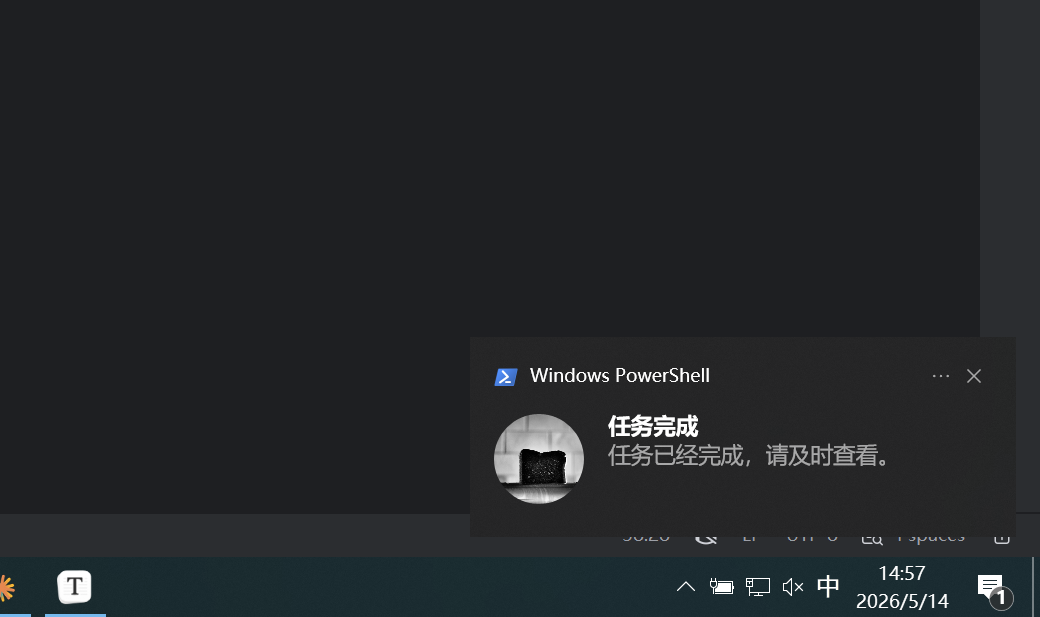
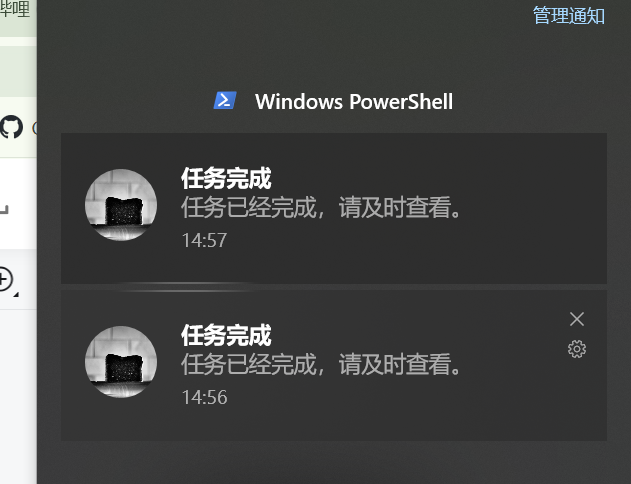
在该文件下创建文件夹 mybat , 在该文件夹下新增两个脚本
completion_notification.ps1 完成时通知脚本
$ErrorActionPreference = "Stop"

try {
    Import-Module BurntToast -ErrorAction Stop
    New-BurntToastNotification -Text "任务完成", "任务已经完成,请及时查看。"
}
catch {
    Write-Host "[通知异常] $($_.Exception.Message)"
    try {
        Add-Type -AssemblyName System.Windows.Forms
        [System.Windows.Forms.MessageBox]::Show(
            "任务已经完成,请及时查看。",
            "任务完成",
            [System.Windows.Forms.MessageBoxButtons]::OK,
            [System.Windows.Forms.MessageBoxIcon]::Information
        ) | Out-Null
    }
    catch {
        Write-Host "[弹窗异常] $($_.Exception.Message)"
    }
}p_notification.ps1 需要权限时通知脚本
$ErrorActionPreference = "Stop"

try {
    Import-Module BurntToast -ErrorAction Stop
    New-BurntToastNotification -Text "权限确认", "需要权限确认,请及时查看。"
}
catch {
    Write-Host "[通知异常] $($_.Exception.Message)"
    try {
        Add-Type -AssemblyName System.Windows.Forms
        [System.Windows.Forms.MessageBox]::Show(
            "需要权限确认,请及时查看。",
            "权限确认",
            [System.Windows.Forms.MessageBoxButtons]::OK,
            [System.Windows.Forms.MessageBoxIcon]::Information
        ) | Out-Null
    }
    catch {
        Write-Host "[弹窗异常] $($_.Exception.Message)"
    }
}配置文件 config.toml 下添加下面内容
[features]
hooks = true

[[hooks.PermissionRequest]]
matcher = "^Bash$"

[[hooks.PermissionRequest.hooks]]
type = "command"
command = "powershell.exe -NoProfile -ExecutionPolicy Bypass -File \"C:\\Users\\admin\\.codex\\mybat\\p_notification.ps1\""

[[hooks.Stop]]

[[hooks.Stop.hooks]]
type = "command"
command = "powershell.exe -NoProfile -ExecutionPolicy Bypass -File \"C:\\Users\\admin\\.codex\\mybat\\completion_notification.ps1\""

[hooks.state]上面文件的编码方式必须是utf-8-BOM格式,当执行报错可以评论或者私信我,我会尽量配合解决,想要文件的可以私信我,我会进行发送
