
前面几节课,咱们用纯 Java 玩转了本地大模型、国产 API、甚至 AI 绘画——是不是觉得“AI 应用开发”也没那么玄乎?
但你心里可能还卡着一个问题:
“我公司项目全是 SpringBoot 啊!难道要重写一套?有没有办法 直接在现有 Spring Boot 项目里加个 AI 功能,比如一个 /ai/chat 接口?”
当然有!而且超简单!
准备好了吗?咱们这就把 AI 能力“注入”你的 Spring Boot 应用!
🎯 引入:为什么企业级 AI 必须用 Spring Boot 整合?
想象一下真实场景:
产品经理说:“用户反馈太难处理,能不能让 AI 先自动分类?”
运维同事问:“能不能做个智能日志分析助手?”
客户希望:“在我们后台加个‘AI 客服’入口!”
这些需求,最终都要变成一个 HTTP 接口,集成到现有系统里。
而 Spring Boot 是什么?是 Java 企业开发的“标准答案”!所以,让 AI 能力以 Spring Bean 的形式注入 Controller,才是企业级开发的正确姿势!
🧠 理论铺垫:LangChain4j 如何“融入” Spring Boot?
还记得咱们说 LangChain4j 是“AI 乐高积木”吗?
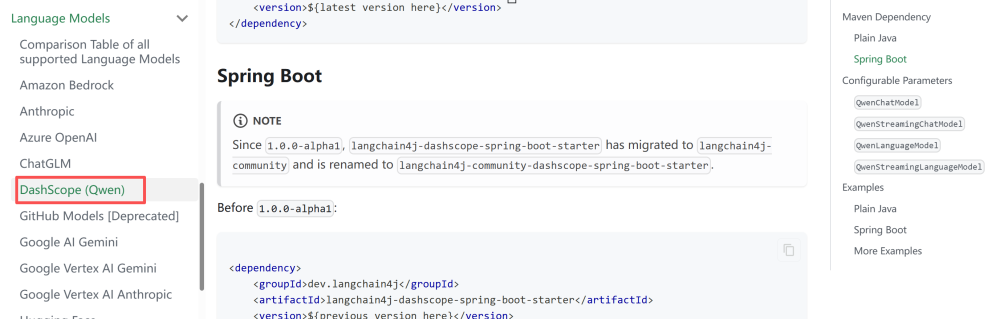
现在,LangChain4j 官方提供了 Spring Boot Starter ——它就像一包“预装好的积木”,你只要加个依赖,QwenChatModel 自动变成 Spring Bean!
整个流程长这样:
[MISSING IMAGE: , ]
是不是超省心?你只管写业务逻辑,底层连接、重试、序列化全交给 Starter!
langchain4j-spring-boot-starter。截至 2026 年初,LangChain4j 官方已提供 Spring Boot 支持,我们优先使用 dev.langchain4j:langchain4j-spring-boot-starter。
官方文档:https://docs.langchain4j.dev/integrations/language-models/dashscope#spring-boot
⚙️ 实战 Part 1:创建 Spring Boot 项目 + 加依赖
第一步:用 Spring Initializr 创建项目
访问 start.spring.io
选 Java 17+, Maven, Spring Boot 3.x
添加依赖:Spring Web
Group: com.example, Artifact: ai-spring-demo
点击 Generate,导入 IDEA
第二步:添加 LangChain4j Spring Boot Starter
在 pom.xml 中加入:
<dependency> <groupId>org.springframework.boot</groupId> <artifactId>spring-boot-starter</artifactId> </dependency> <dependency> <groupId>dev.langchain4j</groupId> <artifactId>langchain4j-community-dashscope-spring-boot-starter</artifactId> <version>1.11.0-beta19</version> </dependency> <dependency> <groupId>org.springframework.boot</groupId> <artifactId>spring-boot-starter-web</artifactId> </dependency> <dependency> <groupId>org.springframework.boot</groupId> <artifactId>spring-boot-starter-test</artifactId> <scope>test</scope> </dependency>
⚙️ 实战 Part 2:配置 API Key + 写 Controller
第一步:配置 application.yml
langchain4j: community: dashscope: chat-model: api-key: ${DASHSCOPE_API_KEY} # 从环境变量读取,安全! model-name: qwen-max # 可选:qwen-plus, qwen-turbo 等
🔐 重要!不要把 API Key 写死在 yml 里!
第二步:写一个 AI Controller
/** * @author 小编码上说 * @version 1.0 * @data 2026/2/11 15:05 */ @RestController @RequestMapping("/ai") public class AiController { @Autowired ChatModel qwenChatModel; @RequestMapping("/chat") public String test(@RequestParam(defaultValue="你是谁") String message) { String chat = qwenChatModel.chat(message); return chat; } }
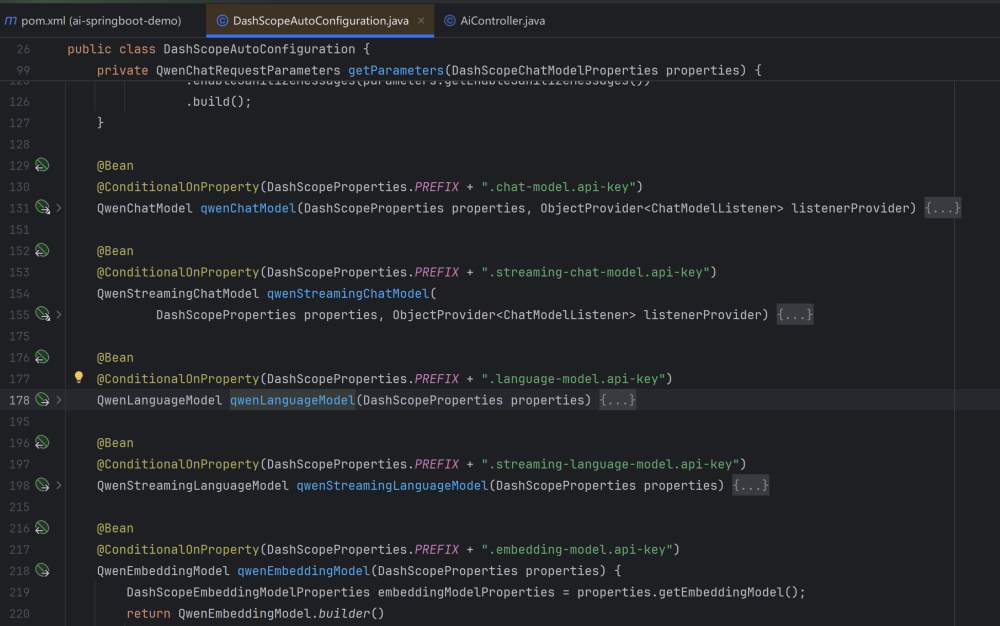
⚠️ 为什么能直接注入 ChatModel?因为 Starter 里的 AutoConfiguration 检测到 langchain4j.qwen.api-key 配置后,自动创建了 QwenChatModel 的 Bean!
In this case, an instance of QwenChatModel (an implementation of a ChatModel) will be automatically created, and you can autowire it where needed:

自动配置类:DashScopeAutoConfiguration
@AutoConfiguration @EnableConfigurationProperties({DashScopeProperties.class}) public class DashScopeAutoConfiguration { public DashScopeAutoConfiguration() { }
▶️ 启动 & 测试
设置环境变量:
export ALIBABA_API_KEY=你的阿里云API_KEY
启动应用:run
访问:
http://localhost:8080/ai/chat?message=你好啊
你会看到浏览器直接返回:
你好!我是通义千问(Qwen),阿里巴巴研发的超大规模语言模型……
🎉 成了!一个企业级 AI 接口,就这么诞生了!
❓ 互动思考:如果我想换模型,比如 DeepSeek,怎么办?
好问题!只需三步:
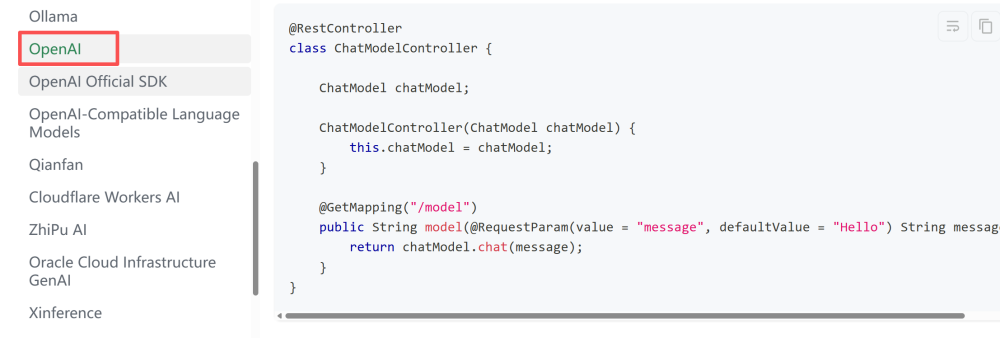
在 pom.xml 加 langchain4j-open-ai-spring-boot-starter 依赖;
在 application.yml 改成 OpenAI 配置(baseUrl: https://api.deepseek.com);
重启!Spring Boot 会自动切换 Bean!
这就是 Starter + 自动配置 的威力——模型可插拔,业务代码零修改!
官方文档:https://docs.langchain4j.dev/integrations/language-models/open-ai
扩展:通过引入自定义配置类,可以同时配置多模型。
配置方式:
@Configuration public class LangChain4jConfig { @Value("${dashscope.api-key}") private String apiKey; @Bean public ChatModel qwenMaxChatModel() { return DashScopeChatModel.builder() .apiKey(apiKey) .modelName("qwen-max") .temperature(0.7) .maxTokens(2048) .build(); } @Bean public ChatModel qwenPlusChatModel() { return DashScopeChatModel.builder() .apiKey(apiKey) .modelName("qwen-plus") .temperature(0.5) .maxTokens(1024) .build(); } }
使用方式:
@Service public class AiService { @Autowired @Qualifier("qwenMaxChatModel") private ChatModel qwenMaxChatModel; @Autowired @Qualifier("qwenPlusChatModel") private ChatModel qwenPlusChatModel; }
🎁 收尾:本节课你掌握了什么?
✅ 成功将 LangChain4j 与 Spring Boot 无缝整合;
✅ 通过 Starter 实现 Qwen 模型的自动装配,告别手动 new;
✅ 用 10 行代码写出生产级 AI 对话接口;
✅ 为后续接入记忆对话、知识库、流式响应打下坚实基础!
从今天起,你不再是一个只会 CRUD 的开发者——你是那个能给公司系统“注入 AI 大脑”的关键人物!
记得先跑通这个接口,有问题评论区见!咱们下期继续“企业级 AI”之旅!
参考文档:
核心库查询地址:https://central.sonatype.com/artifact/dev.langchain4j/langchain4j/versions
Starter 组件(以 OpenAI 为例):https://central.sonatype.com/artifact/dev.langchain4j/langchain4j-open-ai-spring-boot-starter/versions
操作:打开链接后,页面会列出该组件的所有发布版本(包括正式版、beta 版),并显示每个版本的发布时间。
