

在这个数字艺术蓬勃发展的时代,越来越多的人开始尝试使用人工智能来创作图像。而ControlNet插件就像是一把神奇的钥匙,能够帮助你更好地控制采用SD图像生成过程,让你的创意得以完美实现。它很好地解决了常规文生图中,控制生成特定文本符号的问题。
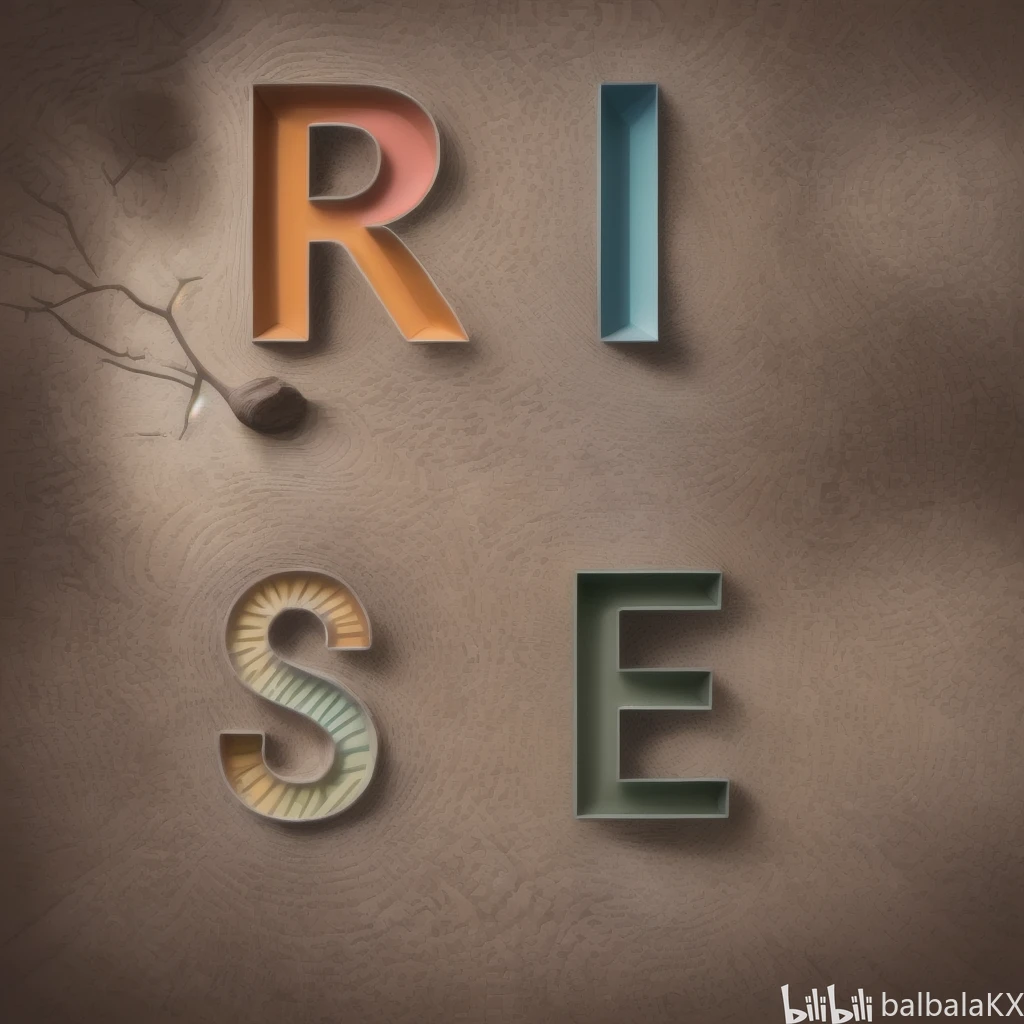
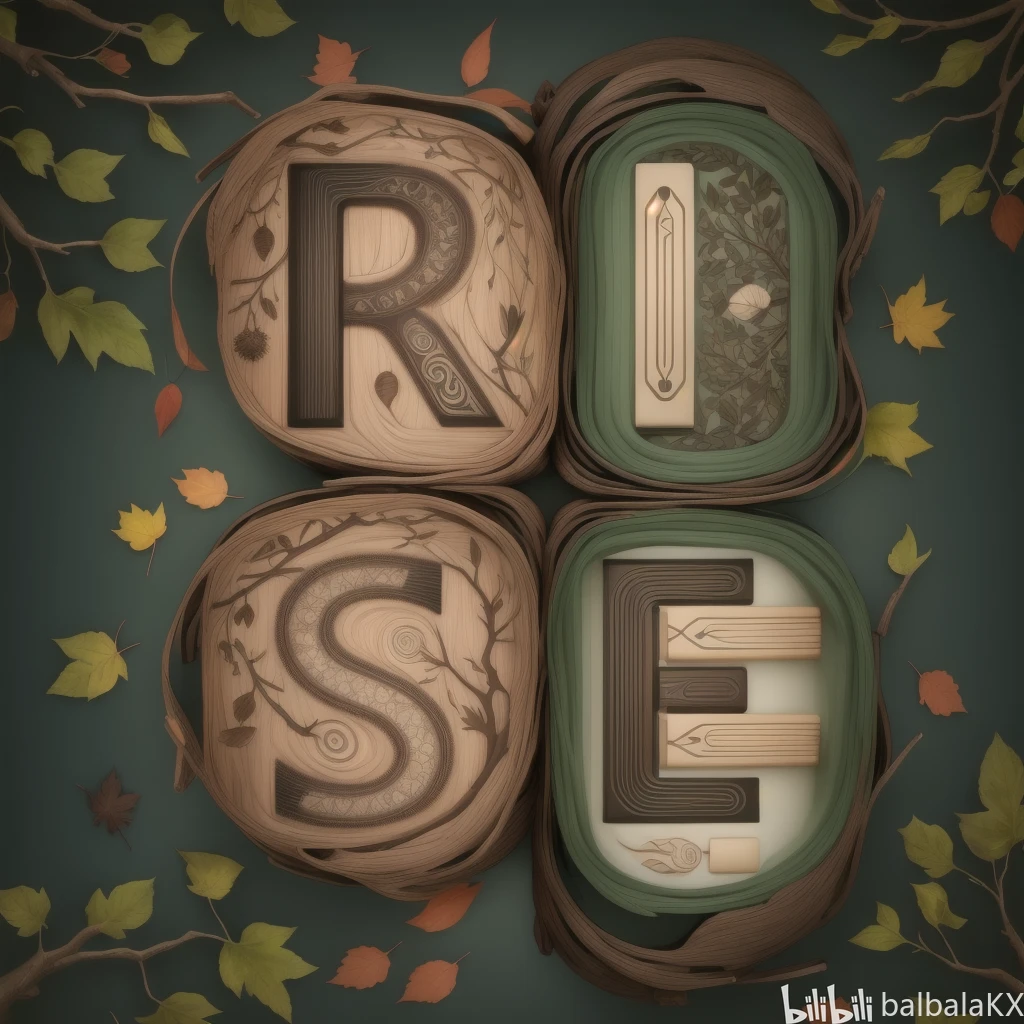
以下为将“R、I、S、E”字符插入到特定风格图片中的例子。

安装部署
ControlNet需要先安装Stable Diffusion WebUI,可参考教程:SD引擎 webUI部署。
在WebUI的"扩展"选项卡下,点击"从网址安装",输入ControlNet的Github地址安装: https://github.com/Mikubill/sd-webui-controlnet
安装完成后重启WebUI,在界面下方会出现ControlNet设置面板。
在ControlNet设置面板里,可以下载所需的特征提取模型,比如OpenPose、Canny等。模型下载完成后就可以使用了。
### 实际使用
安装完成后,可以看到如下webui界面。上面部分是常规的文生图部分,截图的下方新增了一个ControlNet的插件。
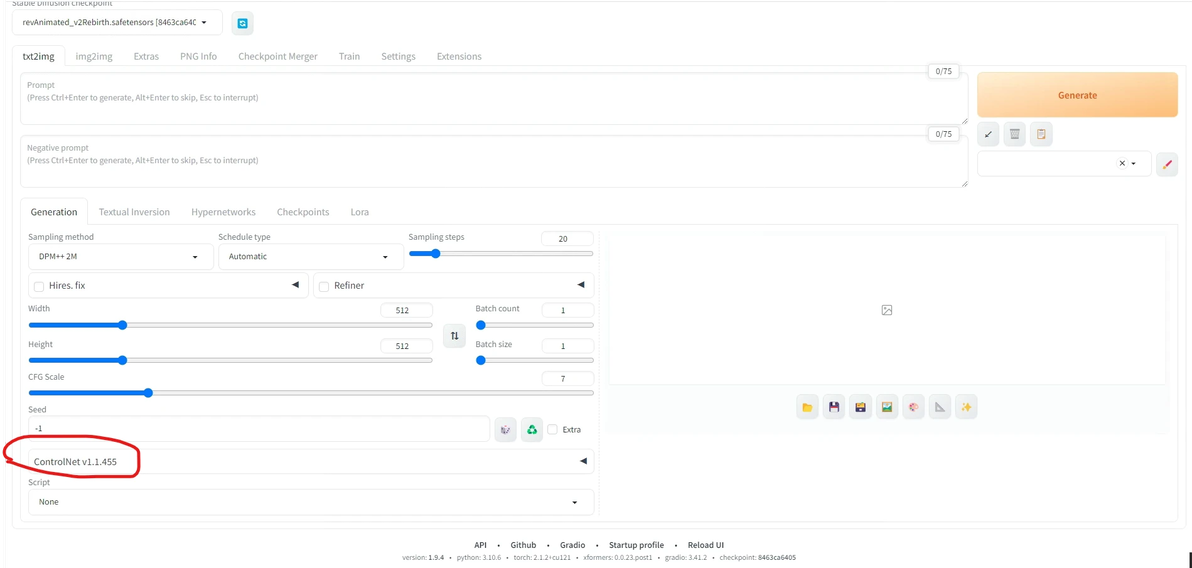
点击打开该插件,为了实现在图中加入特定文字的功能,我们需要先制作出符合自己需求的字符图,该图的大小需要与文生图中图片尺寸一致(比如我设置为1024像素 x 1024像素)。随后我们选择“canny”处理器,按图示进行设置。经过个人的测试,其对规则文字的处理效果较好。当然各位也可以采用其他的处理器来测试使用。
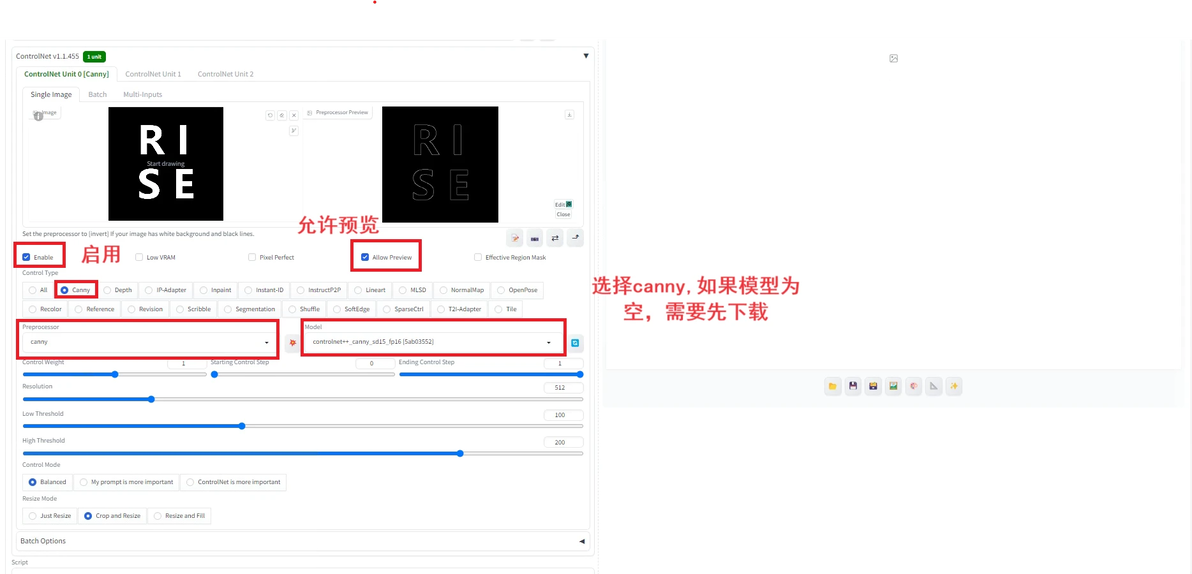
我们发现,其对“R、I、S、E”字符的处理效果较好,能清晰地看到字符边缘。接下来,就可以按照常规的文生图步骤进行使用。
此次是为了按要求生成一幅设计图,采用的提示词如下:“The trunk and branches can be represented as pencils.Leaves can symbolize the expansion of the mind.The letters R, I, S, E should be clearly and subtly distributed in different parts of the tree, such as the trunk, branches or leaves.Make sure the letters are displayed naturally and smoothly, and blend into the overall design.The overall style should be abstract but easy to understand.Please ensure that the connection between ideas and images is smooth, and the four dimensions R, I, S, E are naturally integrated into the tree.”
负向提示词为:“low quality, blurry, grainy, pixelated, low resolution, bad anatomy, bad proportions, disfigured, extra limbs, extra fingers, deformed, ugly, bad art, bad composition, bad perspective, bad lighting, overexposed, underexposed, oversaturated, undersaturated, cluttered, messy, distracting, boring background, noisy background, watermark, signature, text, logo, frame, border, cropped, out of frame”
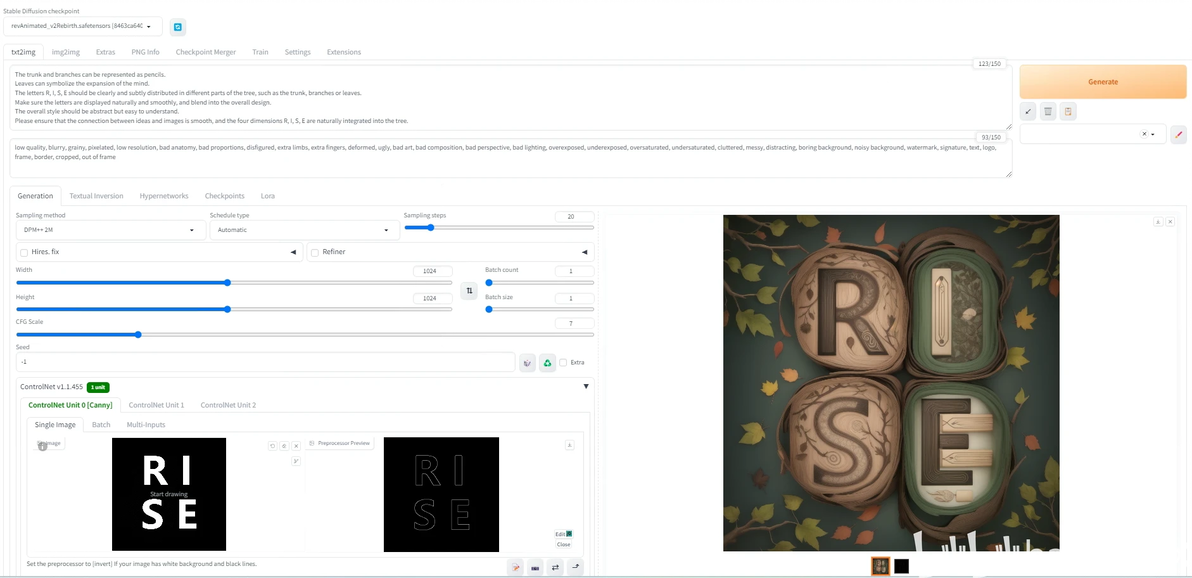
生成的结果如下图,个人感觉还是蛮符合提示词要求的,而且实现了特定字符的融合。
### 总结
controlNet是一款强大的AI图像生成插件,能够帮助你实现更精细的控制和创作。无论你是艺术创作者、设计师,还是想要尝试新技术的小白用户,ControlNet都能为你提供无限的可能性。通过简单的安装和使用,你将能够释放你的创意,让你的想象力在数字艺术的世界中自由飞翔!快来试试吧,开启你的创作之旅!
