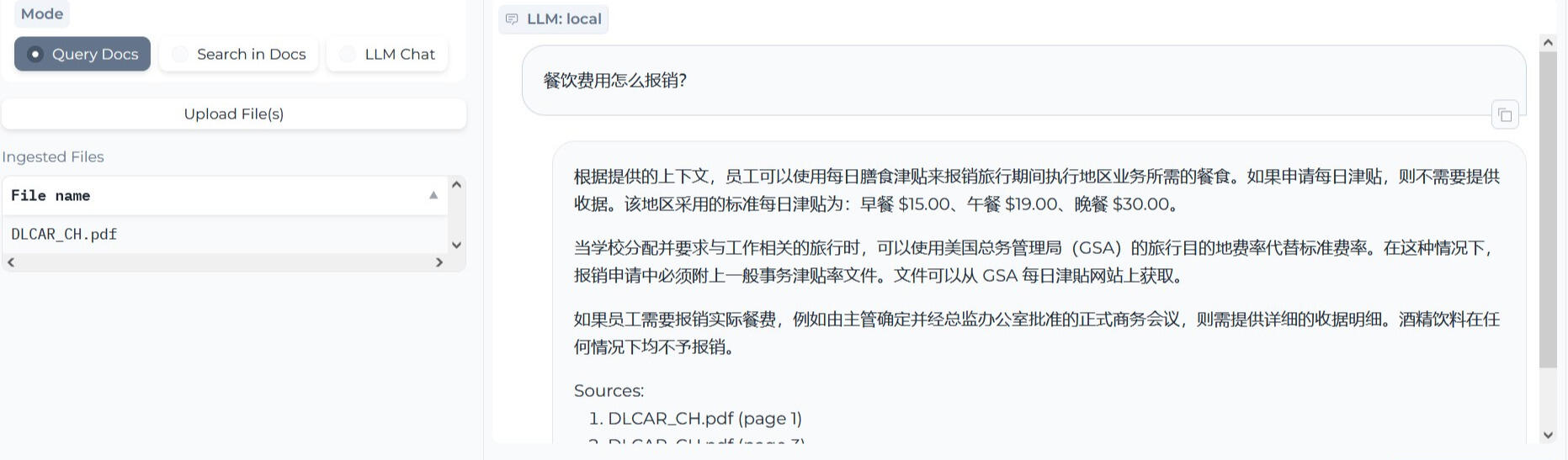

Private GPT是一个可以让你与本地文档直接“对话”的神奇工具,它通过LangChain向量化文档,然后借助目前成熟的大语言模型生成内容,目前出了新版,比原先的旧版好用很多。
以在Windows平台安装为例
下载版本库到本地硬盘:https://github.com/imartinez/privateGPT
安装python环境,要求的版本是3.11:https://www.python.org/ftp/python/3.11.7/python-3.11.7-amd64.exe
安装poetry:pip install --upgrade pip poetry
准备C++编译环境,这步有点麻烦,需要安装Visual Studio 2022 Community,必须安装“通用 Windows 平台开发”和“用于 Windows 的C++ CMake工具”。
安装MinGW:https://sourceforge.net/projects/mingw/,安装完成后勾选并安装mingw32-gcc-g++。
安装chocolatey:https://github.com/chocolatey/choco/releases/tag/2.2.2
安装make,命令行运行:choco install make
安装项目依赖,导航至第一步的项目目录,运行:poetry install --with ui,local
25行:default_chat_system_prompt: "You are a helpful assistant. 你是一个乐于助人的助手。"
36行:tokenizer: hfl/chinese-alpaca-2-7b
51行:llm_hf_repo_id: hfl/chinese-alpaca-2-7b-gguf
52行:llm_hf_model_file: ggml-model-q4_k.gguf
53行:embedding_hf_model_name: BAAI/bge-large-zh-v1.5
