
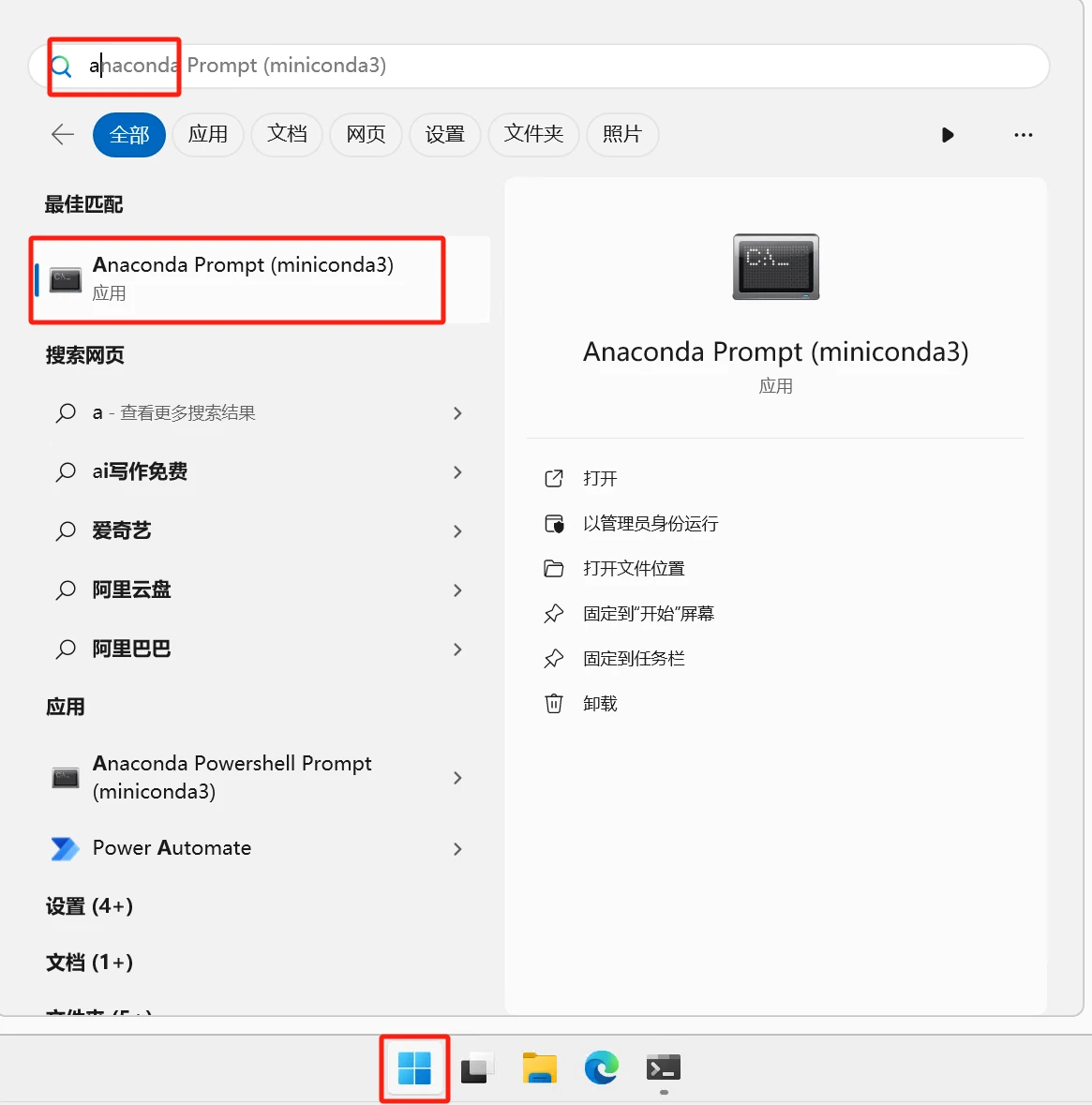
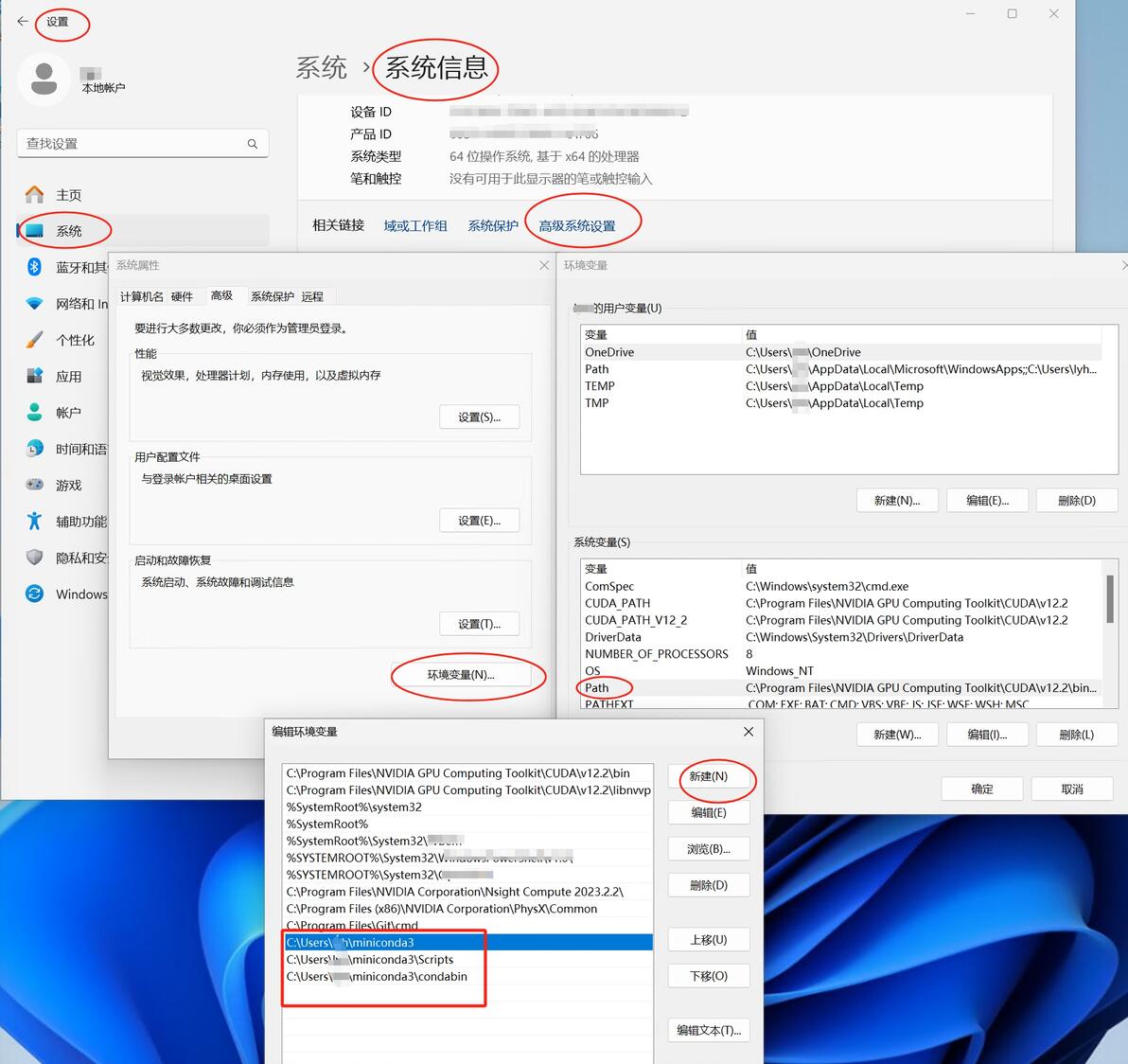
以下命令均在Anaconda Prompt命令终端输入执行,win11按win键输入a就能看到。如果已经将miniconda3的路径放入系统环境变量PATH路径,那么就可以直接win+R输入cmd回车调出系统命令终端使用。win11设置系统环境变量的路径及方法:按win键--设置--系统--系统信息--高级系统设置--环境变量(N)---系统变量---Path,将miniconda3、miniconda3\Scripts及miniconda3\condabin这三个文件夹路径添加进Path。
git系列:
克隆项目到本地
git clone https://github.com/AUTOMATIC1111/stable-diffusionwebui.git
查看当前分支及列出所有本地分支
git branch
获取远程所有分支信息
git fetch origin
查看远程所有分支
git branch -r
查看所有分支(包括已经下载到本地及远程的)
git branch -a
切换分支,如果本地没有而远程有,则自动创建对应的分支
git checkout <branch_name>
删除分支,要先切换到其他分支后再删除
git branch -d <branch_name>
conda系列:
升级
conda update conda
创建虚拟环境
conda create -n <env_name> python==3.10.12
列出所有已经创建的虚拟环境
conda env list
删除虚拟环境
conda remove -n <env_name> -all
激活虚拟环境
conda activate <env_name>
退出当前虚拟环境
deactivate
查看conda版本号
conda -V
查看python版本号
python -V
查看pip版本号及路径
pip -V
用pip安装包,指定下载源
pip install <p_name> -i https://mirrors.aliyun.com/pypi/simple
修改conda源
1、查看配置文件并生成配置文件在C:\Users\<YourUserName>\.condarc下面,
conda config --set show_channel_urls yes
可以直接用记事本打开.condarc编辑,清华园的国内镜像源供参考:
channels:
- defaults
show_channel_urls: true
default_channels:
- https://mirrors.tuna.tsinghua.edu.cn/anaconda/pkgs/main
- https://mirrors.tuna.tsinghua.edu.cn/anaconda/pkgs/r
- https://mirrors.tuna.tsinghua.edu.cn/anaconda/pkgs/msys2
custom_channels:
conda-forge: https://mirrors.tuna.tsinghua.edu.cn/anaconda/cloud
pytorch: https://mirrors.tuna.tsinghua.edu.cn/anaconda/cloud
2、修改pip源,<url>必填,修改为国内镜像站点即可
pip config set global.index-url <url>
例如:
pip config set global.index-url https://mirrors.cernet.edu.cn/pypi/web/simple
可以在上面的基础上继续添加镜像站均衡流量
pip config set global.extra-index-url "<url1> <url2>..."
附部分国内镜像网站
校园网联合镜像站 https://mirrors.cernet.edu.cn/pypi/web/simple
阿里云 http://mirrors.aliyun.com/pypi/simple/
中国科技大学 https://pypi.mirrors.ustc.edu.cn/simple/
豆瓣(douban) http://pypi.douban.com/simple/
清华大学 https://pypi.tuna.tsinghua.edu.cn/simple/
中国科学技术大学 http://pypi.mirrors.ustc.edu.cn/simple/
以上就是最基本的常用操作。此外还有较为麻烦的,比如根据yaml文件或者requirement.txt创建指定位置的虚拟环境,则另篇再叙
