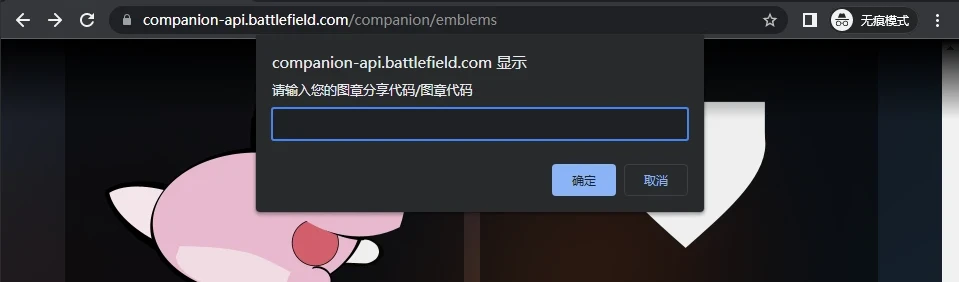

首先建议使用 Edge浏览器,因为有的时候你的 Chrome浏览器的设置 可能不会在控制台输出信息(仅隐藏),你可以这样测试
console.log("TEST")
alert("TEST")正常的话应该是这样输出
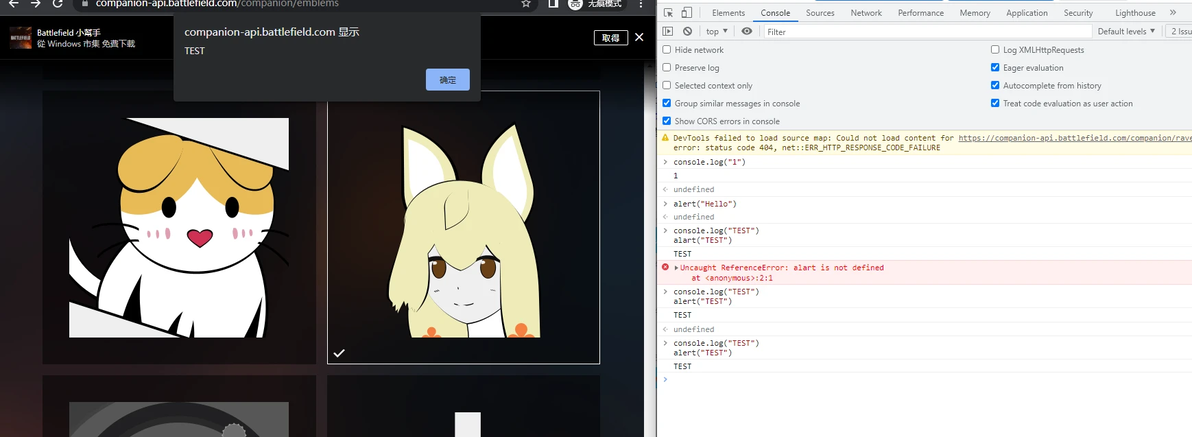
Console&Alert
如果说你发现输入 console.log("TEST") 终端未返回 TEST,那说明你需要设置一下。请参考此方式还原设置
https://www.jianshu.com/p/f616c7b0ebbd
如果还不行,投奔微软换 Edge吧
战地一图章导出代码
目前导出图章图章有两种(我知道的)
1.图层导出(典型 emblemsbf.com,个人图章制作者转交图章)
图章网 原代码
var request=new XMLHttpRequest;request.open("POST","https://companion-api.battlefield.com/jsonrpc/web/api?Emblems.fetchPrivateEmblem",!0),request.onreadystatechange=function(){if(request.readyState==XMLHttpRequest.DONE){var e=JSON.parse(request.responseText);if(e.result){document.body.innerHTML='<h1>Copy that code:</h1><textarea style="width:100%;height:200px;padding:10px;">'+e.result+'</textarea>'}else{alert("Error")}}},request.setRequestHeader("Content-Type","application/json;charset=UTF-8"),request.setRequestHeader("X-GatewaySession",localStorage.gatewaySessionId);data={jsonrpc:"2.0",method:"Emblems.fetchPrivateEmblem",params:{personaId:window.location.href.split("career/")[1].split("/")[0],platform:"pc",slot:window.location.href.split("/").pop()},id:"00000000-0000-0000-0000-000000000000"},request.send(JSON.stringify(data));注:需要把返回的代码填回图章网并分享出去以后才能拿到对应图章导入的源代码,如果直接去运行返回的代码是会报错的
对于想批量导出而不想改变浏览器界面改变可以使用这个版本,图层信息将会返回到控制台,不会改变网页内容 (后期我想尝试做一个批量导出)
fetch("/jsonrpc/web/api",{method:"POST",headers:{"X-GatewaySession":localStorage.gatewaySessionId},body:JSON.stringify({jsonrpc:"2.0",method:"Emblems.fetchPrivateEmblem",params:{personaId:localStorage.personaId,platform:"PC",slot:window.location.pathname.split("/").pop()}})}).then(res => res.json()).then(res => (console.log(res.result)))2.分享码导出(典型 霧島白白梧&22的图层分享,个人图章制作转交)
参考 视频 及 简介中提到的油猴脚本

如果实在不想安装油猴,只想和方法一样运行后一键导出。可以使用该脚本
fetch("/jsonrpc/web/api",{method:"POST",headers:{"X-GatewaySession":localStorage.gatewaySessionId},body:JSON.stringify({jsonrpc:"2.0",method:"Emblems.shareGalleryEmblem",params:{slot:window.location.pathname.split("/").pop()}})}).then(res => res.json()).then(res => (console.log("分享码:"+res.result.shareKey),alert(res.result.shareKey)))运行后会在命令台返回对应的分享码。考虑到可能会有不输出的问题网页界面,我选择了弹窗提示分享码。如图
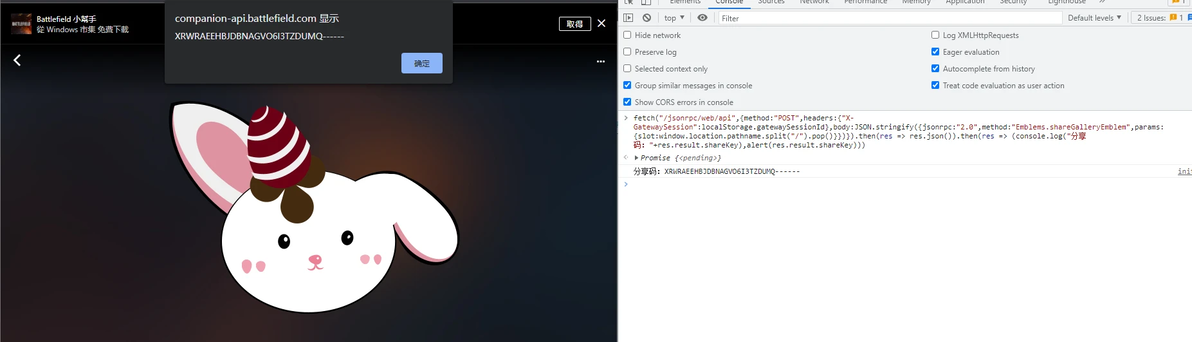
分享码分享
注:使用的时候必须要在要分享的图章的编辑界面。
战地一图章导入代码
建议直接使用 5. 的融合导入脚本,不需要选择导入方式
3.图层导入(对应 导出里的图层导入1)
一般来说给与的都是完整的代码直接运行就行,但是对于某些制作者来说可能定制的图章不想分享到图章网。或者说私人图章,则可使用以下代码导入
将分享方式一拿到的源代码直接粘贴进输入框
var asset = prompt("请输入您的图章代码","NULL");if(asset.length != 0) fetch("/jsonrpc/web/api",{method:"POST",headers:{"X-GatewaySession":localStorage.gatewaySessionId},body:JSON.stringify({jsonrpc:"2.0",method:"Emblems.newPrivateEmblem",params:{data:asset}})}).then(res => res.json()).then(res => (console.log("图章位置:"+res.result.slot),console.log("缩略图:"+(res.result.imageUrlTemplate = res.result.imageUrlTemplate .replaceAll("[SIZE]","320"),res.result.imageUrlTemplate .replaceAll("[FORMAT]","png")))));else alert("用户未输入");使用时请在console运行脚本,在弹出的输入框粘贴分享的 图层源代码。回车以后控制台如果出现 图层位置信息说明添加完成。刷新图章界面以后会看到导入的图章。
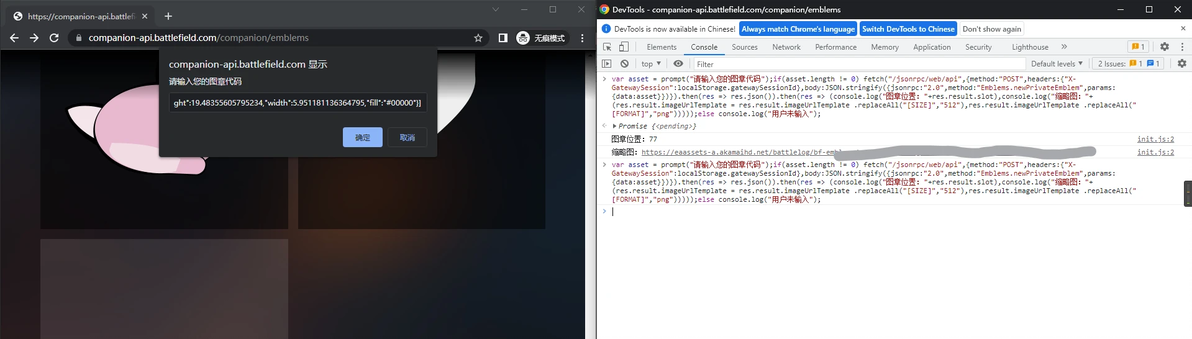
图层导入
考虑到页面刷新会清除console信息,于是脚本未添加刷新界面的功能。如果想要自动跳转请使用此脚本
var asset = prompt("请输入您的图章代码");if(asset.length != 0) fetch("/jsonrpc/web/api",{method:"POST",headers:{"X-GatewaySession":localStorage.gatewaySessionId},body:JSON.stringify({jsonrpc:"2.0",method:"Emblems.newPrivateEmblem",params:{data:asset}})}).then(res => res.json()).then(res => (console.log("图章位置:"+res.result.slot),console.log("缩略图:"+(res.result.imageUrlTemplate = res.result.imageUrlTemplate .replaceAll("[SIZE]","320"),res.result.imageUrlTemplate .replaceAll("[FORMAT]","png"))))),location.href="https://companion-api.battlefield.com/companion/emblems";else console.log("用户未输入");该脚本会在回车以后重定向你的界面到图章界面,也就是你可以在小助手任意界面运行它。结束以后会自动把你带到图章界面 ps:其实我还想加一个刷新以后自动把滚动条拉到最低的操作来。emmm,没实现
注: 所有的脚本均不支持 缺少图层报错功能(老脚本报的Error),仅通过API进行新图章创建操作。
4.分享码导入(对应使用分享码分享)
和 3 的使用方法一致,运行脚本在弹出的输入框输入分享码。此脚本带有自动重定向功能
var code = prompt("请输入您的图章分享代码","NULL");if(string.length != 0) fetch("/jsonrpc/web/api",{method:"POST",headers:{"X-GatewaySession":localStorage.gatewaySessionId},body:JSON.stringify({jsonrpc:"2.0",method:"Emblems.importSharedEmblem",params:{shareKey:code}})}).then(res => res.json()).then(res => (console.log("图章位置:"+res.result))),location.href="https://companion-api.battlefield.com/companion/emblems";else alert("用户未输入");
5.融合自动导入脚本(您可以输入 源代码,分享码,脚本会自动 “识别“)
脚本代码
var lowrie = prompt("请输入您的图层分享代码/图章代码",);if(lowrie.match(/------/)) fetch("/jsonrpc/web/api",{method:"POST",headers:{"X-GatewaySession":localStorage.gatewaySessionId},body:JSON.stringify({jsonrpc:"2.0",method:"Emblems.importSharedEmblem",params:{shareKey:lowrie}})}).then(res => res.json()).then(res => {if(res.result!=null)(console.log("图章序号:"+res.result),console.log("请手动刷新图章界面")),alert("完成,请手动刷新图章页面");else alert("分享码错误"),console.log("导入失败,分享码不存在./分享码填写错误")});else if(lowrie.match(/asset/))fetch("/jsonrpc/web/api",{method:"POST",headers:{"X-GatewaySession":localStorage.gatewaySessionId},body:JSON.stringify({jsonrpc:"2.0",method:"Emblems.newPrivateEmblem",params:{data:lowrie}})}).then(res => res.json()).then(res => {if(res.result!=null)(console.log("图章序号:"+res.result.slot),console.log("预览图:"+(res.result.imageUrlTemplate = res.result.imageUrlTemplate .replaceAll("[SIZE]","320"),res.result.imageUrlTemplate .replaceAll("[FORMAT]","png")))),alert("完成,请手动刷新图章页面");else alert("缺少的图层/代码不完整"),console.log("导入失败,代码中可能存在您未拥有的图层./您复制的代码不完整")});else alert("用户未输入/无效的输入")使用教程方面应该没有可说的,直接运行然后输入你的 分享码/源代码。确定之后,如果控制台给出图章序号信息就自己手动刷新一下图章界面。
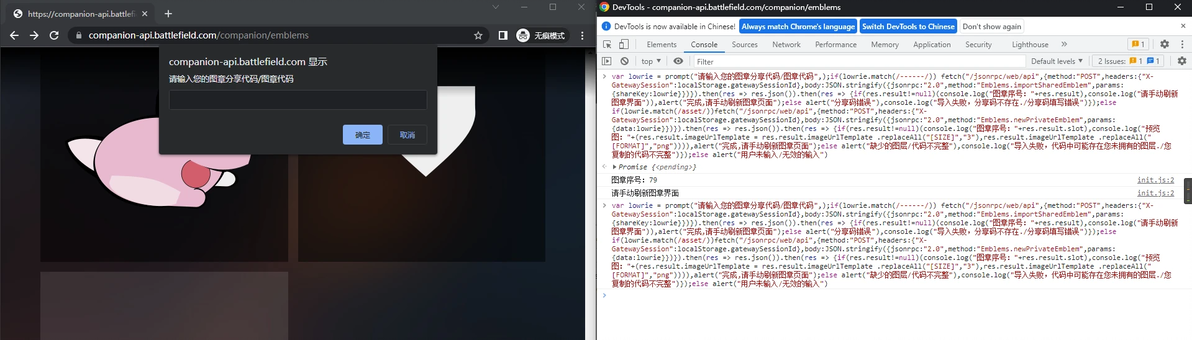
融合自动导入
此脚本支持 空输入退出,图层方法导入时图案未拥有/图层代码复制不全/无效的代码 报警
输入识别匹配原理
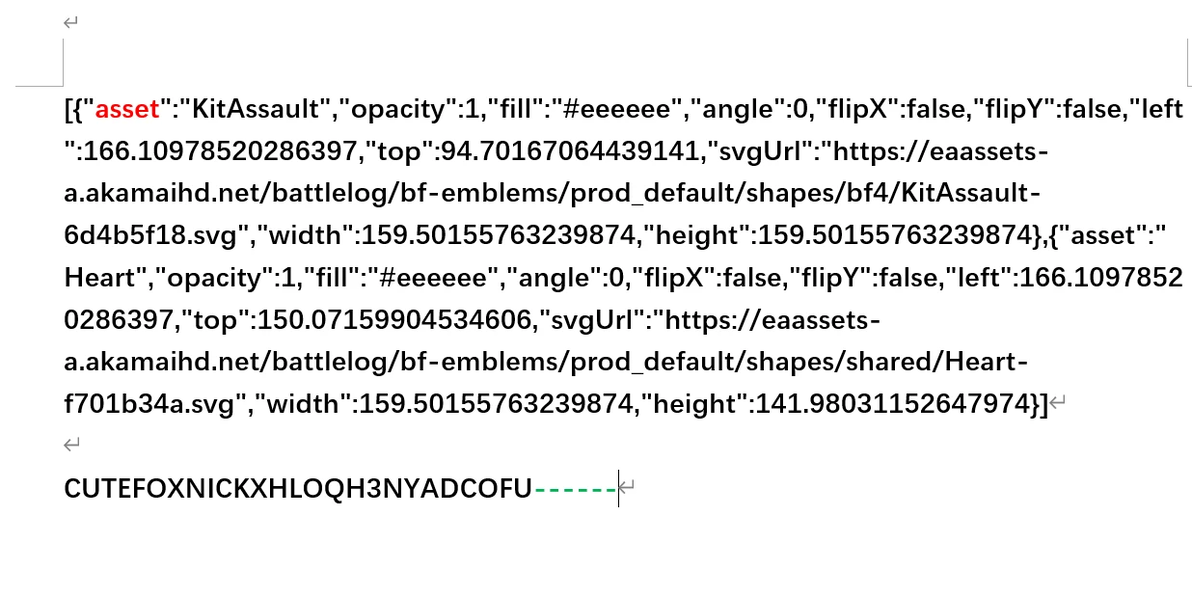
感谢有你们
通过检测输入的字符串是否包含关键词,例如 图层代码一般都包含"asset" 分享码一般都包含有一长串横杠
