
0x01 写在前面
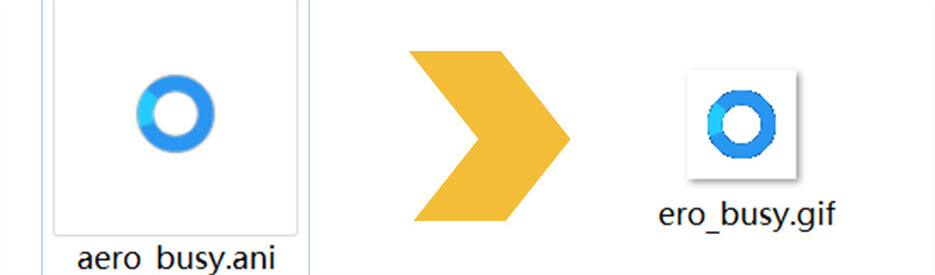
众所周知,Windows下使用动态鼠标指针是很简单的一件事,网上有大量的ANI(Windows Animated Cursors,动画鼠标指针)文件,下载下来直接导入安装即可。部分指针文件还会特别贴心的帮你使用INF文件进行辅助安装。但是,如何才能将ANI文件转化成MacOS或是Linux系统下可用的指针呢?本篇专栏将教你完成第一步,将ANI文件转化为GIF文件。
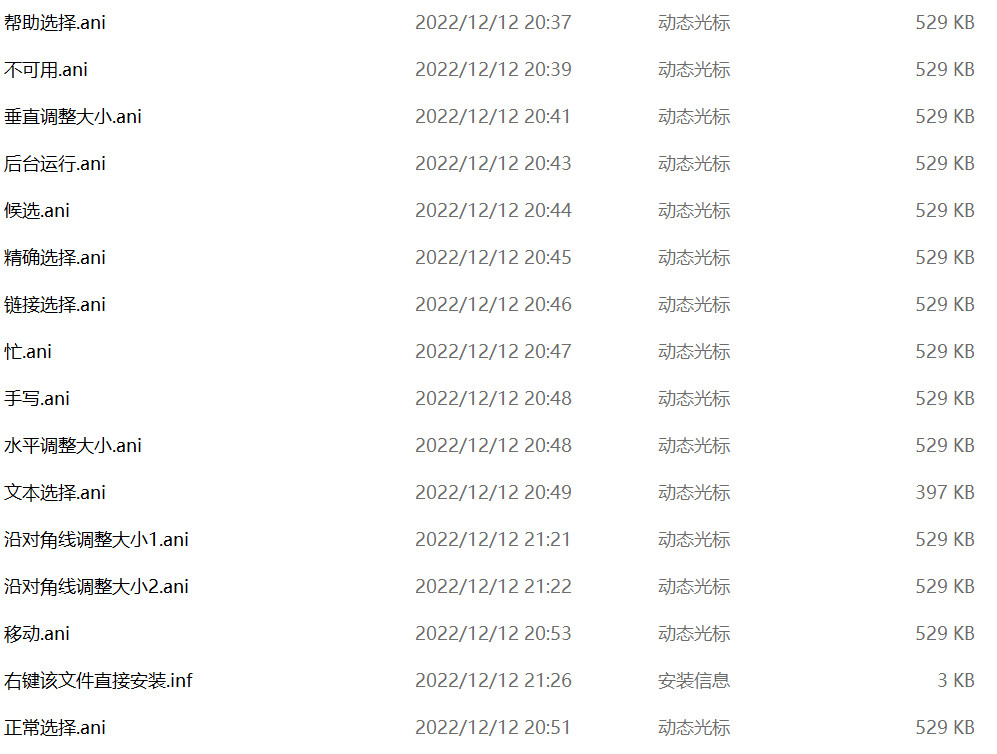
一种常见的ANI动态指针方案
0x02 所需技能
会运行Python脚本
0x03 ANI文件格式
太长不看传送门:可直接拉到0x05获取转换脚本。
网上关于ANI文件格式的分析少之又少,从wiki中可以获取基本的文件格式。
Animated cursors contain the following information: (in order of position in the file) Frame rates are measured in jiffies, with one jiffy equal to 1/60 of a second, or 16.666 ms.
但是我们依然不知道这些字段到底有多长,那么最简单的,我们直接从网上下载一个ANI文件使用010 Editor打开。
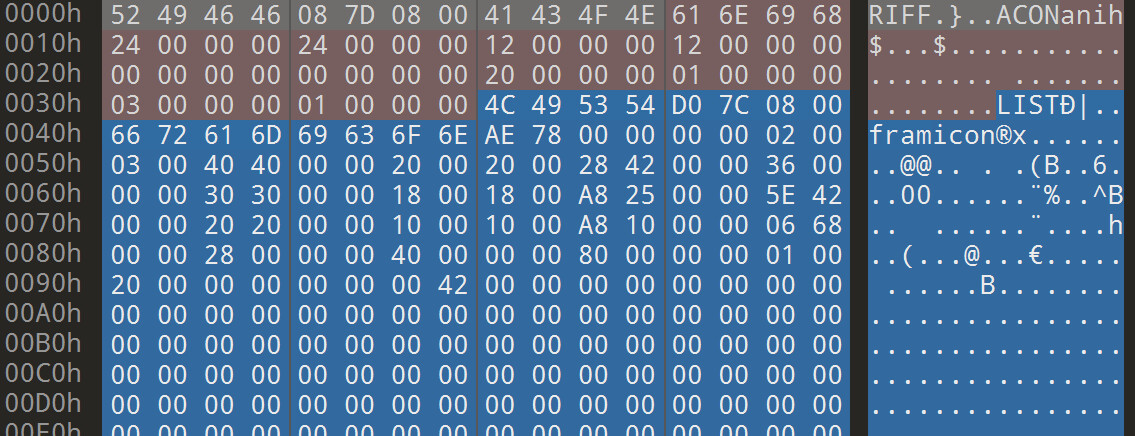
系统默认图标aero_busy.ani的分析结果
首先,010 Editor是不支持ANI文件模板解析的,这里着色的原因是因为我们看到ANI的文件头其实是RIFF格式,而010 Editor支持对RIFF格式的解析。因此,我们使用模板解析功能查看文件。
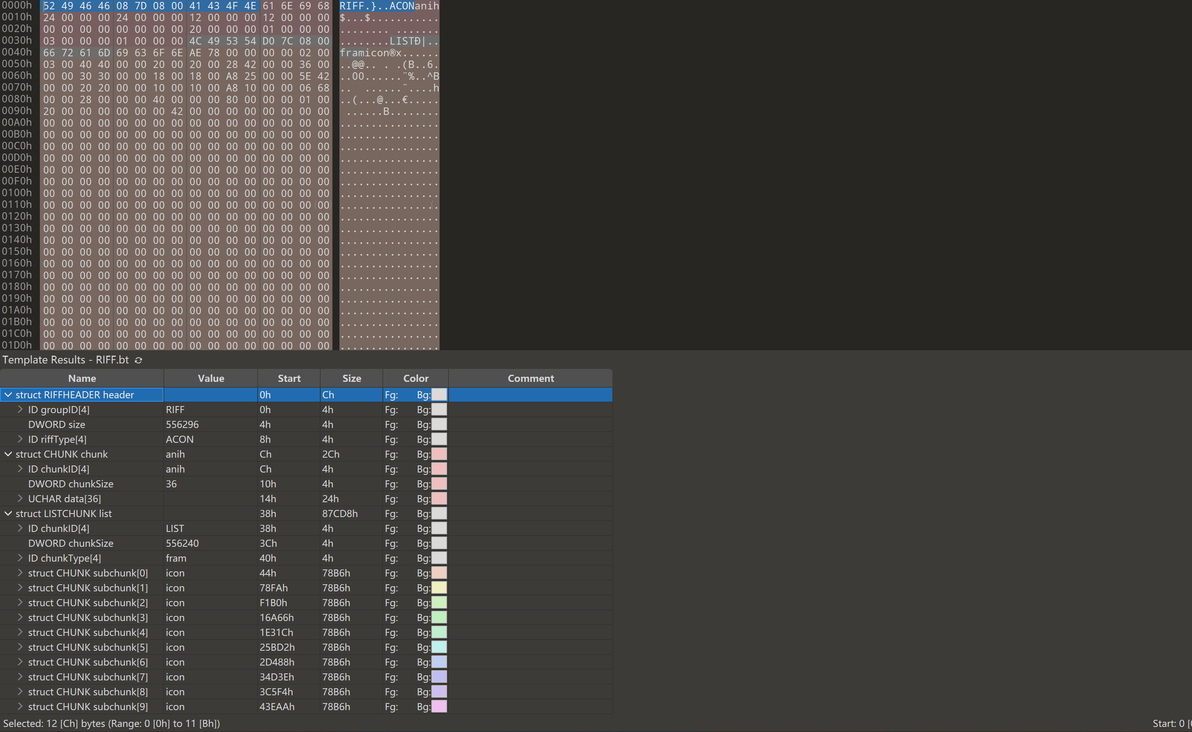
系统默认图标aero_busy.ani的分析结果
那么依据RIFF格式的定义,我们可以确定ANI的格式为:
4字节文件头(RIFF) + 4字节文件长度(包含文件头) + 4字节ANI标识 = ANI Header
4字节前导块标识符 + 4字节前导块长度len(不包含块标识符) + len字节内容 = ANI exHeader
4字节帧列表标识符(LIST) + 4字节帧列表长度(不包含帧列表标识符) + 4字节帧列表标识(fram) = ANI Body Pre
4字节帧标识符(icon) + 4字节帧长度len(不包含帧标识符) + len字节内容 = ANI Body
ANI Header + n x ANI exHeader + ANI Body Pre + m x ANI Body = ANI File (n,m ∈ N>0)
那么我们的思路很简单,我们只需要按ANI格式解析文件,将每一帧的内容拼接成GIF就可以了,于是自然而然会引出另一个问题,那就是每一帧的内容格式,根据Wiki中的内容,我们猜测每一帧的内容应该是ICO格式,于是我们提取出第一帧的内容。
0x04 ICO/CUR文件格式
010 editor是支持ICO格式的,我们尝试使用ICO格式直接解析。

010 Editor 报错
发现报错,那么我们去Wiki看一看ICO的文件格式定义
The ICO file format is an image file format for computer icons in Microsoft Windows. ICO files contain one or more small images at multiple sizes and color depths, such that they may be scaled appropriately. In Windows, all executables that display an icon to the user, on the desktop, in the Start Menu, or in Windows Explorer, must carry the icon in ICO format. The CUR file format is an almost identical image file format for non-animated cursors in Microsoft Windows. The only differences between these two file formats are the bytes used to identify them and the addition of a hotspot in the CUR format header; the hotspot is defined as the pixel offset (in x,y coordinates) from the top-left corner of the cursor image where the user is actually pointing the mouse. The ANI file format is used for animated Windows cursors.
发现CUR格式与ICO格式几乎相同,Header中只有一位之差,那么猜测是否ANI中预埋的都是CUR格式,进而导致010 Editor的ICO格式解析失效。于是我们手动修改对应位,再次尝试解析。
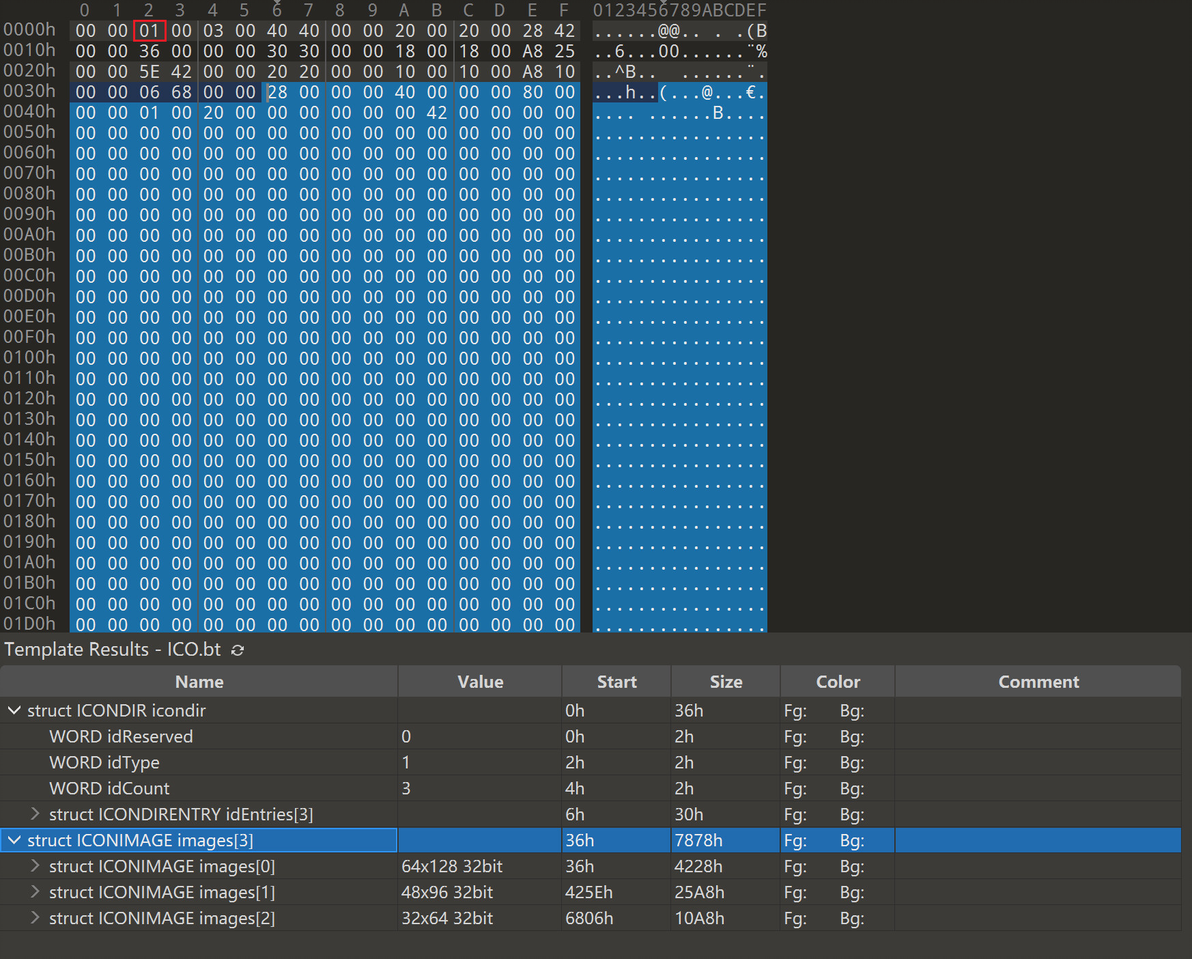
修改指定位之后的010 Editor解析结果
那么我们可以确定每一帧的内容均为CUR格式。
0x05 转化脚本编写
于是我们的思路就很明确了,首先提取ANI中的CUR,然后将其拼接成为GIF即可。查阅Pillow文件可以发现,CUR恰好是它可以读取的文件。
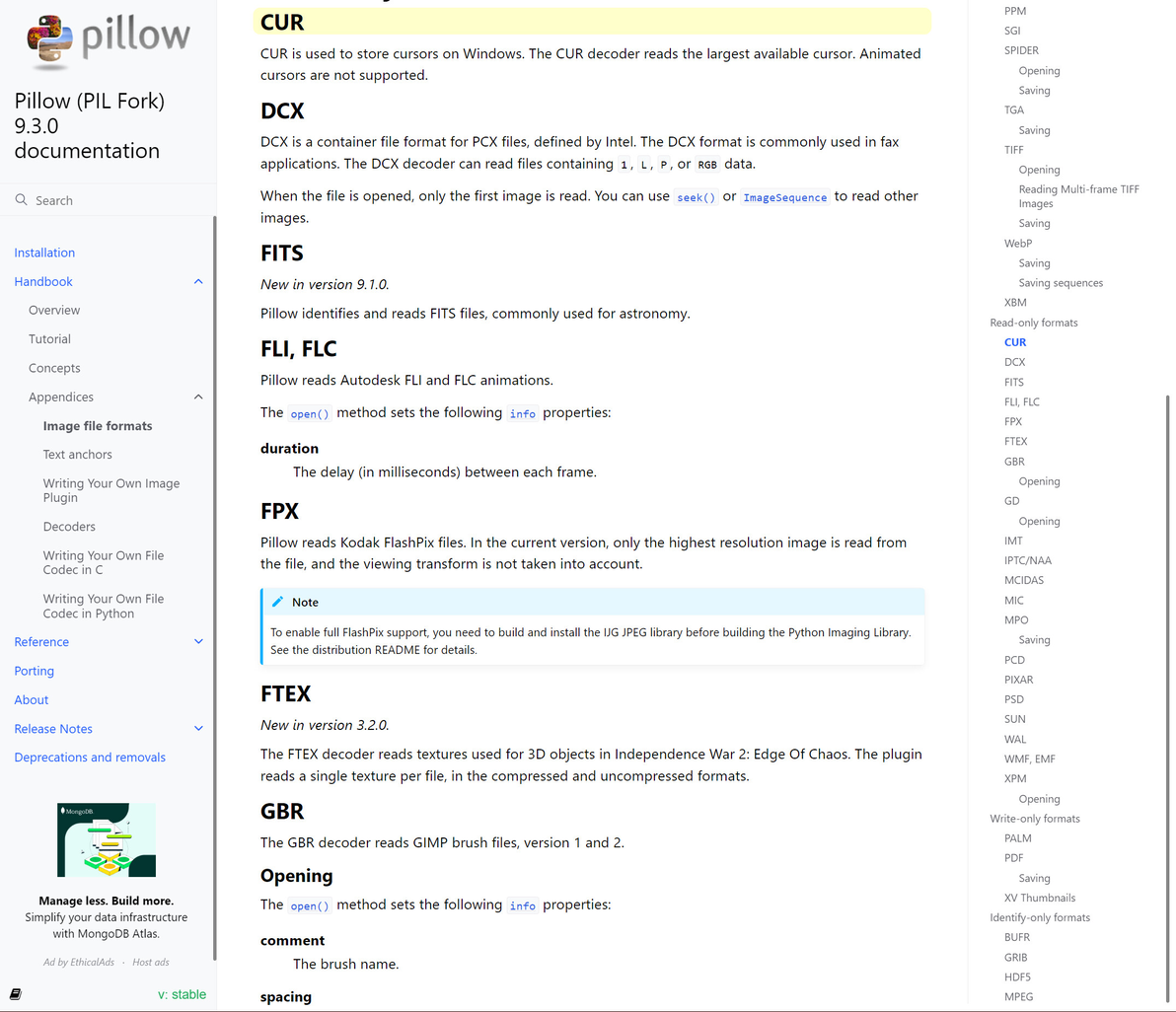
Pillow Document
最终代码如下
from PIL import Image
import io,os,sys
import logging

logging.basicConfig(format='%(asctime)s - %(pathname)s[line:%(lineno)d] - %(levelname)s: %(message)s',level=logging.INFO)

def analyzeANIFile(filePath):
    with open(filePath,'rb') as f:
        if f.read(4) != b'RIFF':
            return {"code":-1,"msg":"File is not a ANI File!"}
        logging.debug('文件头检查完成!')
        fileSize = int.from_bytes(f.read(4), byteorder='little', signed=False)
        # if os.path.getsize(filePath) != fileSize:
        #     return {"code":-2,"msg":"File is damaged!"}
        logging.debug('文件长度检查完成!')
        if f.read(4) != b'ACON':
            return {"code":-1,"msg":"File is not a ANI File!"}
        logging.debug('魔数检查完成!')
        frameRate = (1/60)*1000
        while(True):
            chunkName = f.read(4)
            if chunkName == b'LIST':
                break
            chunkSize = int.from_bytes(f.read(4), byteorder='little', signed=False)
            if chunkName.lower() == b'rate':
                logging.debug('发现自定义速率!')
                frameRate = frameRate * int.from_bytes(f.read(4), byteorder='little', signed=False)
                logging.warning('发现自定义速率!由于GIF限制,将取第一帧与第二帧的速率作为整体速率!')
                f.read(chunkSize - 4)
            else:
                logging.debug('发现自定义Chunk!')
                f.read(chunkSize)
        listChunkSize = int.from_bytes(f.read(4), byteorder='little', signed=False)
        if f.read(4) != b'fram':
            return {"code":-3,"msg":"File not a ANI File!(No Frames)"}
        logging.debug('frame头检查完成!')
        frameList = []
        nowSize = 4
        while(nowSize < listChunkSize):
            if f.read(4) != b'icon':
                return {"code":-4,"msg":"File not a ANI File!(Other Kind Frames)"}
            nowSize += 4
            subChunkSize = int.from_bytes(f.read(4), byteorder='little', signed=False)
            nowSize += 4
            frameList.append(f.read(subChunkSize))
            nowSize += subChunkSize
        return {"code":0,"msg":frameList,"frameRate":frameRate}

if __name__ == '__main__':
    if len(sys.argv) < 2:
        logging.fatal("Usage:python ani2gif.py <inputFile> <outputFile,Option>")
    else:
        res = analyzeANIFile(sys.argv[1])
        GIFframes = []
        if res["code"] == 0:
            logging.info('ANI文件分析完成,帧提取完成!')
            for frame in res["msg"]:
                frameImage = Image.open(io.BytesIO(frame),formats=['CUR']).convert('RGBA')
                GIFframes.append(frameImage)
            if(len(sys.argv) >= 3):
                GIFframes[0].save(sys.argv[2],format="GIF",save_all=True, append_images=GIFframes[1:], optimize=False, duration=res["frameRate"], loop=0, transparency=0, disposal=2)
            else:
                GIFframes[0].save(f"{sys.argv[1].strip('.ani')}.gif",format="GIF",save_all=True, append_images=GIFframes[1:], optimize=False, duration=res["frameRate"], loop=0, transparency=0, disposal=2)
            logging.info('GIF生成完成!')
        else:
            logging.fatal(res["msg"])
附:pillow安装方式(阿狸云pip源不稳,疑似限速,本处使用中科大pip源):python3 -m pip install --upgrade Pillow -i https://mirrors.ustc.edu.cn/pypi/web/simple
附2:本脚本在Python 3.8以上测试通过。
0x06 后记
大家看看脚本的话还会发现有一些正文中未提到的操作,由于网上资料较为齐全,此处不再展开,仅做索引性说明。
引入了rate chunk的检查与引用:ANI规范中,可以使用前导块标识符为"rate"的前导块自定义ANI动画的帧速率,且可以使ANI动画逐帧切换不等速,而GIF要求逐帧等速。因此此处引入了rate chunk的检查与引用,并将ANI中第一帧与第二帧的切换速率作为整体GIF速率。此外,ANI规范中还规定了前导块标识符为"seq"的前导块,它用于规定帧顺序,但是绝大多数的ANI就算定义了自定义seq,顺序也为12345...,故本脚本中未作考虑。
使用了convert对CUR色彩编码方案进行了变更:为了保证最终生成的GIF是透明的,此外最终save时引入的参数transparency=0也是同样作用。两者缺一不可,前者保证每一帧是透明的,后者保证GIF是透明的。
使用了disposal=2指定了GIF切换方案:默认的disposal=0会导致残影的发生。
文件长度检查被注释:极少数ANI存在冗余字节,会导致此项检查不通过,但是这不会影响提取结果。
获得了GIF之后,如何进一步生成用于MacOS或是Linux系统下可用的指针呢,将在下一篇专栏进行更新。
