本文来自鱼C论坛上的大神:

感谢大神
源码下载:https://fishc.com.cn/thread-194018-1-1.html
原理讲解在文章最后~
如何注册论坛:

京东帮帮怪
程序简介
实现功能:
爬取京东评论,绘制成词云
爬取最近销量(评论)并用 matplotlib 绘制(京东评论数量即销量)
爬取商品信息加用户晒出的商品图片将爬取的信息放在 Tkinter (也要用多线程,防止界面无响应)做的界面上
以此帮助用户更直观的分析商品 。
软件界面:
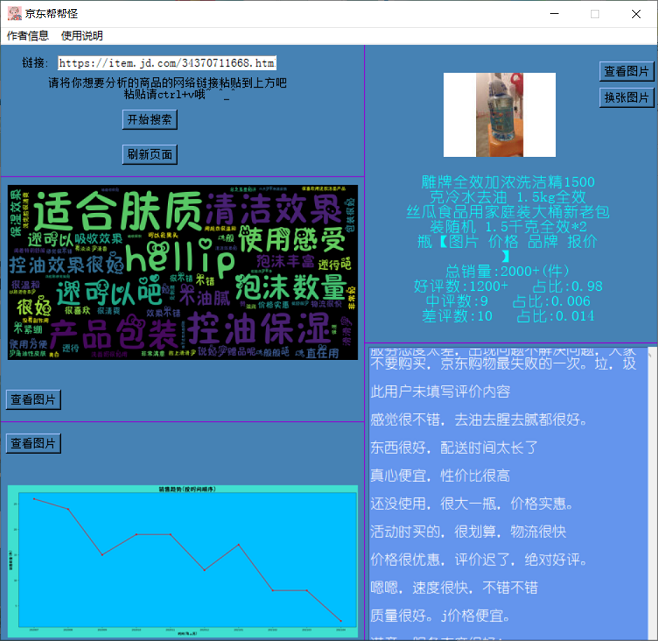
教程
注:由于打包 exe 总是失败,所以这个程序并没有 exe 文件
0 安装相关模块(这里统一用 pip 安装):
requests 模块,用于爬取商品评论,照片,信息等:
pip install requestsBeautifulSoup 模块,用于提取数据:
pip install bs4matplotlib 模块,用于绘制图表:
pip install matplotlibwordcloud 模块,用于绘制词云:
pip install wordcloud1 打开程序:
下载完成后,打开压缩文件 。
点击鼠标右键,选择解压文件 。然后解压到你想要解压的位置。
完成之后,打开这个文件 :
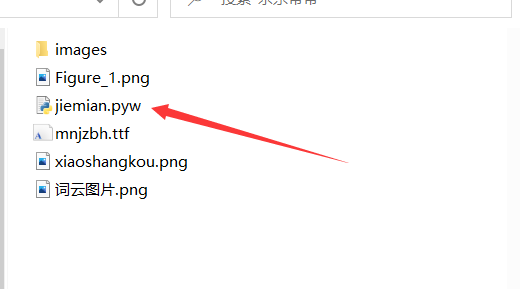
用鼠标双击上图所示的文件
2 运行程序:
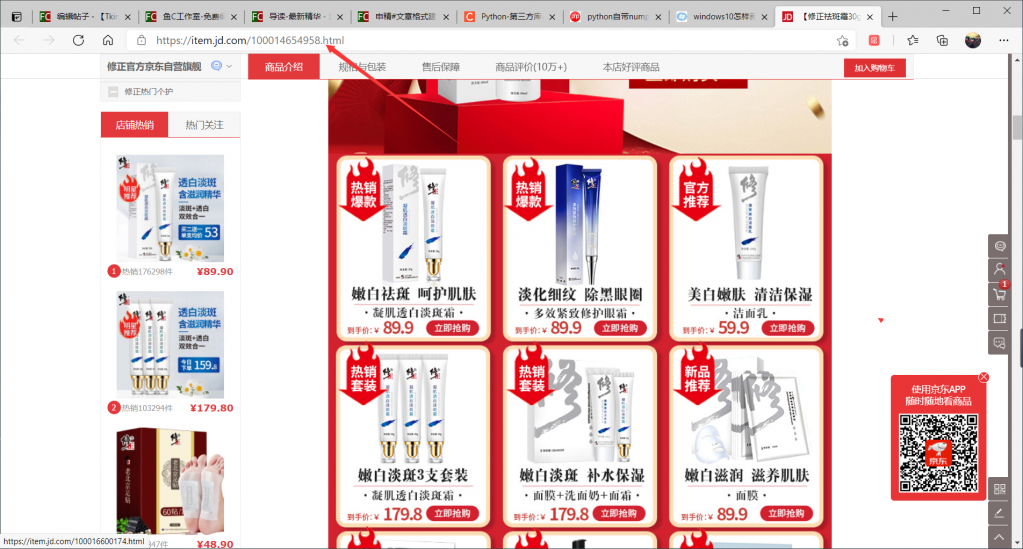
找到你想要查询的商品,复制下图箭头指的网络链接
ctrl + v 将链接粘贴到下图所示位置,点击开始搜索:
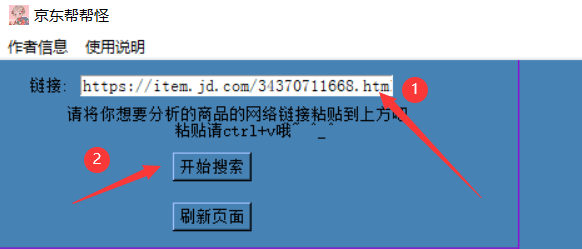
等待加载.....
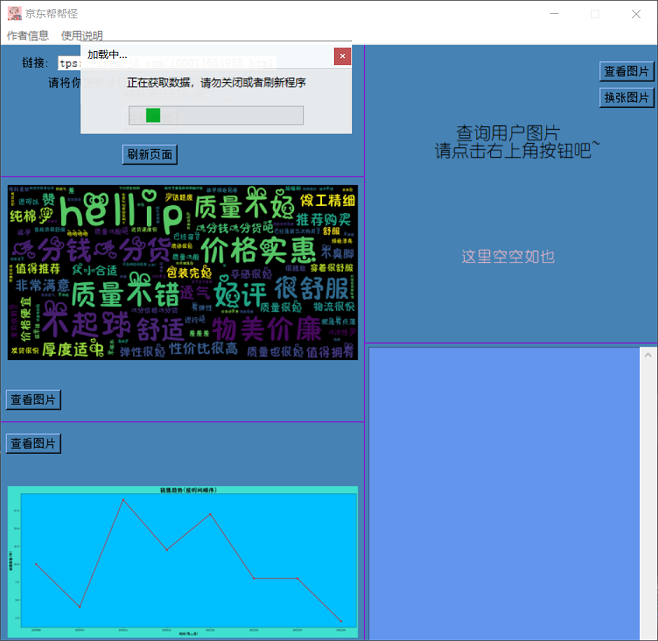
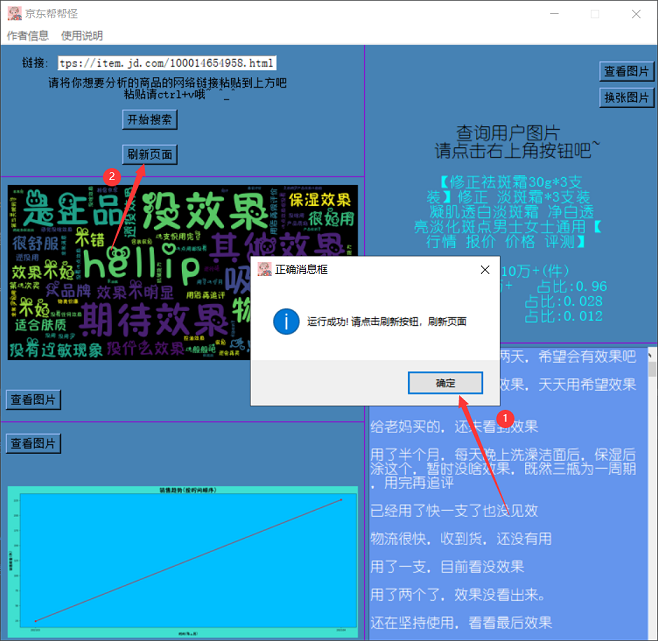
当出现如下页面时运行成功(一定要刷新页面哦~)
3 程序布局:
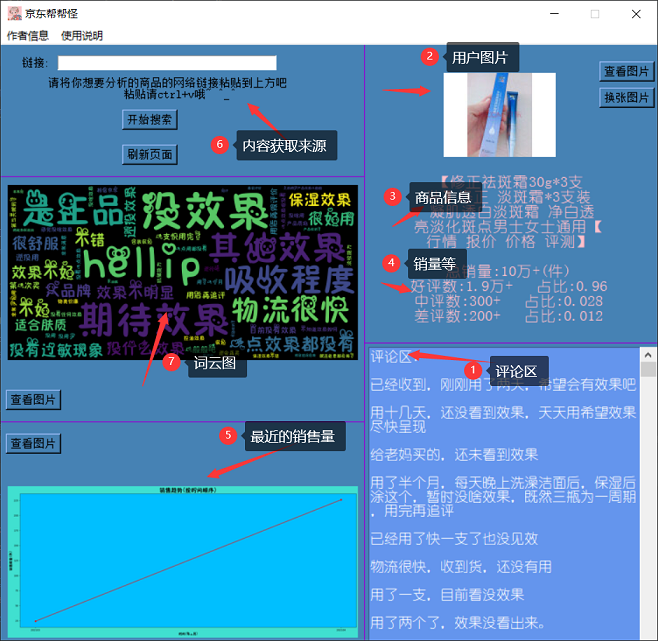
点击程序右上角的
换张图片
可以不断查看各种用户发的图片。
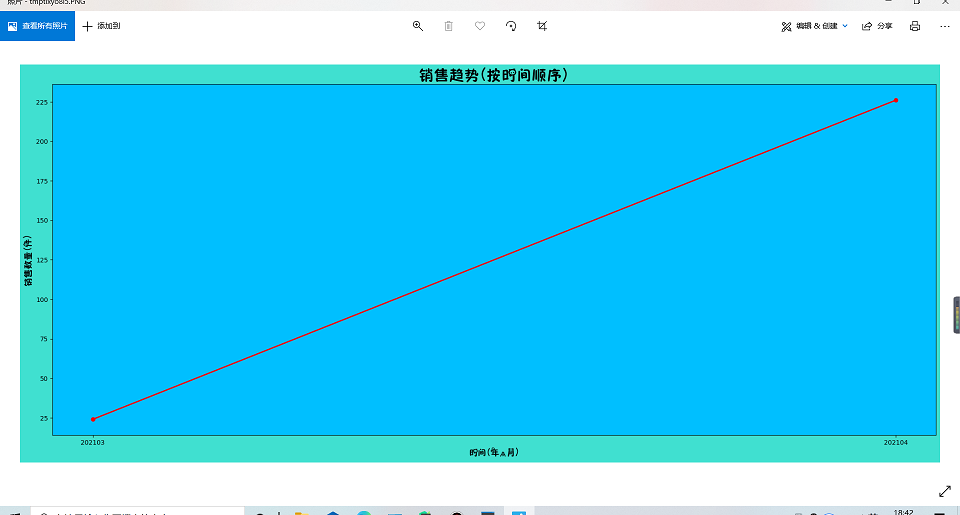
点击查看图片可以更清晰的观看图片:
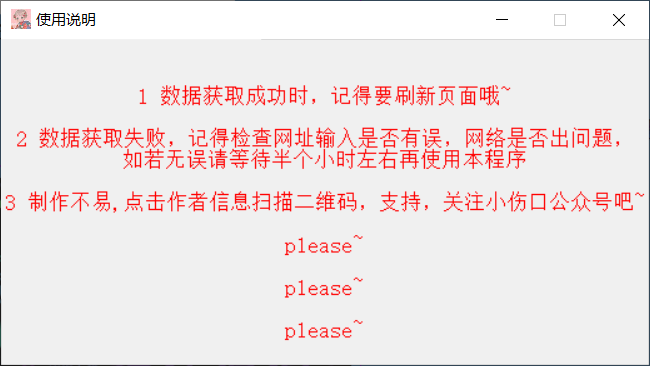
使用说明:
原理讲解
网上爬取京东评论的方法,发现爬取的大半都是好评论,并不能起到太大分析的作用。
所以经过筛查发现:
productPage...
这个 js 文件里面的网址通过修改相应的参数可以爬取好评,中评,差评和最新评论数等 。
https://club.jd.com/comment/productPageComments.action?callback=fetchJSON_comment98&productId=1914356&score=0&sortType=5&page=0&pageSize=10&isShadowSku=0&fold=1由于单线程爬取过慢,不能让用户等太久。
况且很容易被封 IP 所以就用多线程实现,导入:
import queue
import threading创建多线程(爬取时间的就不放了哈~)
# 创建多线程
class MyThread(threading.Thread):
    def __init__(self, q):
        threading.Thread.__init__(self)
        self.q = q

    # 调用get_index()
    def run(self) -> None:
        self.get_index()

    def get_index(self):

        url = self.q.get()

        # 加请求头
        headers = {
            "User-Agent": "Mozilla/5.0 (Windows NT 10.0; WOW64) AppleWebKit/537.36 (KHTML, like Gecko) Chrome/63.0.3239.132 Safari/537.36"}
        res = requests.get(url, headers=headers)

        jd = json.loads(res.text.lstrip("jQuery593159(").rstrip(");"))

        with open("data.txt", "a", encoding="utf-8") as file:
            for i in jd['comments']:
                file.write(i['content'] + '\n')

            try:
                for each in i['images']:
                    photo = each['imgUrl'].split('//')
                    photo = photo[-1]
                    photo = 'https://' + photo
                    print(photo)
                    zhao_pian.append(photo)
            except:
pass爬取评论我用了 5 个线程:
for i in range(5):
locals()['MyThread_' + str(i)] = MyThread创建了 5 个线程省去一些重复代码 。
虽然用了多线程但还是不能在短时间内爬取所有评论。
由于京东评论数即销量,所以爬取最新评论的时间,按月来作为 x 轴的单位。
将同一个月评论的时间相加作为每个月的销量即 y 轴。
代码实现:
 #将时间提取出来,并进行排序计数
    with open("data2.txt") as file:
        for line in file.readlines():
            dict_data.append(int(line))
    dict_data.sort()
    dic = collections.Counter(dict_data)
    for i in dic:
        dict_data2.append(str(i))
dict_data3.append(dic[i])绘制折线图:
x = np.array(dict_data2)
    y = np.array(dict_data3)
    fig=plt.figure(figsize=(25, 10))
    fig.patch.set_facecolor('Turquoise')
    ax = fig.add_subplot(111)
    ax.patch.set_facecolor('DeepSkyBlue')
    plt.plot(x, y, 'r')  # 折线 1 x 2 y 3 color
    plt.plot(x, y, 'red', lw=2)  # 4 line w
    plt.scatter(x, y, color='red', marker='o')
    font = FontProperties(fname="mnjzbh.ttf")
    plt.title("销售趋势(按时间顺序)", fontsize=24,fontproperties=font)
    plt.xlabel("时间(年,月)", fontsize=14,fontproperties=font)
    plt.ylabel("销售数量(件)", fontsize=14,fontproperties=font)
    plt.savefig('Figure_1.png', bbox_inches='tight')
plt.show()[/b]完整的爬虫代码(可以复制直接使用哦~)请自己去论坛上看吧~~