

解决方法原帖:https://quoramarketing.com/fix-black-ops-6-bo6-error-0x1-0x3-0x8-on-gamepass/ (可直连)
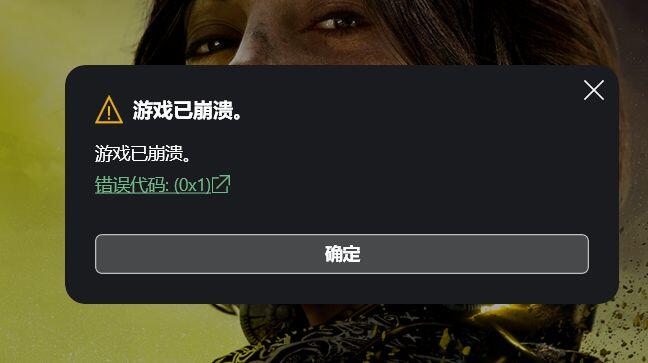
大概是在9月10日,我领了N卡XGP兑换后启动XBOX应用发现使命召唤HQ总部都进不去,打开就提示0x1凑无,问题出现后,我更新了系统运行库(整合包),xbox服务修复,steam启动HQ,系统更新W10最新版本,微软动视账号绑了手机(弄完后均重启过) ,更换驱动盘,安装路径没有中文,应用商店直接下载167G,显卡驱动是最新版,加速器hosts都改过,防火墙杀软关闭(能操作的都搞了不要小看我冲浪20年的功底)问题依然出现
最后我找到了
使命召唤战区2.0 Steam版无法启动游戏问题的解决方法 打开文件,发现报错代码 【13640】 09/01/24 21:17:37: Failed to open service atvi-randgrid_msstore (1060).原因: atvi-randgrid反作弊服务未能启动
最奇怪的是我在steam启动一切正常,我steam和XGP2个版本同时存在steam版仍然能正常启动游玩,COD21 B测我都打满级了XGP版还是报错
内外网搜了个遍都找不到解决方法,我去XBOX论坛发帖官方只会回复车轱辘话,COD20刚上XGP就出现了,3个月完全没解决
9月21日贴吧有个老哥发了外网大神的解决方法,核心是重新注册PGP版的反作弊文件服务
————————————————分割线—————————————————
解决流程(所有操作均需要管理员运行):
新建文本文档,保存codfix.bat,管理员运行。
WIN 11 输入:
echo Please enter the Xbox app installation folder for Call of Duty.
echo For example: C:\XboxGames\Call of Duty
set /p INSTALLDIR="Enter the folder location: "
sc query atvi-randgrid_msstore >nul 2>&1
if %errorlevel% == 0 (
echo Service atvi-randgrid_msstore was found, removing...
sc delete atvi-randgrid_msstore
if %errorlevel% neq 0 (
echo Failed to remove the service. Please run this script as an administrator.
exit /b
)
) else (
echo Service atvi-randgrid_msstore is not installed.
)
echo Randgrid installing
sc create atvi-randgrid_msstore type= kernel binPath= "%INSTALLDIR%\randgrid.sys"
if %errorlevel% neq 0 (
echo Failed to create the service. Please check the folder path and run this script as an administrator.
exit /b
)
echo Updating Randgrid permissions
sc sdset atvi-randgrid_msstore D:(A;;CCLCSWRPWPDTLOCRRC;;;SY)(A;;CCDCLCSWRPWPDTLOCRSDRCWDWO;;;BA)(A;;CCLCSWRPWPLOCRRC;;;IU)(A;;CCLCSWLOCRRC;;;SU)S:(AU;FA;CCDCLCSWRPWPDTLOCRSDRCWDWO;;;WD)
————————————————分割线—————————————————
win 10输入:
@echo off
echo Please enter the Xbox app installation folder for Call of Duty.
echo For example: C:\XboxGames\Call of Duty
set /p INSTALLDIR="Enter the folder location: "
sc query atvi-randgrid_msstore >nul 2>&1
if %errorlevel% equ 0 (
echo Service atvi-randgrid_msstore was found,
removing...
sc delete atvi-randgrid_msstore
if %errorlevel% neq 0 (
echo Failed to
remove the service. Please run this script as an administrator.
pause
exit /b
)
) else (
echo Service atvi-randgrid_msstore is not installed.
)
echo Randgrid installing
sc create atvi-randgrid_msstore type= kernel binPath= "%INSTALLDIR%\randgrid.sys"
if %errorlevel% neq 0 (
echo Failed to create the service. Please check the folder path and run this script as an administrator.
pause
exit /b
)
echo Updating Randgrid permissions
sc sdset atvi-randgrid_msstore D:(A;;CCLCSWRPWPDTLOCRRC;;;SY)(A;;CCDCLCSWRPWPDTLOCRSDRCWDWO;;;BA)(A;;CCLCSWLOCRRC;;;AU)(A;;CCLCSWRPWPDTLOCRRC;;;PU)
echo Service installation and configuration completed successfully.
pause
————————————————分割线—————————————————
命令提示符打开后,将 COD 文件夹的位置复制粘贴回车;默认情况下,它是 C:\XboxGames\Call of Duty\Content
成功后如下图

成功后启动游戏尝试,若仍报错进行下一步
————————————————分割线—————————————————
记下你的COD主文件夹路径

例如我的是:G:\XboxGames\Call of Duty\Content
管理员运行命令提示符CMD,输入sc query atvi-randgrid_msstore
查询反作弊服务是否存在

如果该服务存在,请运行以下命令将其删除
输入:sc delete atvi-randgrid_msstore

现在,通过运行以下命令安装 Randgrid 服务。将 [INSTALLDIR] 替换为您的实际安装路径,例如 C:\XboxGames\Call of Duty\Content
sc create atvi-randgrid_msstore type= kernel binPath= "[INSTALLDIR]\randgrid.sys"
例如:
sc create atvi-randgrid_msstore type= kernel binPath= "G:\XboxGames\Call of Duty\Content\randgrid.sys"
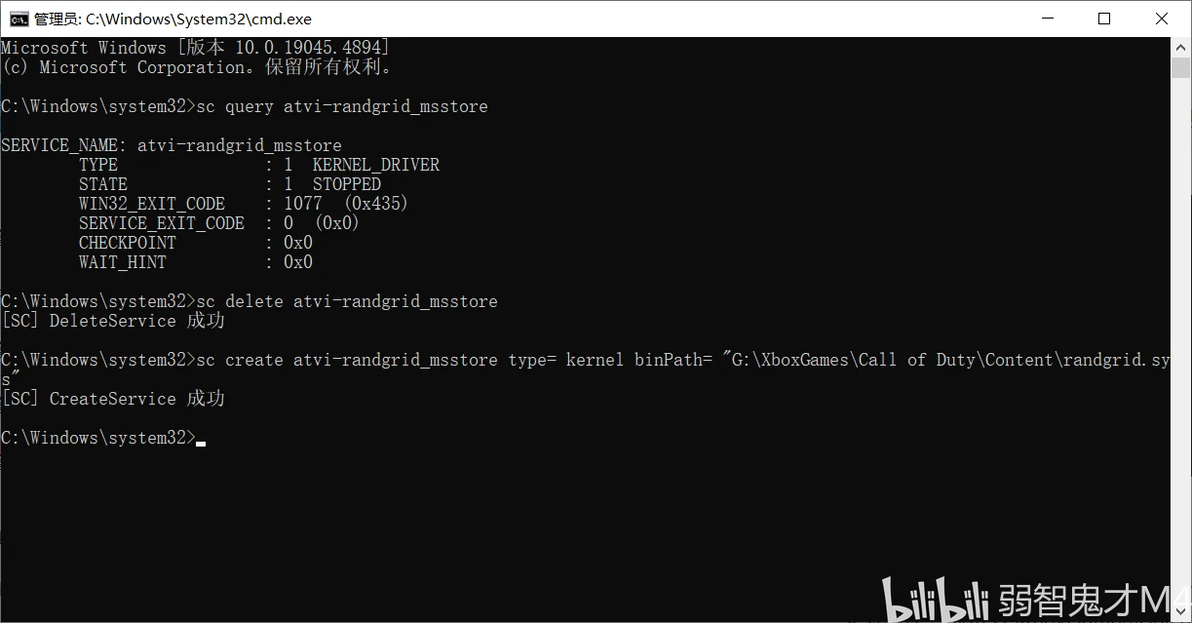
运行以下命令来更新 Randgrid 服务权限。根据您的操作系统,选择 Windows 11 或 Windows 10命令
WIN11:
sc sdset atvi-randgrid_msstore D:(A;;CCLCSWRPWPDTLOCRRC;;;SY)(A;;CCDCLCSWRPWPDTLOCRSDRCWDWO;;;BA)(A;;CCLCSWRPWPLOCRRC;;;IU)(A;;CCLCSWLOCRRC;;;SU)S:(AU;FA;CCDCLCSWRPWPDTLOCRSDRCWDWO;;;WD)
WIN10:
sc sdset atvi-randgrid_msstore D:(A
;;CCLCSWRPWPDTLOCRRC;;;SY)(A;;CCDCLCSWRPWPDTLOCRSDRCWDWO;;;BA)(A;;CCLCSWLOCRRC;;;AU)(A;;CCLCSWRPWPDTLOCRRC;;;PU)
正常来说会提示成功
如果失败的话会出现此画面

很简单,输入WIN10的不行就换成WIN11的,反之亦然,成功会出现以下画面

备注:在这之所以多提一句是因为我9月修复的时候用win10命令可行24号预载完COD21进去就0xfffffffe,按照步骤重走一遍发现一直报错换成win11那条命令就成功了(我一直是win10系统)
好了现在进入游戏应该正常了
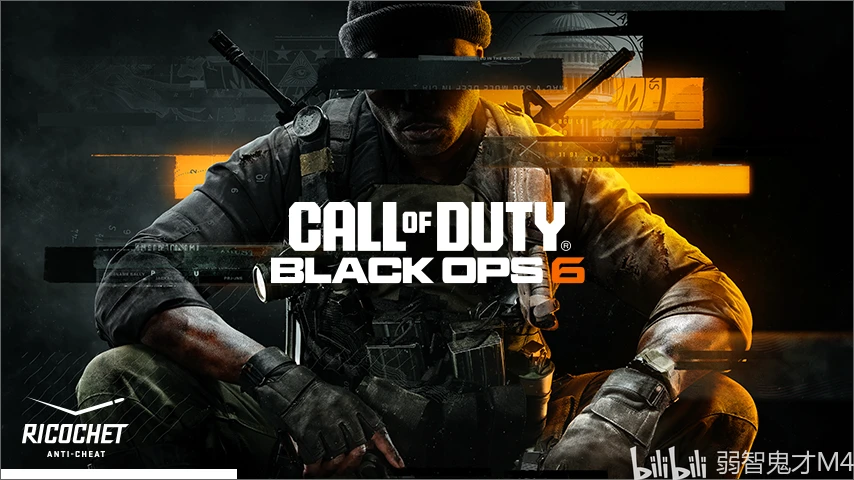
出现这个画面说明反作弊服务加载成功,可以开玩力(别忘了提早给微软账号绑定手机和动视账号)

题外话:之前搜解决方法足足浪费了我两天时间,搜索引擎和B站搜到的全是一大堆卖加速器广告的,文案千遍一律的车轱辘话,看着就恶心
本来XBOX PC 8月那个已知游戏问题列表(2024 年 8 月游戏发布已知问题 - Microsoft Community)还有COD的,到了9月明明问题完全没解决,列表却把COD相关给删掉了。列表不出现就相当于问题不存在是吧。后面解决了把方案反馈给微软,建议他们修复一下做个自动化脚本,他们客服甚至不愿意反馈给团队改进。懒狗微软,真是一整个大无语。我从COD19起steam启动一直是正常的,一到XGP这边就出问题,去了别的平台才知道steam有多好啊
之所以专门写个专栏(这次还是第一次),是码了一些字发在贴吧发现有很多老哥真正解决了问题,觉得挺开心的。我英文水平不好原文用的机翻,码字容易有疏漏和错误欢迎评论区指正。希望大家“认真”看完本篇或者原文,按照步骤全部操作完毕后修复成功罢
原文链接:https://quoramarketing.com/fix-black-ops-6-bo6-error-0x1-0x3-0x8-on-gamepass/
