目录
自用存档 | Adobe PR闪退问题/0xc0000142错误解决方法

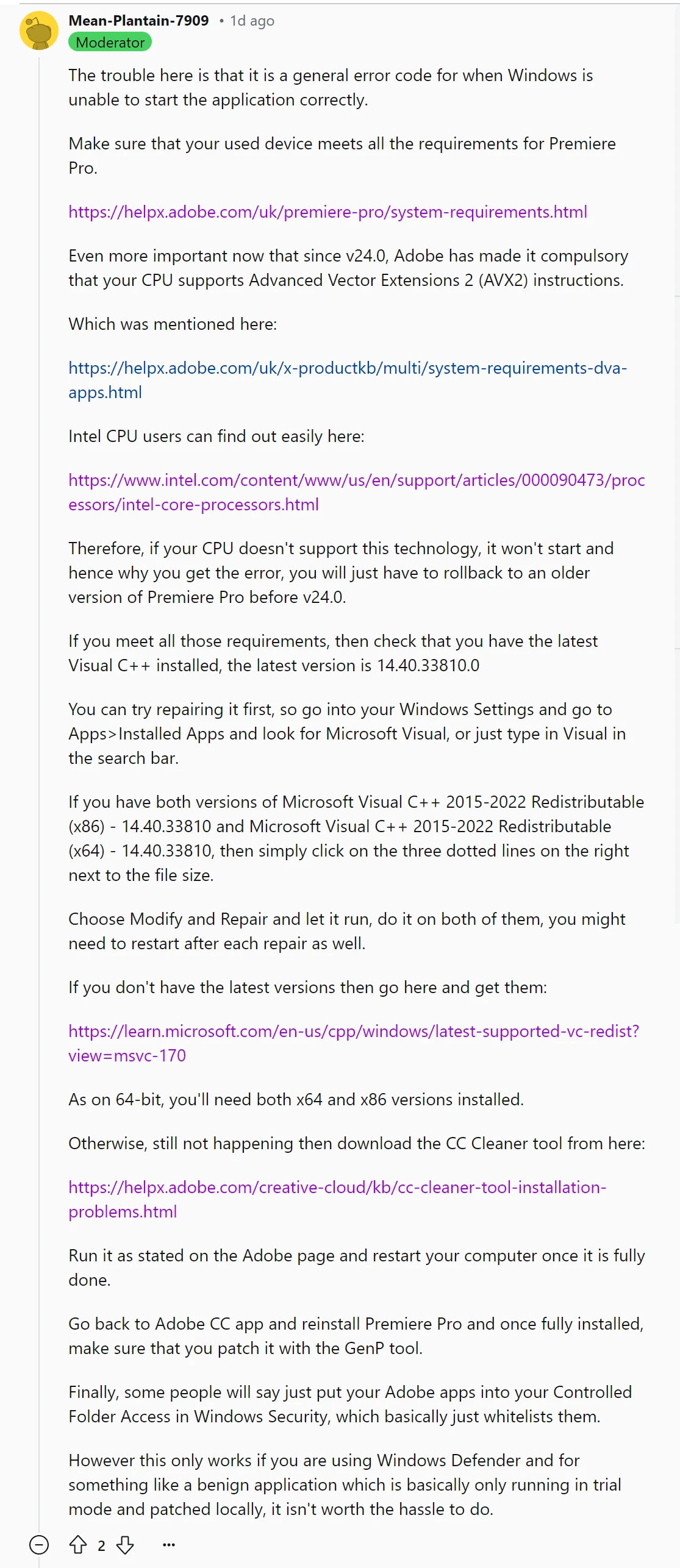
检查项
一、检查电脑硬件配置和操作系统是否符合PR Pro的系统要求
硬件直达→ https://helpx.adobe.com/cn/premiere-pro/system-requirements.html
操作系统直达→ https://helpx.adobe.com/cn/x-productkb/multi/system-requirements-dva-apps.html
不符合的退回v24.0前的旧版本
二、检查修复最新版Microsoft Visual C++
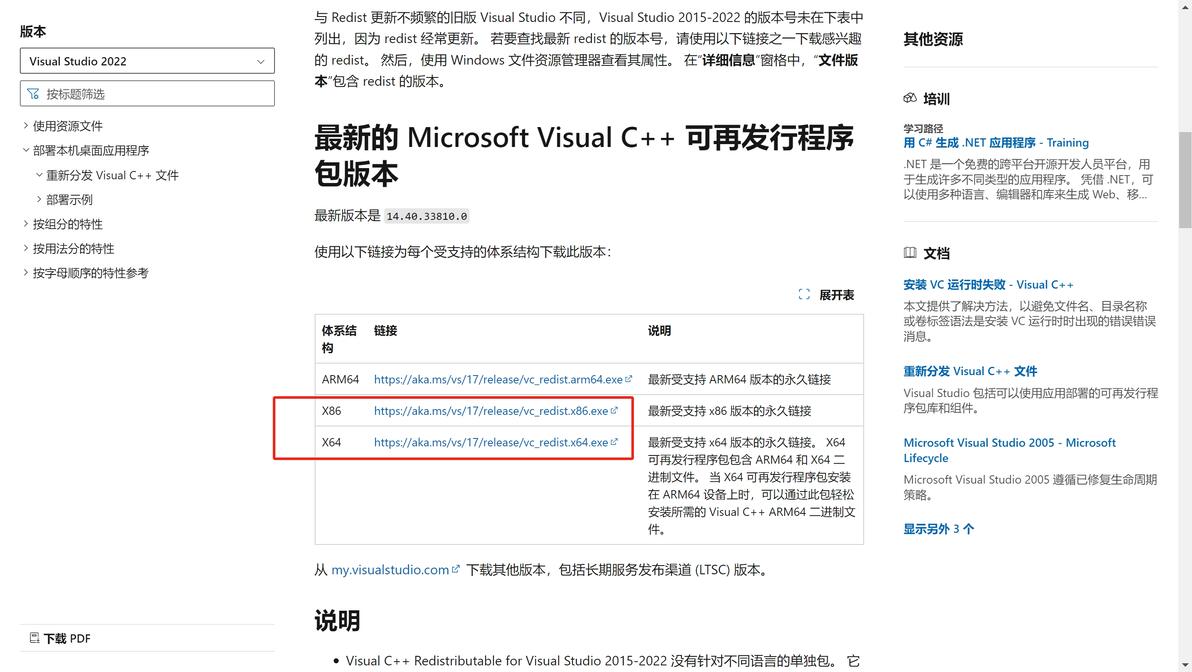
最新版为14.40.33810【2024.7.13编辑】
设置→应用→安装的应用,搜索Visual C++
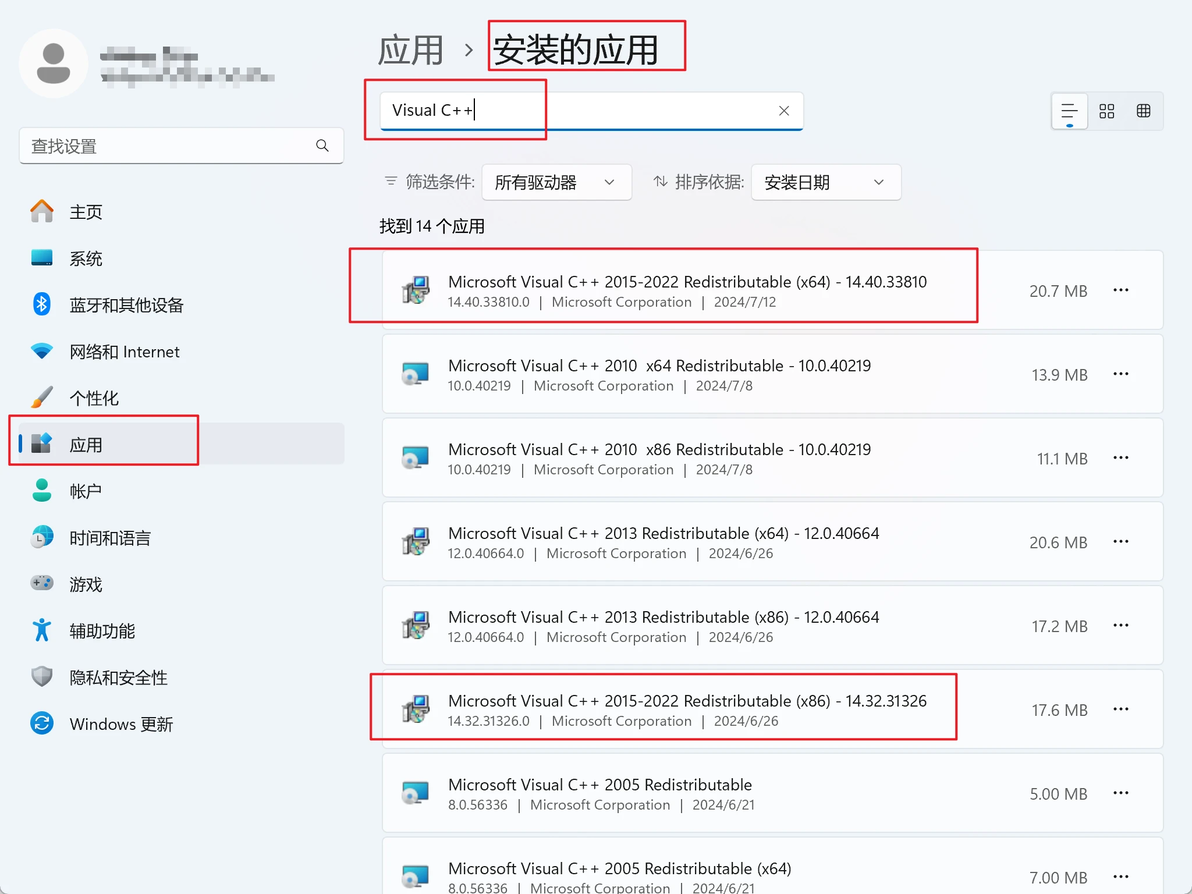
1️⃣ 若为最新版本,则 … →修改→修复
对于64位电脑,x64版本和x86版本都要修改
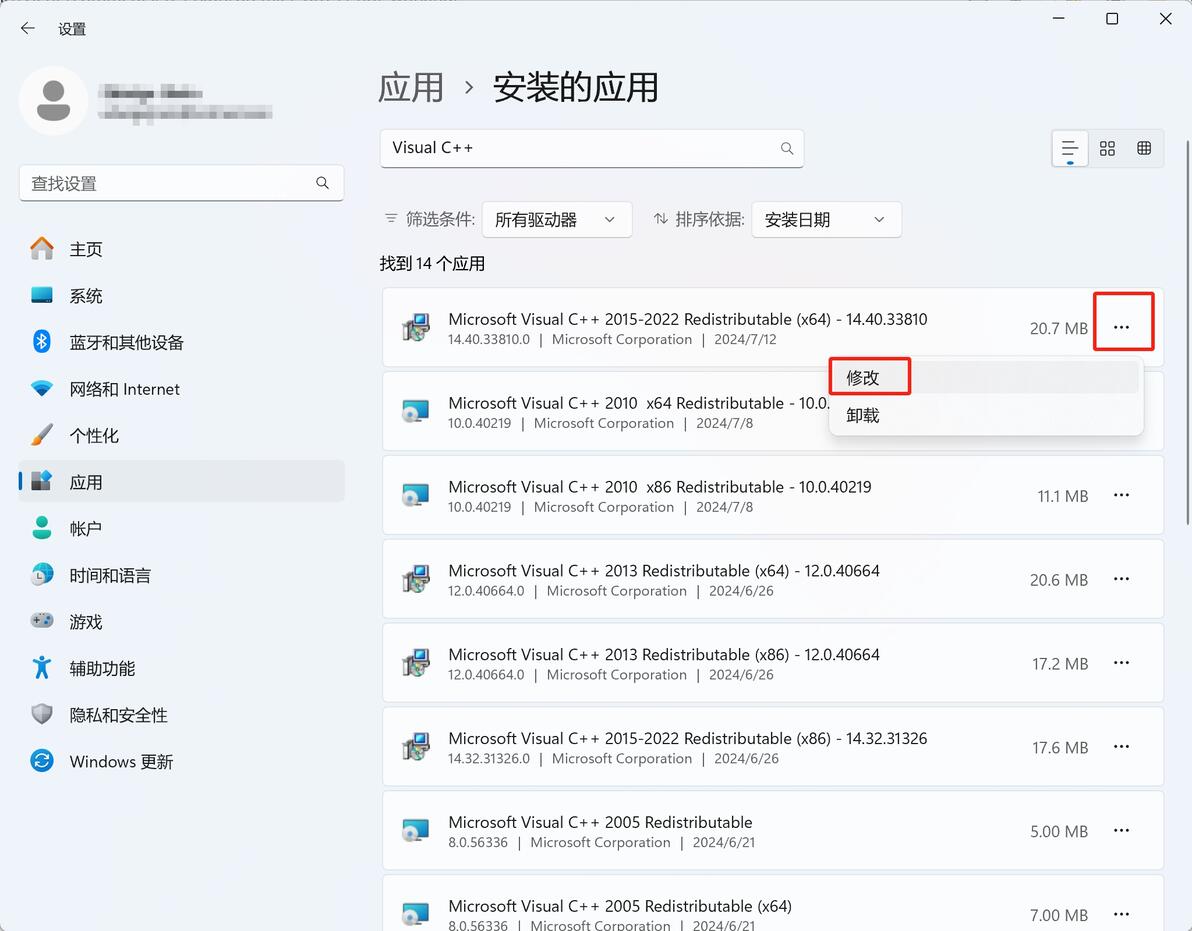
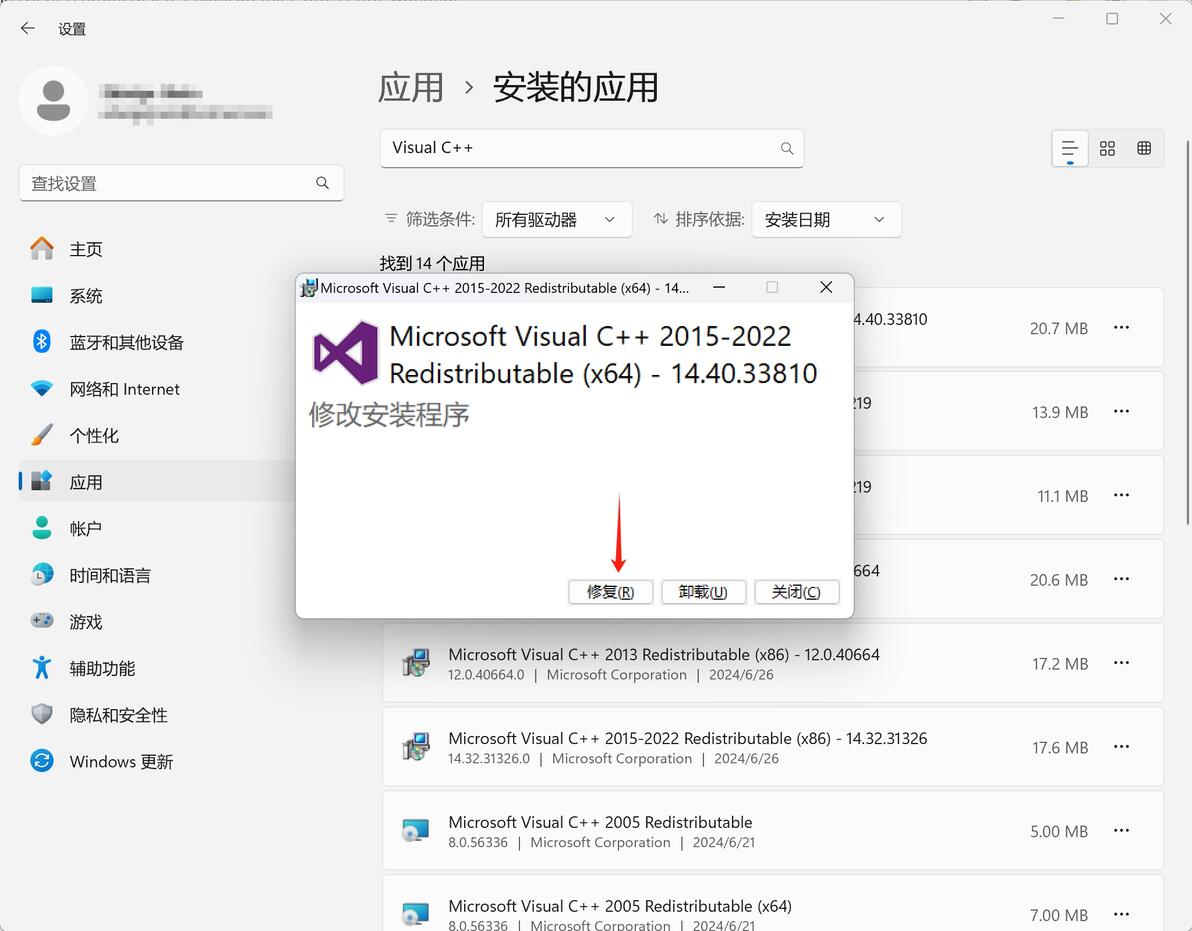
2️⃣ 若没有搜索到最新版本,则进入微软官网下载并安装
直达→ https://learn.microsoft.com/zh-cn/cpp/windows/latest-supported-vc-redist?view=msvc-170
64位电脑需安装x64和x86两个版本
下载后启动exe文件进行安装

三、以上均无效果,则卸载重装Adobe
1️⃣ 使用Creative Cloud Cleaner Tool彻底卸载所有Adobe程序、文件、注册表等
官网直达→ https://helpx.adobe.com/cn/creative-cloud/kb/cc-cleaner-tool-installation-problems.html
按照网页提示卸载
2️⃣ 重启电脑
3️⃣ 重新下载安装Adobe Creative、PR等
cv36080392
分享至
投诉或建议
