目录
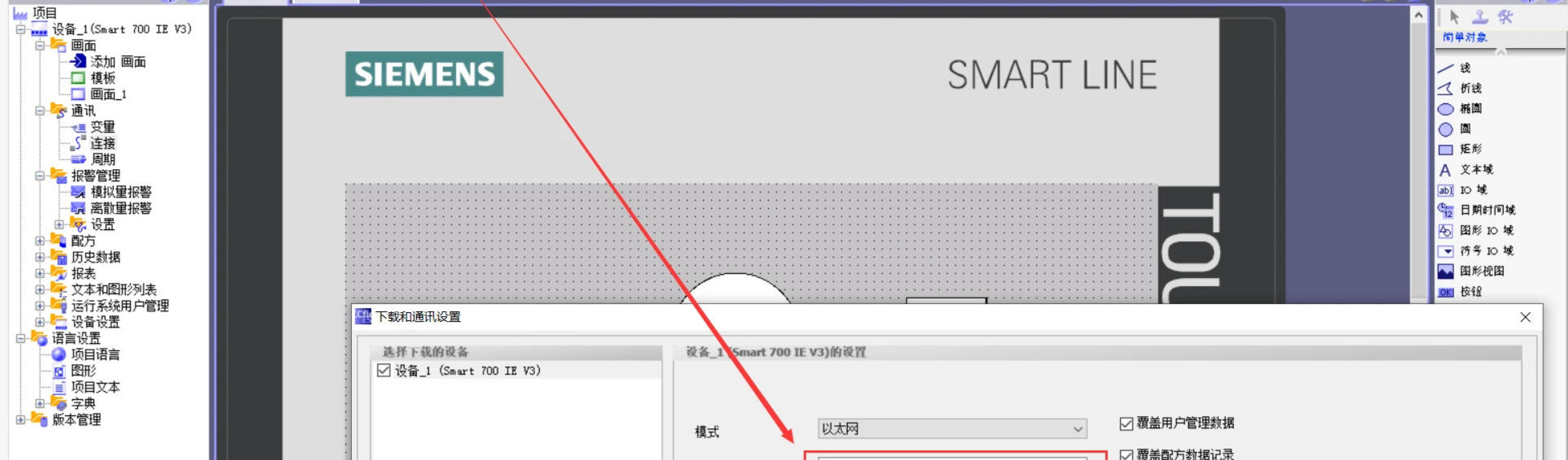
西门子触摸屏(Smart700IE V3)与电脑(WinCC flexible)连接

基础信息
触摸屏型号:Smart 700 IE V3
组态软件: WinCC flexible SMART V4 SP1
https://w2.siemens.com.cn/download/smart/SmartLine/WinCC_flexible_SMART_V4SP1.exe
官网:https://www.siemens.com/cn/zh/products/automation/simatic-hmi/panels/smart-line.html
操作手册:https://www.siemens.com/cn/zh/products/automation/simatic-hmi/panels/smart-line.html
将电脑上画面下载到触摸屏
很多教程说要把触摸屏上的IP设为和电脑IP同一个网段,一开始我是先查找电脑的IP(IPv4地址)(10.0.xx.xxx),然后根据这个网段来设网卡的IP、触摸屏的IP、软件上触摸屏IP,怎么都连不上触摸屏,真滴坑!
后来试了下直接用触摸屏的默认IP(192.168.0.3),根据它来修改网卡IP(同网段)、软件上触摸屏IP(相同),一下就通了!!!
触摸屏设置
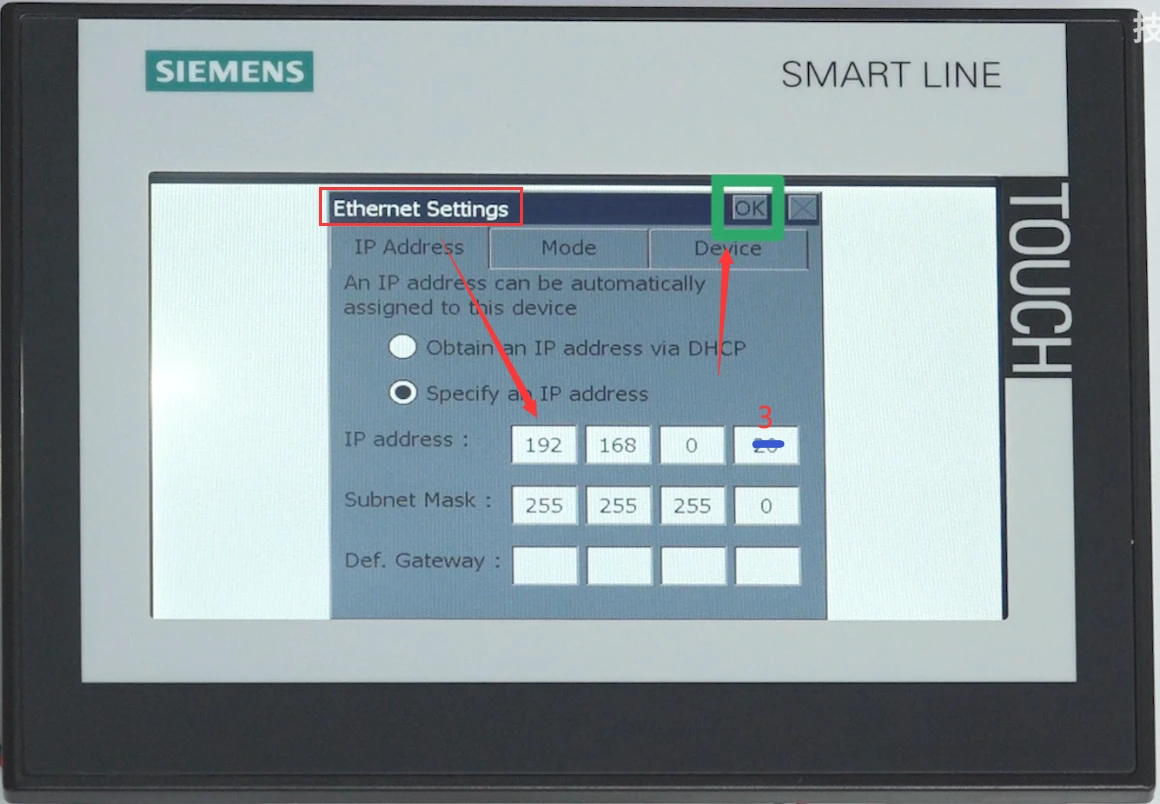
网络设置
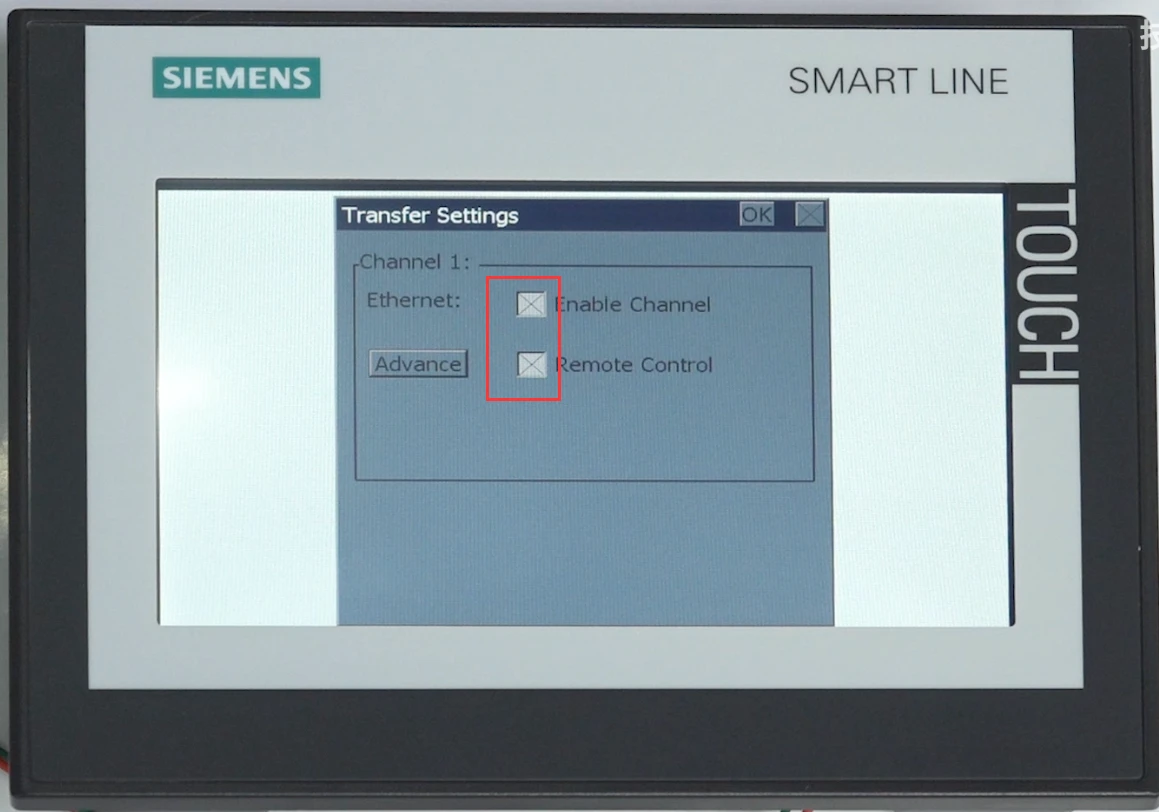
传输设置
PC设置
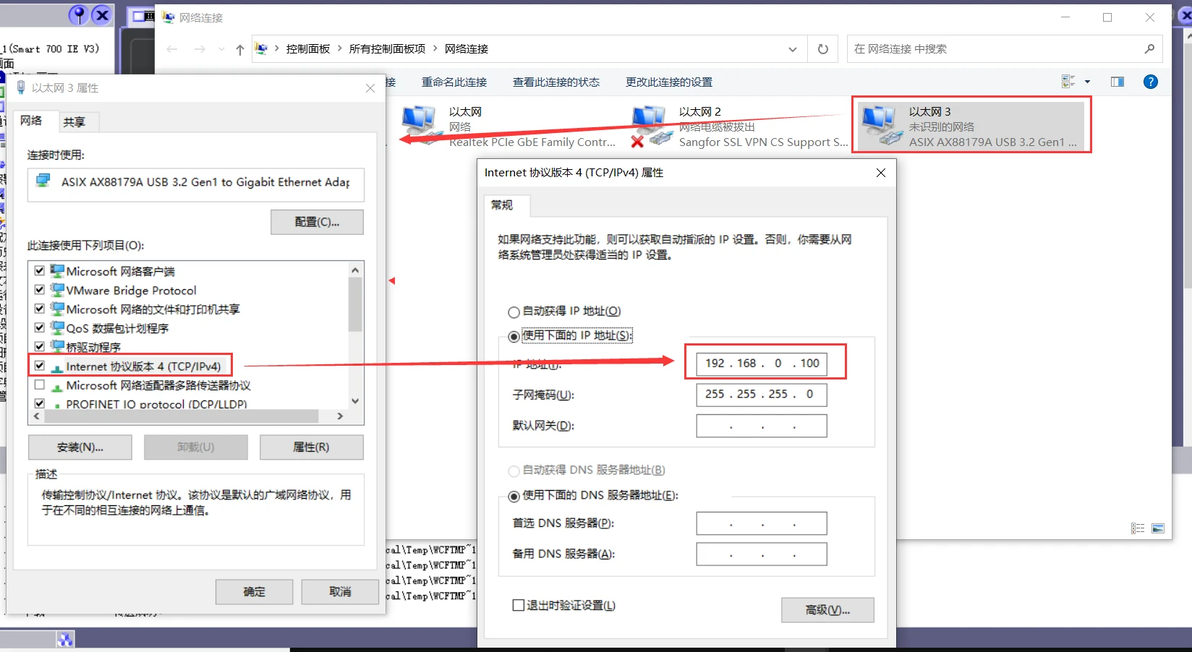
网卡设置
WinCC flexible软件设置
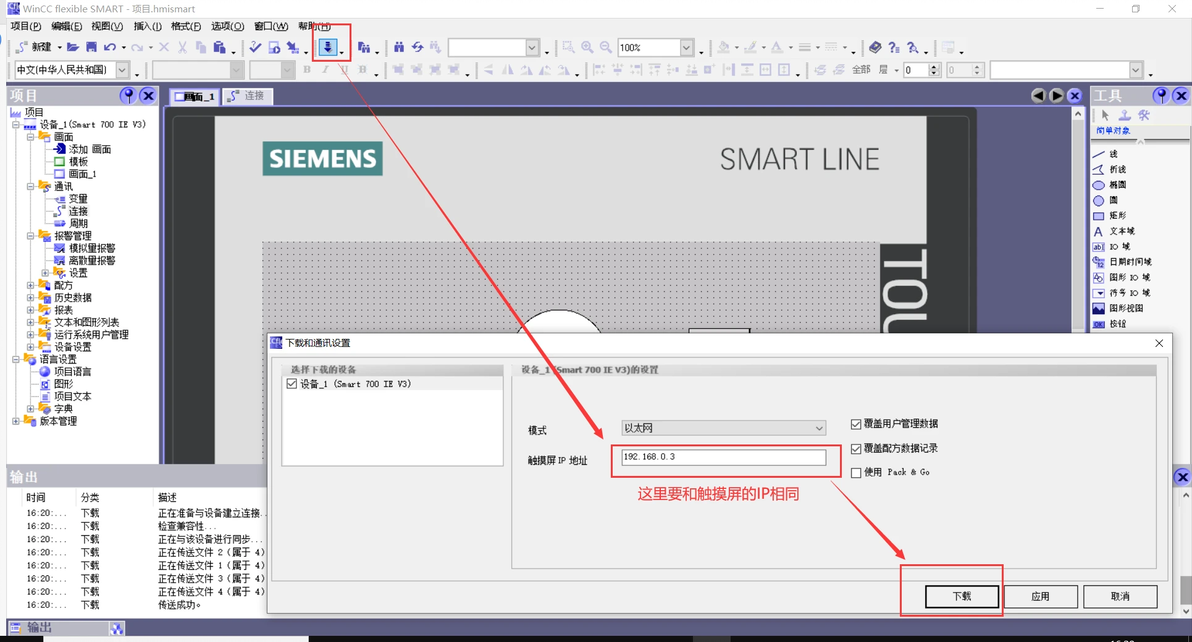
软件设置
本文为我原创,未经授权禁止转载
cv26976497
分享至
投诉或建议
