Windows 10/11:具有多个触摸显示器时的触摸屏功能问题

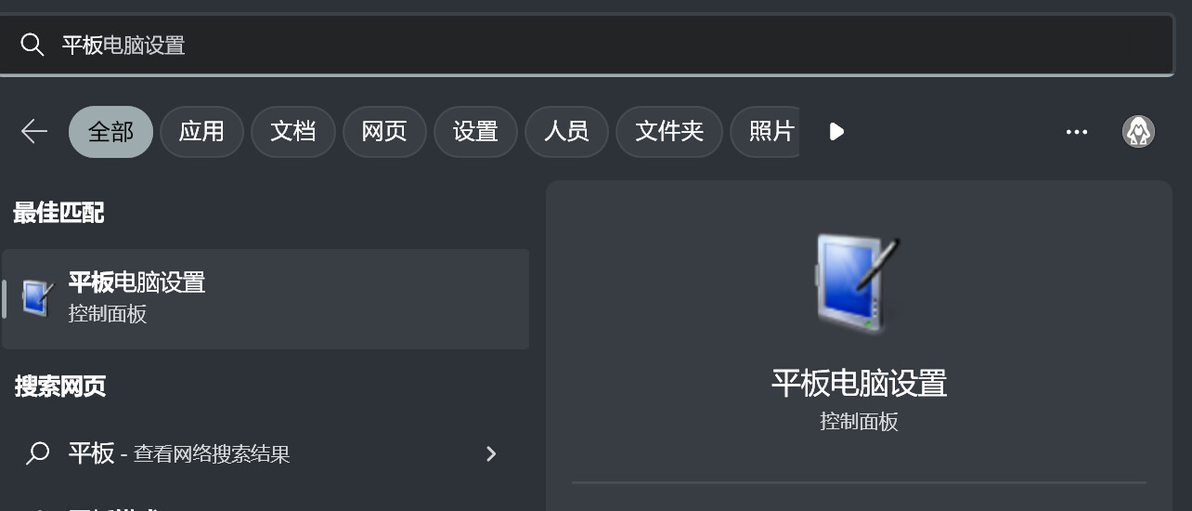
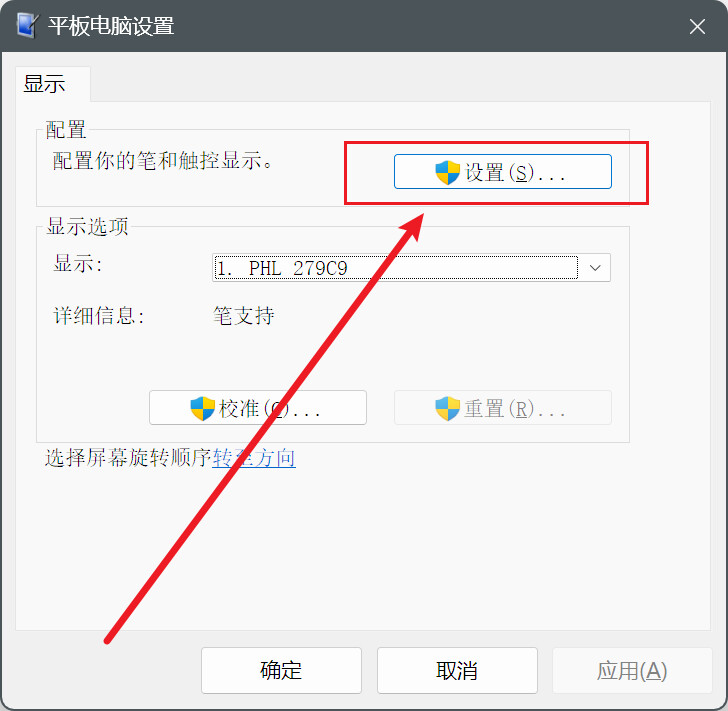
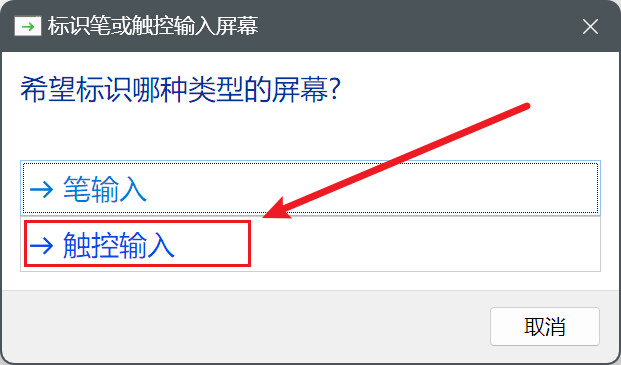
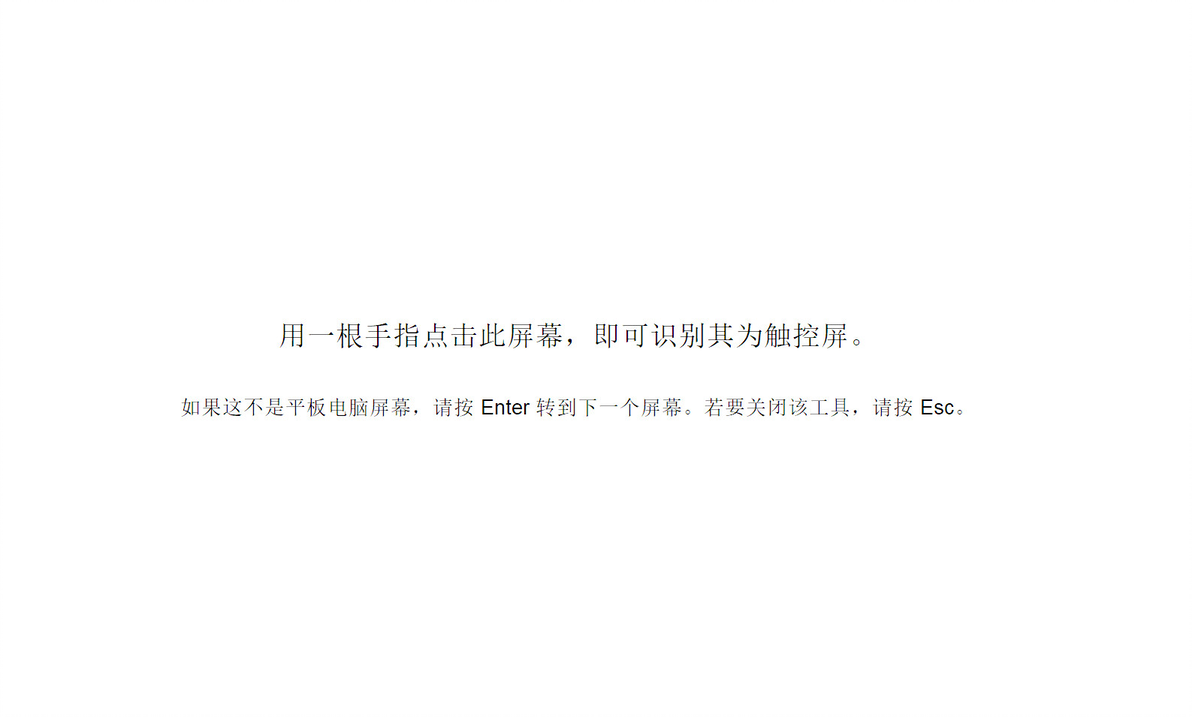
确保外部显示器处于扩展模式(要选择扩展模式,请同时按Windows键 P) 在桌面模式下,单击开始菜单(Windows键),选择设置,然后选择控制面板 选择查看方式:大图标,选择平板电脑设置,然后选择设置 两个屏幕具有白色背景,主显示器将显示文本Touch this screen to identify it as the touchscreen(触摸此屏幕以将其标识为触摸屏)以及If this is not the Tablet PC screen, press Enter to move to the next screen(如果这不是平板电脑屏幕,则按Enter键以移到下一个屏幕)。要关闭该工具,请按Esc。主要 触摸相同的屏幕一次 您将看到白色屏幕,它具有以下说明Press Enter to proceed to the next step to complete your configuration(按Enter键继续执行下一步骤,以完成配置) 按Enter键以使第一次触摸与第一个显示器同步 重复步骤4至7以便同步第二个显示器 双触摸屏显示器现已设置好可供使用
cv21810639
分享至
投诉或建议
