

01关于命令行视图
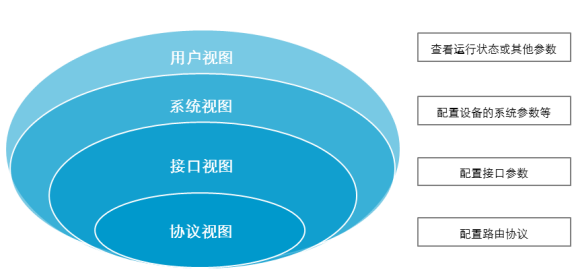
用户视图 <Huawei>
系统视图 [Huawei]
接口视图 [Huawei-GigabitEthernet0/0/0]
协议视图 [Huawei-rip-1]
02视图之间怎么切换
用户视图 <Huawei> 在用户视图敲入system-view进入系统视图 <Huawei>system-view [Huawei]
系统视图 [Huawei] 在系统视图敲入interface GigabitEthernet 0/0/0进入接口视图 [Huawei]interface GigabitEthernet 0/0/0 [Huawei-GigabitEthernet0/0/0]
接口视图 [Huawei-GigabitEthernet0/0/0] [Huawei]rip 1 [Huawei-rip-1]
协议视图 [Huawei-rip-1]
在协议视图敲入quit退到系统视图 [Huawei-rip-1]quit [Huawei]quit
命令视图练习:
<Huawei>system-view //可以简写为sys
[Huawei]interface GigabitEthernet 0/0/0 //可以简写为int g0/0/0
[Huawei-GigabitEthernet0/0/0]quit //可以简写为q
[Huawei]rip 1
[Huawei-rip-1]quit
[Huawei]quit
<Huawei>
03怎么给设备配置时区和时间
<Huawei>clock timezone BJ add 08:00:00 (配置时区)
<Huawei>clock datetime 11:51:00 2019-07-17 (配置时间)
<Huawei>display clock (查看设备时间)
04
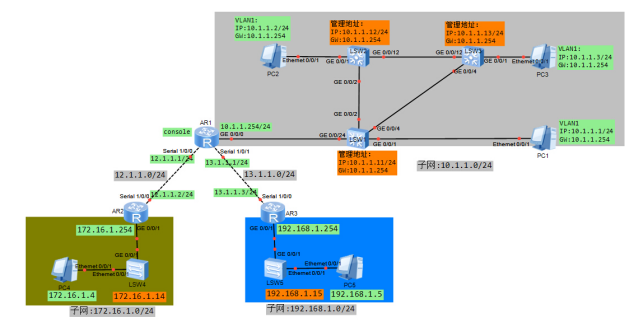
给设备设置主机名 按拓扑显示配置每台设备的系统名或主机名
在系统视图配置系统名: 以路由器AR1为例,命名为R1: <Huawei>system-view [Huawei]sysname R1 [R1] 以交换机LSW1为例,命名为SW1: <Huawei>system-view [Huawei]sysname SW1 [SW1]
然后在视统视图查看你所配置的主机名 [R1]display current-configuration //可简写为disp cur sysname R1 [SW1]display current-configuration //可简写为disp cur sysname SW1
05关于保存配置和display
在用户视图下使用命令save保存:<R1>save 可以简写为:<R1>sa
怎么查看当面设备运行的配置?
[R1]display current-configuration //可以简写为disp cur 怎么查看已经保存的配置? [R1] display saved-configuration //可以简写为disp sa
06
配置交换机ip地址和网关 目的是为了网管
配置SW1的IP地址和网关: 配置IP地址: [SW1]interface Vlanif 1 //进入管理接口视图 [SW1-Vlanif1]ip address 10.1.1.11 255.255.255.0 //配置管理IP地址 [SW1-Vlanif1]undo shutdown //打开接口 配置网关: [SW1]ip route-static 0.0.0.0 0.0.0.0 10.1.1.254
配置SW2的IP地址和网关: [SW2]interface Vlanif 1 [SW2-Vlanif1]ip address 10.1.1.12 255.255.255.0 [SW2-Vlanif1]undo shutdown 配置网关: [SW2]ip route-static 0.0.0.0 0.0.0.0 10.1.1.254
配置SW3的IP地址和网关: [SW3]interface Vlanif 1 [SW3-Vlanif1]ip address 10.1.1.13 255.255.255.0 [SW3-Vlanif1]undo shutdown 配置网关: [SW3]ip route-static 0.0.0.0 0.0.0.0 10.1.1.254
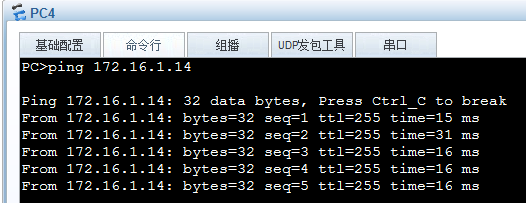
配置SW4的IP地址和网关: [SW4]interface Vlanif 1 [SW4-Vlanif1]ip address 172.16.1.14 255.255.255.0 [SW4-Vlanif1]undo shutdown 配置网关: [SW4]ip route-static 0.0.0.0 0.0.0.0 172.16.1.254
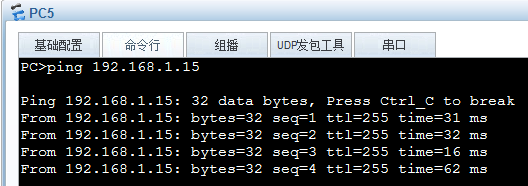
配置SW5的IP地址和网关: [SW5]interface Vlanif 1 [SW5-Vlanif1]ip address 192.168.1.15 255.255.255.0 [SW5-Vlanif1]undo shutdown 配置网关: [SW5]ip route-static 0.0.0.0 0.0.0.0 192.168.1.254
配置R1的G0/0/0的接口IP地址作为SW1 SW2 SW3 PC1 PC2 PC3的网关: interface G0/0/0 ip address 10.1.1.254 255.255.255.0 undo shutdown
测试: 在PC1上ping,测试基本网络连通性: ping 10.1.1.254
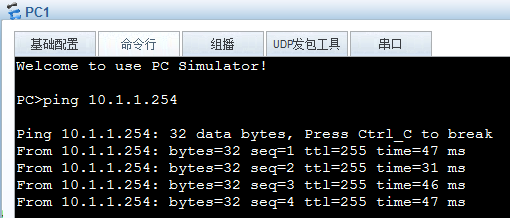
ping 10.1.1.11
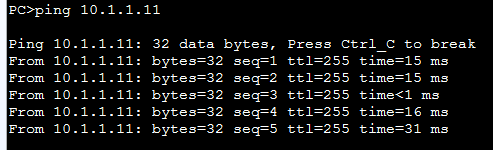
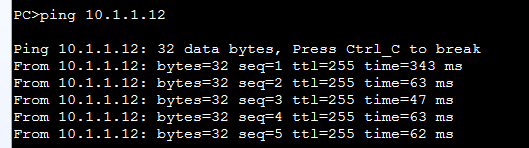
ping 10.1.1.12
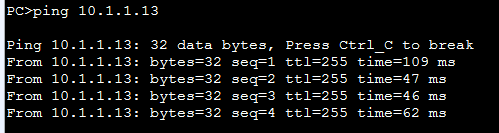
ping 10.1.1.13
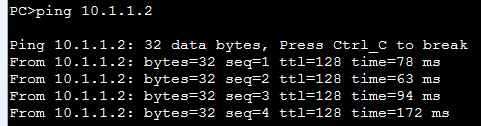
ping 10.1.1.2
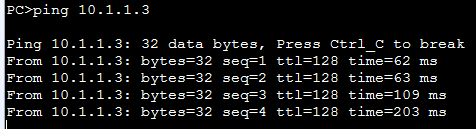
ping 10.1.1.3
在PC4上ping 172.16.1.14
在PC5上ping 192.168.1.15
07
配置密码和Telnet远程登录
以R1为例:
配置console口的密码为huawei123 [R1]user-interface console 0 //进入console口 [R1-ui-console0]authentication-mode password //配置验证方式为password密码验证 Please configure the login password (maximum length 16):huawei123 //密码huawei123 [R1-ui-console0]quit [R1]quit <R1>quit Login authentication Password: //在这里输入密码huawei123就可以正常进入登录
配置虚拟终端(VTY)的密码,目的就是为了远程登录 比如在R1(IP是10.1.1.254)上配置: [R1]telnet server enable //打开telnet服务 [R1]user-interface vty 0 4 [R1-ui-vty0-4]authentication-mode password Please configure the login password (maximum length 16):huawei123 [R1-ui-vty0-4]user privilege level 15 [R1-ui-vty0-4]quit [R1]
测试:在SW1上telnet 10.1.1.254 这个时候要是有密码,这个密码就是vty的密码。
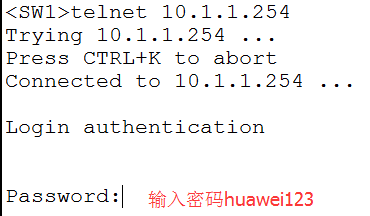
密码输入正确认可正常远程登录
08
配置R1、R2和R3接口IP地址 测试基础连通性
配置R1:
interface Serial1/0/0
ip address 12.1.1.1 255.255.255.0
undo shutdonw
interface Serial1/0/1
ip address 13.1.1.1 255.255.255.0
undo shutdown
interface GigabitEthernet0/0/0
ip address 10.1.1.254 255.255.255.0
undo shutdown
配置R2:
interface Serial1/0/0
ip address 12.1.1.2 255.255.255.0
undo shutdown
interface GigabitEthernet0/0/1
ip address 172.16.1.254 255.255.255.0
undo shutdown
配置R3:
interface Serial1/0/0
ip address 13.1.1.3 255.255.255.0
undo shutdown
interface GigabitEthernet0/0/1
ip address 192.168.1.254 255.255.255.0
undo shutdown
在R1上使用ping测试连通性:
ping 12.1.1.2

ping 13.1.1.3

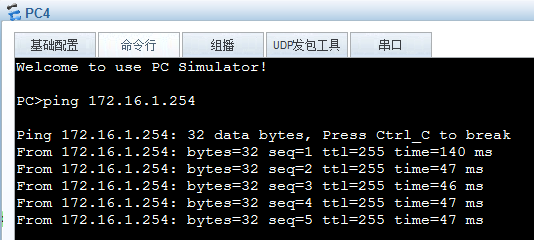
在PC4上使用ping测试连通性:
ping 172.16.1.254
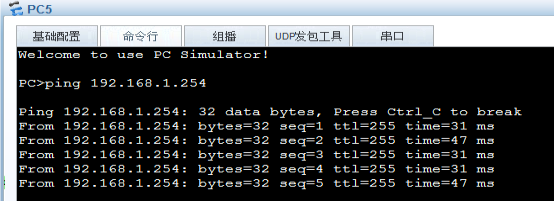
在PC5上使用ping测试连通性:
ping 192.168.1.254
09
配置标语
以配置R1为例:
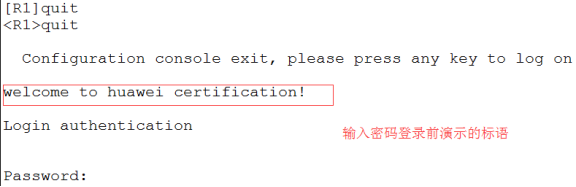
[R1]header login information "welcome to huawei certification!" //登录前显示
[R1]header shell information "Please don't reboot the device!" //登录后显示
测试登录前显示:
测试登录后显示:

10
每台设备基本配置
system-view //进入系统视图
sysname R1/R2/R3/SW1/SW2/SW3/SW4/SW5 //配置每台设备的名字
header login information "welcome to huawei certification!" //登录前显示标语
header shell information "Please don't reboot the device!" //登录后显示标语
user-interface con 0 //进入控制口
authentication-mode password //配置控制口验证方式为密码
set authentication password cipher huawei123 //配置控制口密码为huawei123
user-interface vty 0 4 //进入VTY
authentication-mode password //配置VTY验证方式为密码
set authentication password cipher huawei123 //远程登录密码为huawei123
user privilege level 15 //设备登录用户级别为15
