


相信有很多人和我一样在刚开始使用Wallpaper时有个疑问:
为什么别人的Wallpaper不挂在任务栏上就能加Steam的时长呢?
毕竟Steam时长的日积月累也是很有成就的一件事!
Wallpaper Engine 的后台应用程序独立于 Steam,因此当我们将其从任务栏中关闭到后台时Steam就会停止计算时长。
第一步:必须禁用 Windows中的软件自动启动
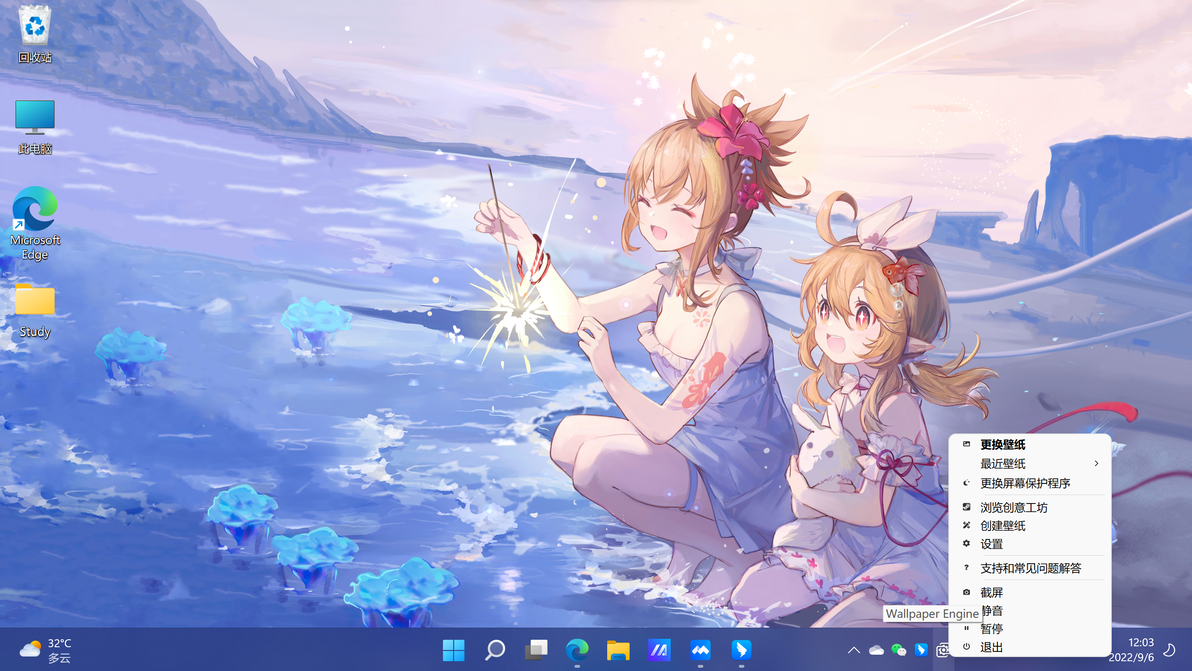
点击后选择设置
首先点击Wallpaper后选择设置
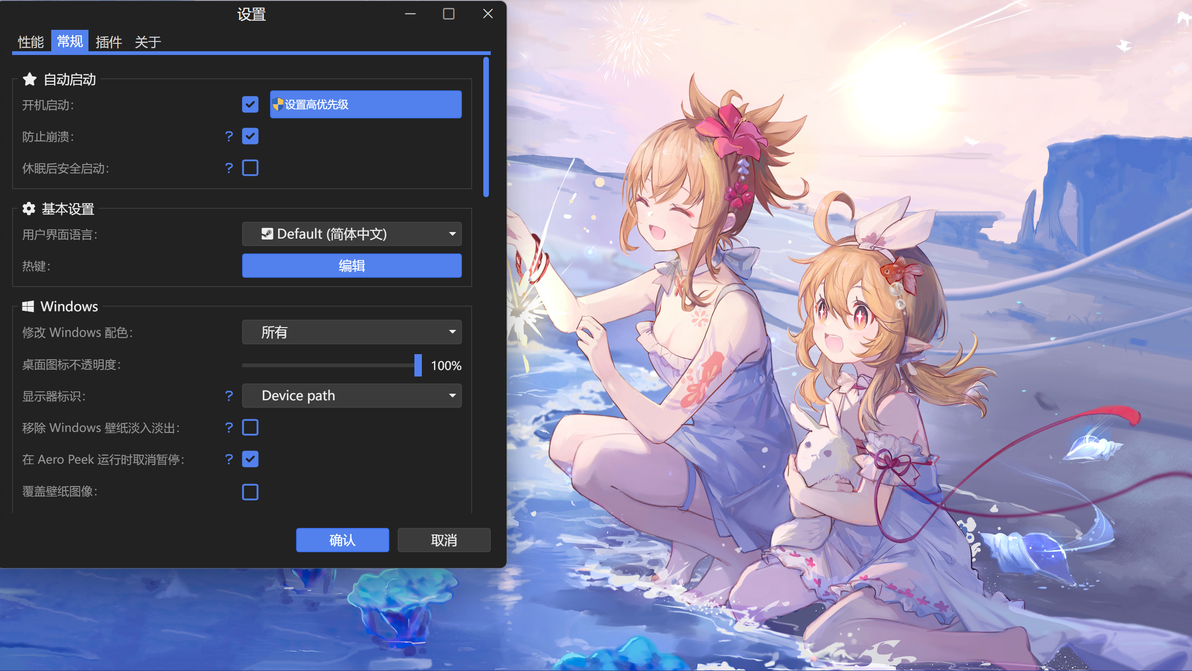
设置时的状态
如果打开了“设置高优先级”就先关闭,之后再将“开机启动”选项关闭,点“确认”保存。
第二步:添加此启动参数后通过 Steam 启动

首先,在Steam中右键选中Wallpaper,点击“属性”

然后,在“通用”中找到“启动选项”,在里面输入-steamtrackhours
之后关闭即可
注意:完成以上设置后,每次开机需要自己现在Steam中打开一次!!!
The background application of Wallpaper Engine is independent from Steam, in fact most people complain when Steam has a bug and shows "in-game".
If you want Steam to lock onto the background application, you have to disable automatic starting with Windows, add this start parameter in the game settings on Steam "-steamtrackhours" and then start it through Steam.
