目录
Unity添加中文字体

收录于文集
共15篇
## 1、拷贝字体文件
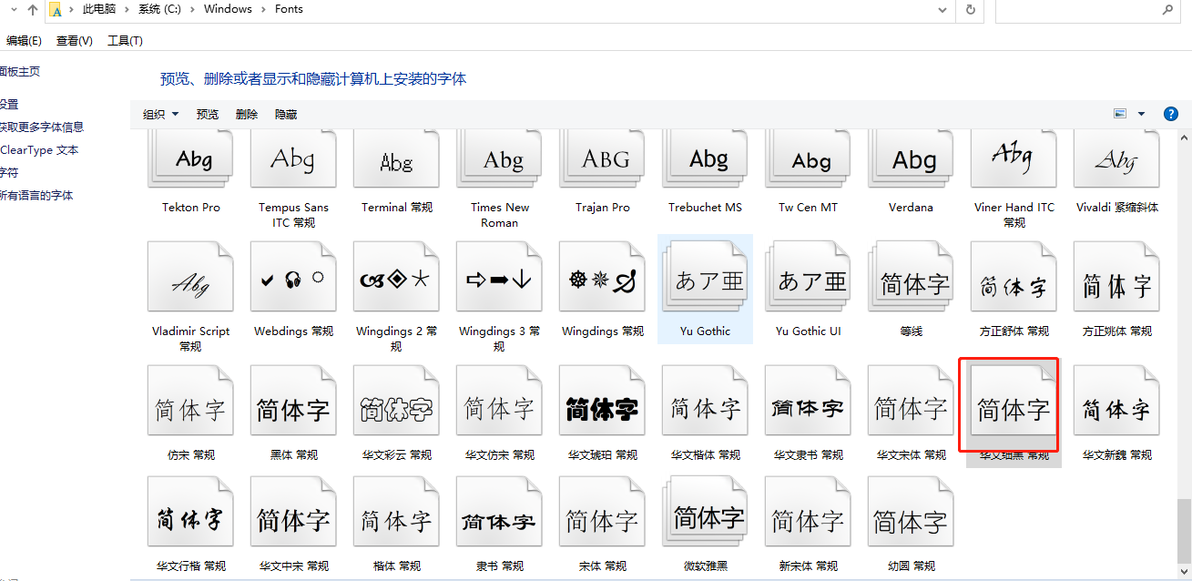
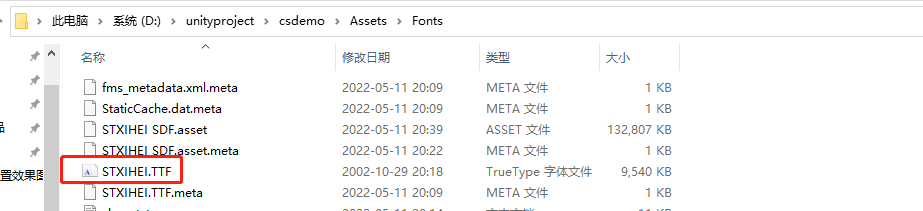
拷贝C:\Windows\Fonts文件夹下,华文细黑常规文件到,项目中
## 2、下载中文字库
链接: https://pan.baidu.com/s/1KW31KB5vEImZHUWvQ9PLEQ 提取码: bgug
3、添加字体字库
选择Window->TextMeshPro->Font Asset Creator
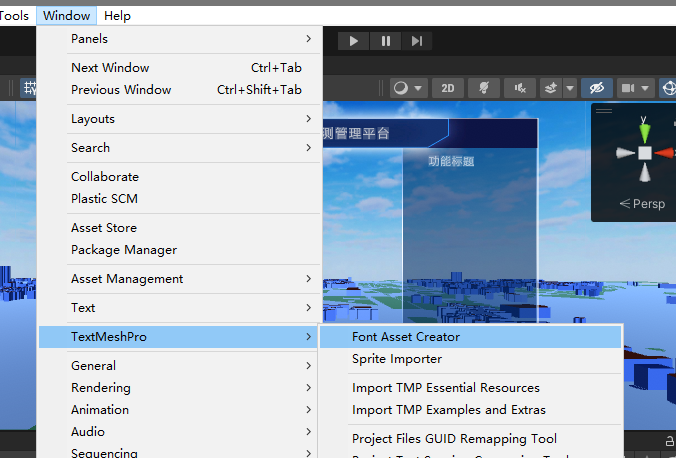
进入Font Asset Creator
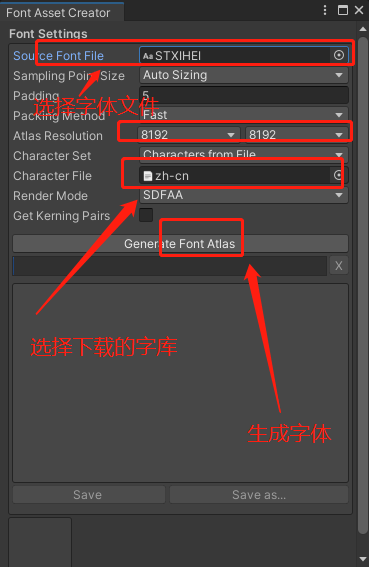
a、Source Font File 选择字体文件
b、Atlas Resolution 都设置为8192
c、Character Set 选择Characters from File
d、Character File 选择字库文件
e、点击Generate Font Atlas(等待完成)
f、点击Save
本文为我原创,未经授权禁止转载
cv16565553
分享至
投诉或建议
