
tesseract、tesserocr说明:运用与python爬虫验证码,OCR-即Optical Character Recognition光学字符识别,是指通过扫描字符,然后将其形状翻译成电子文本的过程
----------------------正文------------------------------
一、安装步骤:
1、安装tesseract
2、pip install wheel
3、安装tesserocr
二、tesseract安装
tesseract下载地址:https://digi.bib.uni-mannheim.de/tesseract/
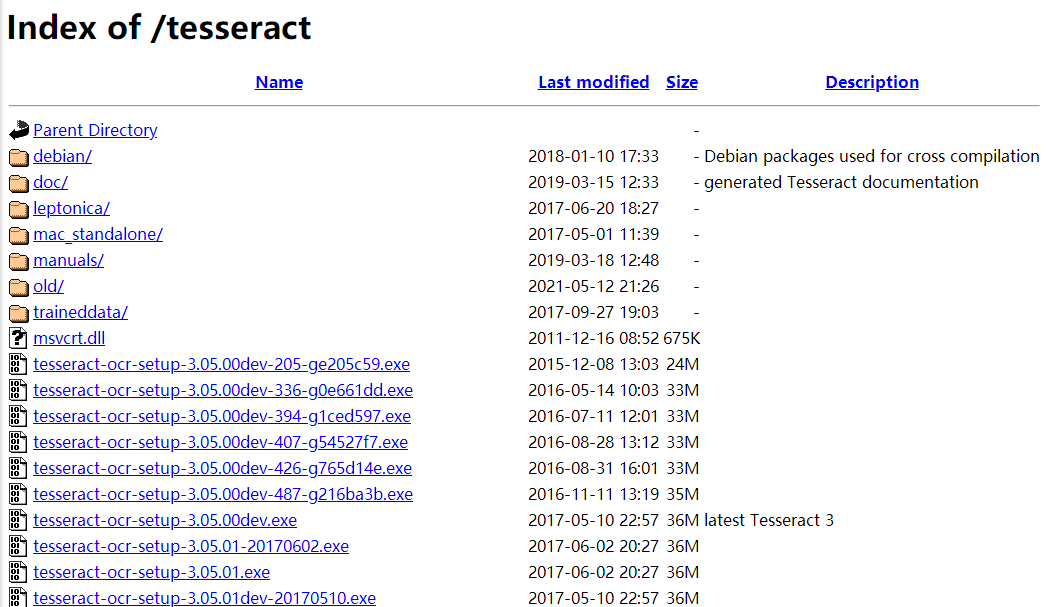
选择所需的版本下载,一路安装就行,路径为默认路径,安装完后配置变量(电脑→右键属性→高级系统设置→高级→环境变量(编辑)
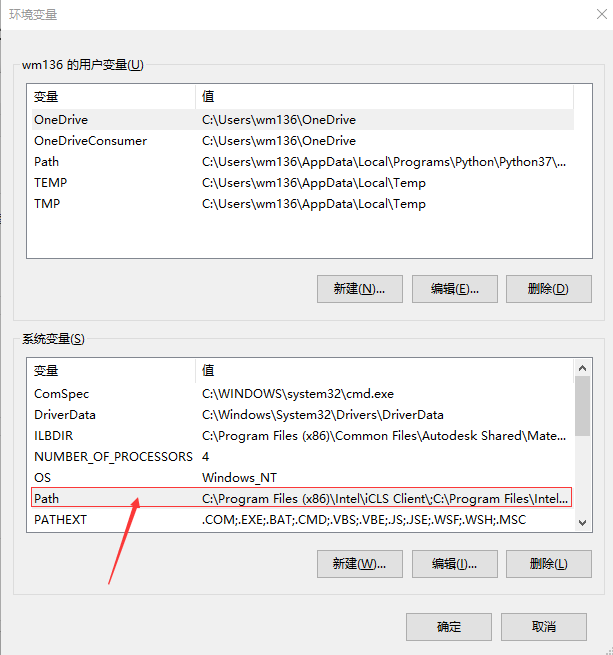
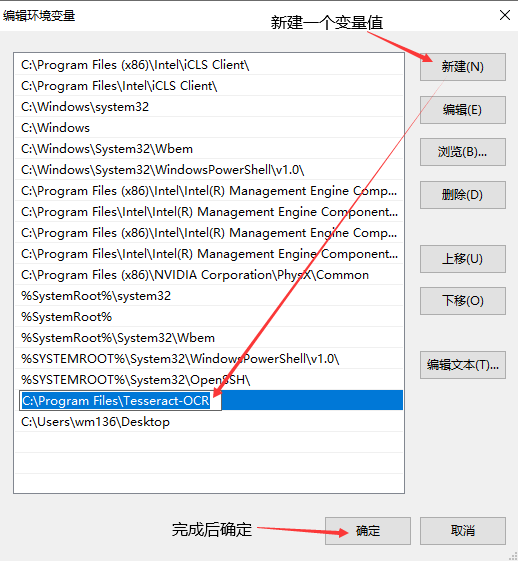
环境变量配置完后一路确定就行了,在python中用import tesseract验证安装
二、pip install wheel(安装tesserocr需要)
三、安装tesserocr
tesserocr下载地址:https://github.com/simonflueckiger/tesserocr-windows_build/releases

根据python版本和计算机位数选择下载(不知道python版本的cmd输入'python --version',电脑右键属性查看计算机位数)
然后pip install D:\tesserocr-2.4.0-cp37-cp37m-win_amd64.whl(这个是文件路径,不然会报错,文件名最好是英文)
再然后pip install tesserocr就安装好了
接下来我们实战运用下
------------------实战-----------------------------
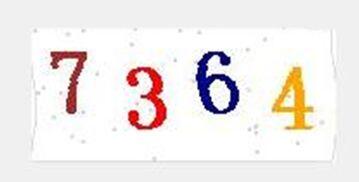
import tesserocr
from PIL import Image
image = Image.open('code.png')
result = tesserocr.image_to_text(image)
print(result)
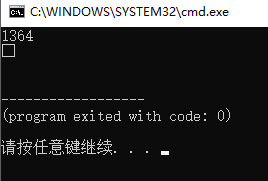
emmm,识别的不是很好,勉强能使用
