目录
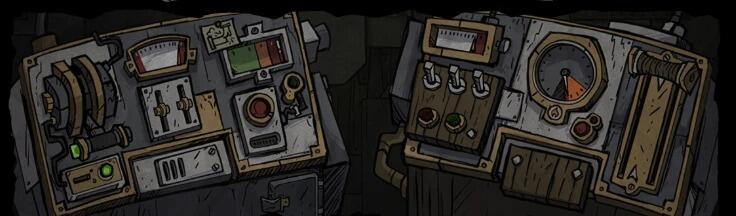
饥荒联机版:3100点数解密 自动脚本

前言
03:32
饥荒联机版:老瓦最新ARG解密3100点点数获取办法
13万
114
使用方法
进入官网解密界面,登录科雷账号
打开开发人员工具:在饥荒解谜页面,按键盘上的 F12 键
打开控制台:点击 Console / 控制台 标签,打开控制台
加载脚本到页面中:
加载用户操作表 MANUAL :滚动到下方找到完整代码框,全选代码后按 Ctrl + C 复制,回到控制台,点击光标,Ctrl + V 粘贴代码,按回车键 (Enter)加载
加载模拟用户操作的主逻辑
运行脚本(两种方式)
自动运行:加载脚本后,输入 auto() 然后按回车,会自动进行之后的步骤
手动运行每一部分:输入 next() 然后按回车,每次输入 next() 会执行一个小阶段,等这个阶段完成后,再输入 next() 继续下一步
操作表.js
代码块
JavaScript
自动换行
复制代码
// ==================== 完整操作表 [Manual 1-14] ====================
// 直接在控制台粘贴此文件即可加载
// 加载后可通过 window.MANUAL 或直接 MANUAL 访问
// 必须先加载操作表

(function() {
'use strict';

window.MANUAL = [
    // ========== Manual 1: 窗户、沙漏 ==========
    {name: "窗户、沙漏", actions: [
        {type: 'click', page: 0, panel: 0, x: 36, y: 44, wait: 3000},
        {type: 'click', page: 0, panel: 1, x: 80, y: 65, wait: 5000}
    ]},

    // ========== Manual 2: 点击 Manifestum 得到新图片 ==========
    {name: "点击 Manifestum 得到新图片", actions: [
        {type: 'click', page: 0, panel: 14, x: 50, y: 49, wait: 800},
        {type: 'click', page: 0, panel: 2, x: 46, y: 48, wait: 800},
        {type: 'click', page: 0, panel: 15, x: 45, y: 34, wait: 800},
        {type: 'click', page: 0, panel: 10, x: 56, y: 32, wait: 800},
        {type: 'click', page: 0, panel: 7, x: 56, y: 33, wait: 800},
        {type: 'click', page: 0, panel: 6, x: 45, y: 44, wait: 800},
        {type: 'click', page: 0, panel: 20, x: 54, y: 48, wait: 800},
        {type: 'click', page: 0, panel: 21, x: 57, y: 46, wait: 800},
        {type: 'click', page: 0, panel: 22, x: 53, y: 46, wait: 800},
        {type: 'click', page: 0, panel: 14, x: 52, y: 63, wait: 4000}
    ]},

    // ========== Manual 3: 点击 Wagstaff 得到新图片 ==========
    {name: "点击 Wagstaff 得到新图片", actions: [
        {type: 'click', page: 0, panel: 24, x: 46, y: 45, wait: 800},
        {type: 'click', page: 0, panel: 2, x: 26, y: 57, wait: 800},
        {type: 'click', page: 0, panel: 8, x: 62, y: 46, wait: 800},
        {type: 'click', page: 0, panel: 20, x: 34, y: 47, wait: 800},
        {type: 'click', page: 0, panel: 21, x: 36, y: 47, wait: 800},
        {type: 'click', page: 0, panel: 2, x: 55, y: 50, wait: 800},
        {type: 'click', page: 0, panel: 7, x: 33, y: 40, wait: 800},
        {type: 'click', page: 0, panel: 7, x: 33, y: 40, wait: 4000}
    ]},

    // ========== Manual 4: 点击沙漏 ==========
    {name: "点击沙漏", actions: [
        {type: 'click', page: 0, panel: 1, x: 82, y: 61, wait: 3000}
    ]},

    // ========== Manual 5: 抽出纸条 ==========
    {name: "抽出纸条", actions: [
        {type: 'click', page: 0, panel: 9, x: 61, y: 66, wait: 2000}
    ]},

    // ========== Manual 6: 连接电线 ==========
    {name: "连接电线 (初始状态应为三根线都插着)", actions: [
        {type: 'click', page: 0, panel: 4, x: 19, y: 48, wait: 1000},
        {type: 'click', page: 0, panel: 4, x: 75, y: 64, wait: 1000},
        {type: 'click', page: 0, panel: 4, x: 46, y: 60, wait: 1000},
        {type: 'click', page: 0, panel: 4, x: 46, y: 60, wait: 1000},
        {type: 'click', page: 0, panel: 4, x: 75, y: 67, wait: 1000},
        {type: 'click', page: 0, panel: 4, x: 17, y: 52, wait: 1000},
        {type: 'click', page: 0, panel: 4, x: 78, y: 65, wait: 1000},
        {type: 'click', page: 0, panel: 4, x: 46, y: 56, wait: 1000},
        {type: 'click', page: 0, panel: 4, x: 16, y: 48, wait: 1000},
        {type: 'click', page: 0, panel: 4, x: 16, y: 55, wait: 1000},
        {type: 'click', page: 0, panel: 4, x: 43, y: 60, wait: 4000}
    ]},

    // ========== Manual 7: 操作台 (点击+滑动) ==========
    {name: "操作台 (操纵杆+滑块+按钮)", actions: [
        // 初始点击启动操纵杆
        {type: 'click', page: 0, panel: 9, x: 9, y: 42, wait: 1000},

        // 第一组滑块操作
        {type: 'drag', sliderId: 'panel9slider1', startCoord: {x: 56, y: 83}, endCoord: {x: 54, y: 68}, valueChange: {from: 0, to: 15.2299}, wait: 1500},
        {type: 'drag', sliderId: 'panel9slider3', startCoord: {x: 31, y: 84}, endCoord: {x: 38, y: 76}, valueChange: {from: 0, to: 10.6658}, wait: 1500},
        {type: 'drag', sliderId: 'panel9slider1', startCoord: {x: 50, y: 69}, endCoord: {x: 54, y: 34}, valueChange: {from: 15.2299, to: 38.0747}, wait: 1500},
        {type: 'drag', sliderId: 'panel9slider2', startCoord: {x: 63, y: 78}, endCoord: {x: 52, y: 54}, valueChange: {from: 0, to: 22.8448}, wait: 1500},
        {type: 'drag', sliderId: 'panel9slider3', startCoord: {x: 41, y: 74}, endCoord: {x: 44, y: 66}, valueChange: {from: 10.6658, to: 21.3316}, wait: 1500},

        // 第一组按钮点击
        {type: 'click', page: 0, panel: 9, x: 59, y: 35, wait: 1000},
        {type: 'click', page: 0, panel: 9, x: 63, y: 35, wait: 1000},
        {type: 'click', page: 0, panel: 9, x: 58, y: 50, wait: 1000},

        // 第二组滑块操作
        {type: 'drag', sliderId: 'panel9slider1', startCoord: {x: 43, y: 47}, endCoord: {x: 45, y: 53}, valueChange: {from: 38.0747, to: 22.8448}, wait: 1500},
        {type: 'drag', sliderId: 'panel9slider3', startCoord: {x: 41, y: 63}, endCoord: {x: 46, y: 55}, valueChange: {from: 21.3316, to: 31.9974}, wait: 1500},
        {type: 'drag', sliderId: 'panel9slider2', startCoord: {x: 52, y: 58}, endCoord: {x: 63, y: 95}, valueChange: {from: 22.8448, to: 0}, wait: 1500},
        {type: 'drag', sliderId: 'panel9slider1', startCoord: {x: 45, y: 60}, endCoord: {x: 65, y: 95}, valueChange: {from: 22.8448, to: 0}, wait: 1500},

        // 第二组按钮点击
        {type: 'click', page: 0, panel: 9, x: 66, y: 37, wait: 1000},

        // 第三组滑块操作
        {type: 'drag', sliderId: 'panel9slider1', startCoord: {x: 63, y: 81}, endCoord: {x: 61, y: 82}, valueChange: {from: 0, to: 7.61494}, wait: 1500},
        {type: 'drag', sliderId: 'panel9slider3', startCoord: {x: 49, y: 55}, endCoord: {x: 59, y: 40}, valueChange: {from: 31.9974, to: 42.6632}, wait: 1500},

        // 第三组按钮点击
        {type: 'click', page: 0, panel: 9, x: 63, y: 52, wait: 1000},

        // 第四组滑块操作
        {type: 'drag', sliderId: 'panel9slider1', startCoord: {x: 59, y: 75}, endCoord: {x: 50, y: 32}, valueChange: {from: 7.61494, to: 38.0747}, wait: 1500},
        {type: 'drag', sliderId: 'panel9slider2', startCoord: {x: 65, y: 81}, endCoord: {x: 54, y: 60}, valueChange: {from: 0, to: 22.8448}, wait: 1500},
        {type: 'drag', sliderId: 'panel9slider3', startCoord: {x: 49, y: 45}, endCoord: {x: 55, y: 27}, valueChange: {from: 42.6632, to: 53.329}, wait: 1500},

        // 第五组滑块操作
        {type: 'drag', sliderId: 'panel9slider1', startCoord: {x: 47, y: 46}, endCoord: {x: 48, y: 49}, valueChange: {from: 38.0747, to: 30.4598}, wait: 1500},
        {type: 'drag', sliderId: 'panel9slider2', startCoord: {x: 50, y: 60}, endCoord: {x: 52, y: 49}, valueChange: {from: 22.8448, to: 30.4598}, wait: 1500},
        {type: 'drag', sliderId: 'panel9slider3', startCoord: {x: 51, y: 36}, endCoord: {x: 62, y: 12}, valueChange: {from: 53.329, to: 63.9948}, wait: 1500},
        {type: 'drag', sliderId: 'panel9slider1', startCoord: {x: 52, y: 52}, endCoord: {x: 54, y: 65}, valueChange: {from: 30.4598, to: 15.2299}, wait: 1500},

        // 结束按钮点击组
        {type: 'click', page: 0, panel: 9, x: 35, y: 45, wait: 1000},
        {type: 'click', page: 0, panel: 9, x: 59, y: 50, wait: 1000},
        {type: 'click', page: 0, panel: 9, x: 80, y: 56, wait: 1000},
        {type: 'click', page: 0, panel: 9, x: 63, y: 51, wait: 1000},

        // 最后滑块操作
        {type: 'drag', sliderId: 'panel9slider1', startCoord: {x: 48, y: 68}, endCoord: {x: 48, y: 44}, valueChange: {from: 15.2299, to: 30.4598}, wait: 1500},
        {type: 'drag', sliderId: 'panel9slider2', startCoord: {x: 50, y: 55}, endCoord: {x: 57, y: 60}, valueChange: {from: 30.4598, to: 22.8448}, wait: 1500},
        {type: 'drag', sliderId: 'panel9slider1', startCoord: {x: 52, y: 53}, endCoord: {x: 45, y: 37}, valueChange: {from: 30.4598, to: 38.0747}, wait: 1500},
        {type: 'drag', sliderId: 'panel9slider3', startCoord: {x: 56, y: 26}, endCoord: {x: 74, y: -12}, valueChange: {from: 63.9948, to: 74.6606}, wait: 5000}
    ]},

    // ========== Manual 8: 踢东西 (5次) ==========
    {name: "踢东西 (5次)", actions: [
        {type: 'click', page: 0, panel: 26, x: 80, y: 70, wait: 1000},
        {type: 'click', page: 0, panel: 26, x: 80, y: 70, wait: 1000},
        {type: 'click', page: 0, panel: 26, x: 80, y: 70, wait: 1000},
        {type: 'click', page: 0, panel: 26, x: 80, y: 70, wait: 1000},
        {type: 'click', page: 0, panel: 26, x: 80, y: 70, wait: 4000}
    ]},

    // ========== Manual 9: 新图 (耳朵/纸条/瓦) ==========
    {name: "新图 (耳朵/纸条/瓦)", actions: [
        {type: 'click', page: 0, panel: 33, x: 18, y: 50, wait: 1000},
        {type: 'click', page: 0, panel: 34, x: 53, y: 72, wait: 1000},
        {type: 'click', page: 0, panel: 35, x: 56, y: 55, wait: 4000}
    ]},

    // ========== Manual 10: 点击螺丝 (4个) ==========
    {name: "点击螺丝 (4个)", actions: [
        {type: 'click', page: 0, panel: 38, x: 60, y: 93, wait: 800},
        {type: 'click', page: 0, panel: 38, x: 81, y: 69, wait: 800},
        {type: 'click', page: 0, panel: 38, x: 61, y: 74, wait: 800},
        {type: 'click', page: 0, panel: 38, x: 82, y: 89, wait: 4000}
    ]},

    // ========== Manual 11: 点小按钮 (11个) ==========
    {name: "点小按钮 (11个)", actions: [
        {type: 'click', page: 0, panel: 38, x: 76, y: 78, wait: 800},
        {type: 'click', page: 0, panel: 38, x: 72, y: 79, wait: 800},
        {type: 'click', page: 0, panel: 38, x: 72, y: 75, wait: 800},
        {type: 'click', page: 0, panel: 38, x: 69, y: 76, wait: 800},
        {type: 'click', page: 0, panel: 38, x: 69, y: 83, wait: 800},
        {type: 'click', page: 0, panel: 38, x: 76, y: 83, wait: 800},
        {type: 'click', page: 0, panel: 38, x: 76, y: 91, wait: 800},
        {type: 'click', page: 0, panel: 38, x: 73, y: 92, wait: 800},
        {type: 'click', page: 0, panel: 38, x: 72, y: 88, wait: 800},
        {type: 'click', page: 0, panel: 38, x: 68, y: 88, wait: 800},
        {type: 'click', page: 0, panel: 38, x: 69, y: 92, wait: 4000}
    ]},

    // ========== Manual 12: 点太阳和物品 ==========
    {name: "点太阳和物品", actions: [
        {type: 'click', page: 0, panel: 0, x: 17, y: 12, wait: 1500},
        {type: 'click', page: 1, panel: 0, x: 94, y: 83, wait: 1000},
        {type: 'click', page: 1, panel: 1, x: 66, y: 36, wait: 1000},
        {type: 'click', page: 1, panel: 1, x: 62, y: 54, wait: 1000},
        {type: 'click', page: 1, panel: 1, x: 78, y: 53, wait: 1000},
        {type: 'click', page: 1, panel: 0, x: 17, y: 14, wait: 4000}
    ]},

    // ========== Manual 13: 点笔,等待动画 ==========
    {name: "点笔,等待动画", actions: [
        {type: 'click', page: 0, panel: 1, x: 14, y: 76, wait: 5000}
    ]},

    // ========== Manual 14: 点瓦 ==========
    {name: "点瓦", actions: [
        {type: 'click', page: 78, panel: 0, x: 72, y: 54, wait: 2000}
    ]}
];

console.log(`
${'━'.repeat(60)}
📋 操作手册已加载成功!
${'━'.repeat(60)}
✅ 共 ${window.MANUAL.length} 个操作阶段
📦 访问方式: window.MANUAL 或 MANUAL
📊 查看所有阶段: MANUAL.map((m,i) => \`\${i+1}. \${m.name}\`)
${'━'.repeat(60)}
`);

})();
复制成功
主逻辑.js
代码块
JavaScript
自动换行
复制代码
// ==================== 主逻辑 ====================

(function() {
'use strict';

// ==================== 工具函数 ====================

function sleep(ms) {
    return new Promise(resolve => setTimeout(resolve, ms));
}

async function waitForElement(selector, timeout = 10000) {
    const start = Date.now();
    while (Date.now() - start < timeout) {
        const element = document.querySelector(selector);
        if (element) return element;
        await sleep(100);
    }
    throw new Error(`元素未找到: ${selector}`);
}

async function waitForReady(timeout = 10000) {
    const start = Date.now();
    while (Date.now() - start < timeout) {
        if (!document.body.classList.contains('loading')) {
            await sleep(200);
            return true;
        }
        await sleep(100);
    }
    console.warn('等待超时,继续执行');
    return false;
}

// ==================== 视觉反馈 ====================

function highlightClick(x, y) {
    const dot = document.createElement('div');
    dot.style.cssText = `
        position: fixed;
        left: ${x}px;
        top: ${y}px;
        width: 20px;
        height: 20px;
        margin: -10px 0 0 -10px;
        border-radius: 50%;
        background: rgba(255, 0, 0, 0.5);
        border: 2px solid red;
        pointer-events: none;
        z-index: 999999;
        animation: pulse 0.5s ease-out;
    `;
    document.body.appendChild(dot);
    setTimeout(() => dot.remove(), 500);
}

function highlightDrag(startX, startY, endX, endY) {
    const line = document.createElement('div');

    const length = Math.sqrt(Math.pow(endX - startX, 2) + Math.pow(endY - startY, 2));
    const angle = Math.atan2(endY - startY, endX - startX) * 180 / Math.PI;

    line.style.cssText = `
        position: fixed;
        left: ${startX}px;
        top: ${startY}px;
        width: ${length}px;
        height: 3px;
        background: linear-gradient(to right, rgba(0, 100, 255, 0.8), rgba(0, 200, 255, 0.8));
        transform-origin: 0 50%;
        transform: rotate(${angle}deg);
        pointer-events: none;
        z-index: 999999;
        animation: dragFade 1s ease-out;
    `;

    document.body.appendChild(line);

    // 起点标记
    const startDot = document.createElement('div');
    startDot.style.cssText = `
        position: fixed;
        left: ${startX}px;
        top: ${startY}px;
        width: 12px;
        height: 12px;
        margin: -6px 0 0 -6px;
        border-radius: 50%;
        background: rgba(0, 100, 255, 0.6);
        border: 2px solid blue;
        pointer-events: none;
        z-index: 999999;
        animation: dragFade 1s ease-out;
    `;
    document.body.appendChild(startDot);

    // 终点标记
    const endDot = document.createElement('div');
    endDot.style.cssText = `
        position: fixed;
        left: ${endX}px;
        top: ${endY}px;
        width: 12px;
        height: 12px;
        margin: -6px 0 0 -6px;
        border-radius: 50%;
        background: rgba(0, 200, 255, 0.6);
        border: 2px solid cyan;
        pointer-events: none;
        z-index: 999999;
        animation: dragFade 1s ease-out;
    `;
    document.body.appendChild(endDot);

    setTimeout(() => {
        line.remove();
        startDot.remove();
        endDot.remove();
    }, 1000);
}

const style = document.createElement('style');
style.textContent = `
    @keyframes pulse {
        0% { transform: scale(0.5); opacity: 1; }
        100% { transform: scale(2); opacity: 0; }
    }
    @keyframes dragFade {
        0% { opacity: 1; }
        70% { opacity: 1; }
        100% { opacity: 0; }
    }
`;
document.head.appendChild(style);

// ==================== 操作执行 ====================

async function simulateClick({page, panel, x, y, wait = 1000, desc = ''}) {
    const selector = `[page="${page}"][panel="${panel}"]`;
    const element = await waitForElement(selector);

    const rect = element.getBoundingClientRect();
    const clientX = rect.left + rect.width * x / 100;
    const clientY = rect.top + rect.height * y / 100;

    highlightClick(clientX, clientY);

    const clickEvent = new MouseEvent('click', {
        bubbles: true,
        cancelable: true,
        clientX: clientX,
        clientY: clientY,
        view: window
    });

    element.dispatchEvent(clickEvent);

    const descText = desc ? ` (${desc})` : '';
    console.log(`  ✓ Panel ${panel} (${x}%, ${y}%)${descText}`);

    await waitForReady();
    await sleep(wait);
}

async function simulateDrag({sliderId, startCoord, endCoord, valueChange, wait = 1500}) {
    console.log(`  🔄 ${sliderId}: ${valueChange.from.toFixed(2)}% → ${valueChange.to.toFixed(2)}%`);

    const slider = document.getElementById(sliderId);
    if (!slider) {
        console.error(`  ✗ 滑块未找到: ${sliderId}`);
        return;
    }

    const back = slider.querySelector('.rangeslider-back');
    const knob = slider.querySelector('.rangeslider-knob');

    if (!back || !knob) {
        console.error(`  ✗ 滑块组件未找到`);
        return;
    }

    const sliderRect = slider.getBoundingClientRect();
    const backRect = back.getBoundingClientRect();

    const startY = sliderRect.top + sliderRect.height * startCoord.y / 100;
    const endY = sliderRect.top + sliderRect.height * endCoord.y / 100;
    const centerX = backRect.left + backRect.width / 2;

    // 显示拖拽轨迹
    highlightDrag(centerX, startY, centerX, endY);

    // pointerdown + mousedown
    back.dispatchEvent(new PointerEvent('pointerdown', {
        bubbles: true, cancelable: true, view: window,
        clientX: centerX, clientY: startY,
        button: 0, buttons: 1, pointerId: 1, pointerType: 'mouse', isPrimary: true
    }));

    back.dispatchEvent(new MouseEvent('mousedown', {
        bubbles: true, cancelable: true, view: window,
        clientX: centerX, clientY: startY, button: 0, buttons: 1
    }));

    await sleep(50);

    // 2次 pointermove + mousemove
    for (let i = 0; i < 2; i++) {
        const currentY = startY + (endY - startY) * (i + 1) / 2;

        back.dispatchEvent(new PointerEvent('pointermove', {
            bubbles: true, cancelable: true, view: window,
            clientX: centerX, clientY: currentY,
            button: 0, buttons: 1, pointerId: 1, pointerType: 'mouse', isPrimary: true
        }));

        back.dispatchEvent(new MouseEvent('mousemove', {
            bubbles: true, cancelable: true, view: window,
            clientX: centerX, clientY: currentY, button: 0, buttons: 1
        }));

        await sleep(30);
    }

    await sleep(100);

    // pointerup + mouseup
    back.dispatchEvent(new PointerEvent('pointerup', {
        bubbles: true, cancelable: true, view: window,
        clientX: centerX, clientY: endY,
        button: 0, buttons: 0, pointerId: 1, pointerType: 'mouse', isPrimary: true
    }));

    back.dispatchEvent(new MouseEvent('mouseup', {
        bubbles: true, cancelable: true, view: window,
        clientX: centerX, clientY: endY, button: 0, buttons: 0
    }));

    await sleep(100);

    const finalValue = parseFloat(knob.style.bottom) || 0;
    console.log(`  ✓ 完成 (${finalValue.toFixed(2)}%)`);

    await waitForReady();
    await sleep(wait);
}

// ==================== 初始化函数 ====================

async function initialize() {
    console.log('\n🔍 正在检测当前页面状态...');

    // 检测当前页面的 `page` 属性
    const bodyElement = document.body;
    const currentPage = bodyElement.getAttribute('page');

    if (currentPage === "1") {
        // 如果在 page 1,点击月亮切换到 page 0
        console.log('切换到白天');

        try {
            await simulateClick({
                page: 1,
                panel: 0,
                x: 17,
                y: 13,
                wait: 4000,
                desc: '点击月亮切换到白天'
            });
            console.log('已切换,开始执行');
        } catch (error) {
            return;
        }
    } else {
        console.log('完成');
    }

    console.log('初始化完成\n');
    Controller.isInitialized = true;
}

// ==================== 控制器 ====================

const Controller = {
    config: null,
    currentStage: 0,
    isRunning: false,
    autoMode: false,
    isInitialized: false,

    async executeStage(index) {
        if (!this.config) {
            console.error('错误: 未找到 MANUAL 配置,请先加载 Complete Manual.js');
            return false;
        }

        if (index < 0 || index >= this.config.length) {
            console.error('阶段索引超出范围');
            return false;
        }

        this.isRunning = true;
        const stage = this.config[index];

        console.log(`\n${'='.repeat(50)}`);
        console.log(`执行阶段 ${index + 1}/${this.config.length}: ${stage.name}`);
        console.log(`${'='.repeat(50)}`);

        try {
            for (let i = 0; i < stage.actions.length; i++) {
                if (!this.isRunning) {
                    console.log('执行已停止');
                    return false;
                }

                const action = stage.actions[i];
                console.log(`[${i + 1}/${stage.actions.length}]`);

                if (action.type === 'click') {
                    await simulateClick(action);
                } else if (action.type === 'drag') {
                    await simulateDrag(action);
                }
            }

            console.log(`阶段 ${index + 1} 完成`);
            this.isRunning = false;
            return true;

        } catch (error) {
            console.error(`执行出错:`, error);
            this.isRunning = false;
            return false;
        }
    },

    async next() {
        if (!this.config) {
            this.config = window.MANUAL;
            if (!this.config) {
                console.error('错误: 未找到 MANUAL 配置,请先加载 Complete Manual.js');
                return;
            }
        }

        if (!this.isInitialized) {
            await initialize();
        }

        if (this.isRunning) {
            console.warn('正在执行中,请等待完成');
            return;
        }

        if (this.currentStage >= this.config.length) {
            console.log('\n🎉 所有阶段已完成!');
            return;
        }

        const success = await this.executeStage(this.currentStage);
        if (success) {
            this.currentStage++;
            if (this.currentStage < this.config.length) {
                console.log(`\n输入 next() 继续下一阶段`);
                if (this.autoMode) {
                    await sleep(1000);
                    await this.next();
                }
            } else {
                console.log('\n🎊 所有阶段已完成!');
            }
        }
    },

    async auto() {
        if (!this.config) {
            this.config = window.MANUAL;
            if (!this.config) {
                console.error('错误: 未找到 MANUAL 配置,请先加载 Complete Manual.js');
                return;
            }
        }

        console.log('启动自动模式');
        this.autoMode = true;

        if (!this.isInitialized) {
            await initialize();
        }

        await this.next();
    },

    jumpTo(stageNumber) {
        if (!this.config) {
            this.config = window.MANUAL;
            if (!this.config) {
                console.error('错误: 未找到 MANUAL 配置,请先加载 Complete Manual.js');
                return;
            }
        }

        const index = stageNumber - 1;
        if (index < 0 || index >= this.config.length) {
            console.error(`阶段编号无效,请输入 1-${this.config.length} 之间的数字`);
            return;
        }

        this.currentStage = index;
        console.log(`已跳转到阶段 ${stageNumber}: ${this.config[index].name}`);
        console.log('输入 next() 开始执行');
    },

    stop() {
        this.isRunning = false;
        this.autoMode = false;
        console.log('已停止执行');
    }
};

// ==================== 全局接口 ====================

window.next = () => Controller.next();
window.auto = () => Controller.auto();
window.jumpTo = (n) => Controller.jumpTo(n);
window.stop = () => Controller.stop();

// ==================== 初始化提示 ====================

console.log(`
${'━'.repeat(60)}
🎮 饥荒解谜自动化脚本
${'━'.repeat(60)}
脚本已就绪

命令说明:
  auto()      - 自动执行所有阶段
  next()      - 执行下一阶段
  jumpTo(n)   - 跳转到第 n 阶段
  stop()      - 停止执行

注意:执行期间请勿刷新页面
${'━'.repeat(60)}
`);

// 检查 MANUAL 是否已加载
if (window.MANUAL) {
    Controller.config = window.MANUAL;
    console.log(`✓ 已加载 ${window.MANUAL.length} 个操作阶段\n`);
} else {
    console.log('⚠ 请先加载 Complete Manual.js\n');
}

})();
复制成功
cv43765823
分享至
投诉或建议
