
显卡Arc B580,启动器版本绘世2.8.13
本文版权归 B 站账号 “狂扁小甜菜” 及其账号持有人所有。未经许可,禁止任何形式的转载、复制或使用。
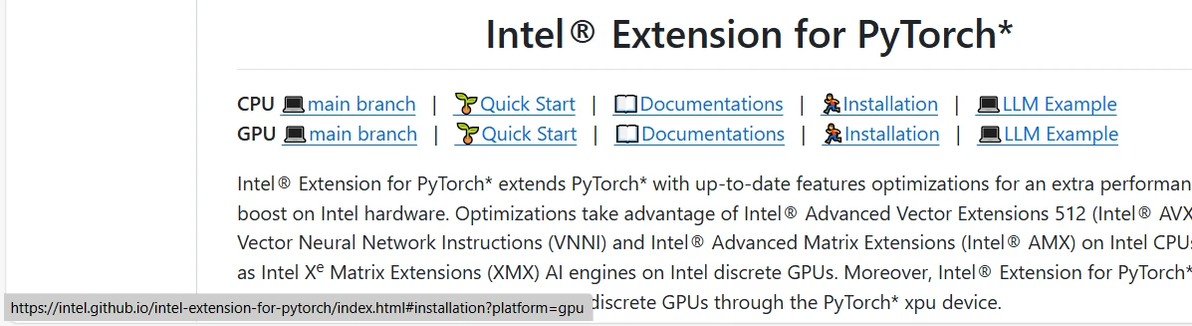
步骤1:启动器选择IPEX(Intel Extension for PyTorch)[https://github.com/intel/intel-extension-for-pytorch]
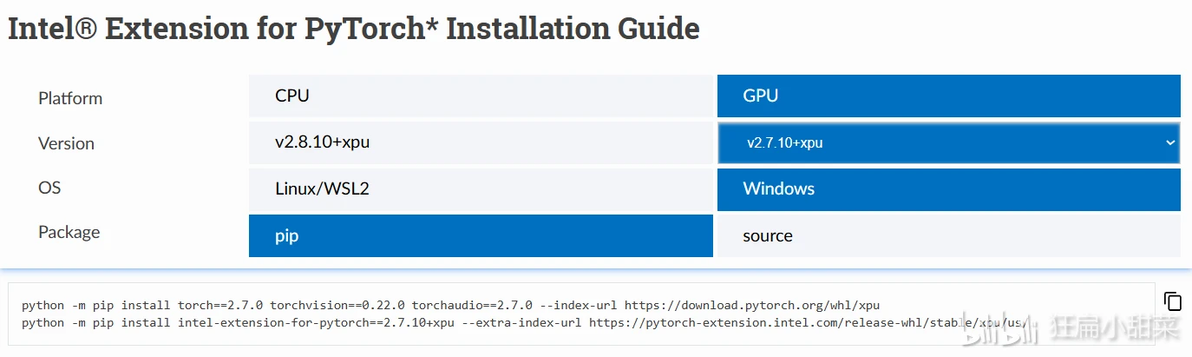
以下步骤以项目库中指南为准,版本根据时机情况做选择,如图:
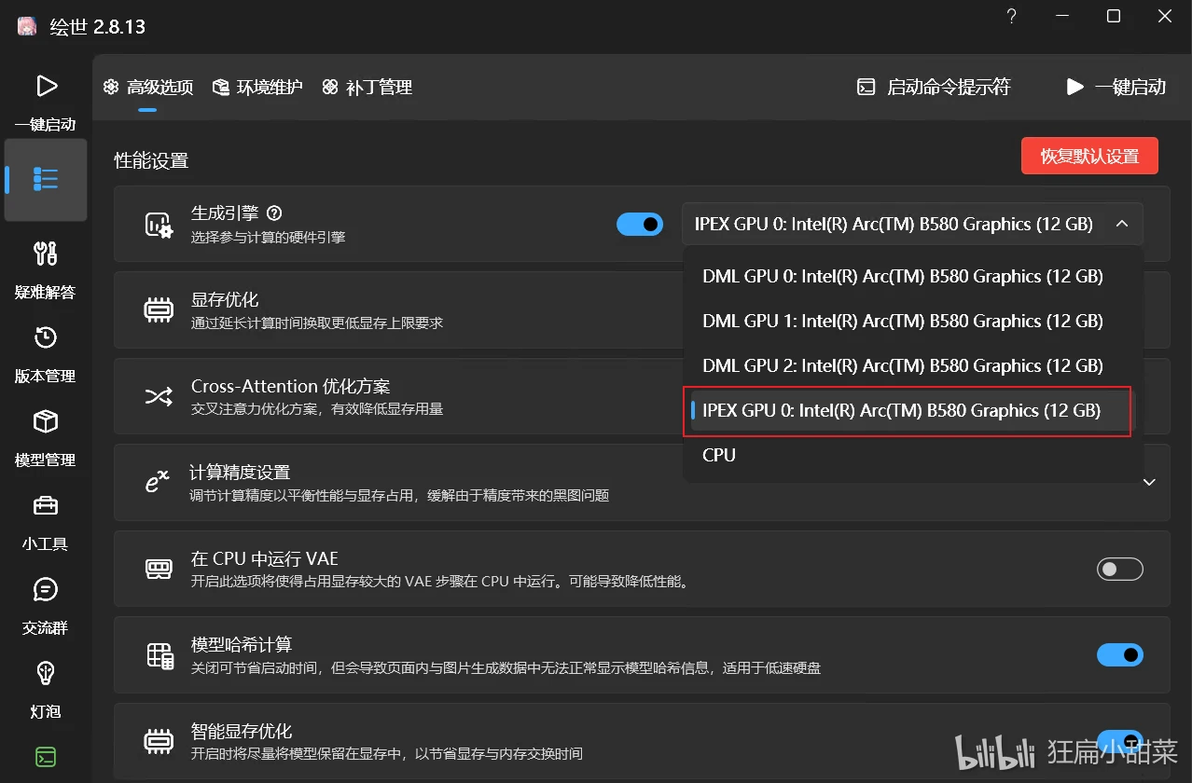
步骤2:点击“启动命令提示符”(一键启动左边)
步骤3:执行官方指南的命令(根据Torch版本不同,请自行到官网复制)
```
python -m pip install torch==2.7.0 torchvision==0.22.0 torchaudio==2.7.0 --index-url https://download.pytorch.org/whl/xpu
python -m pip install intel-extension-for-pytorch==2.7.10+xpu --extra-index-url https://pytorch-extension.intel.com/release-whl/stable/xpu/us/
```
步骤4:点击一键启动,等
我这块出现了
RuntimeError: Failed to import diffusers.loaders.lora_pipeline because of the following error:
No module named 'triton.ops'
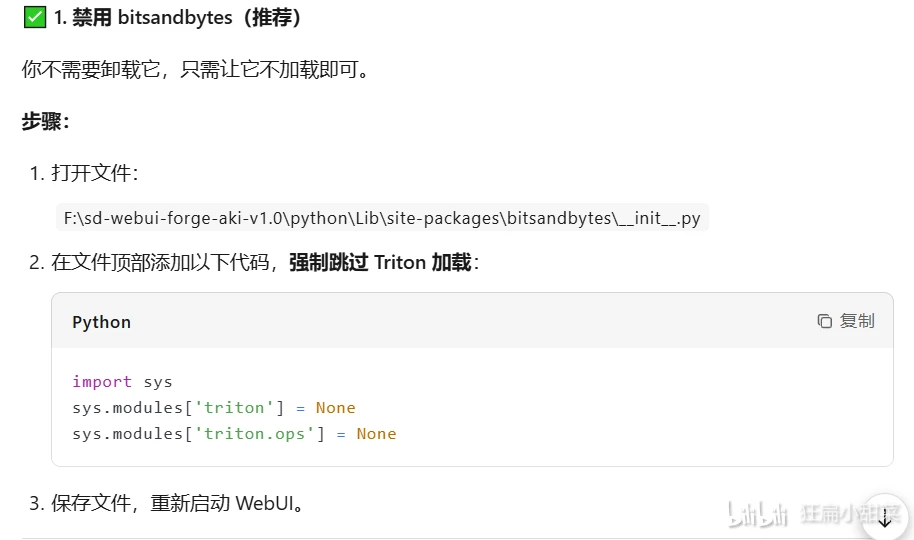
于是步骤5:
import sys
sys.modules['triton'] = None
sys.modules['triton.ops'] = None
最后:
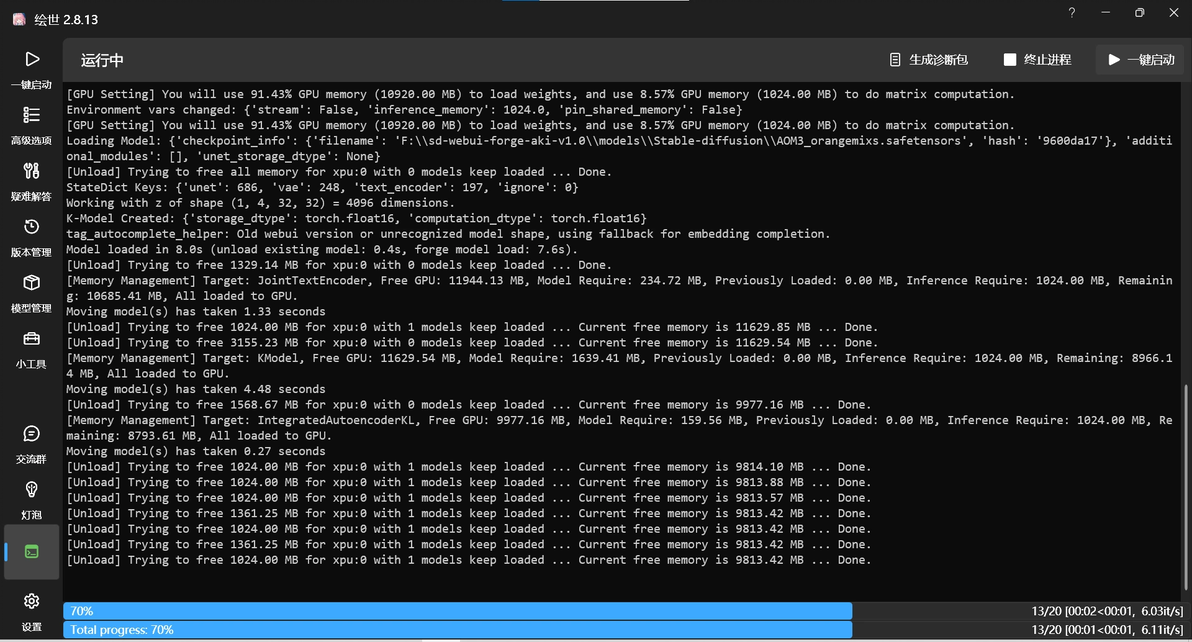
BOOM!!!喜提6it/s的速度,比之前DML的1.3it/s不知道高到哪里去了
