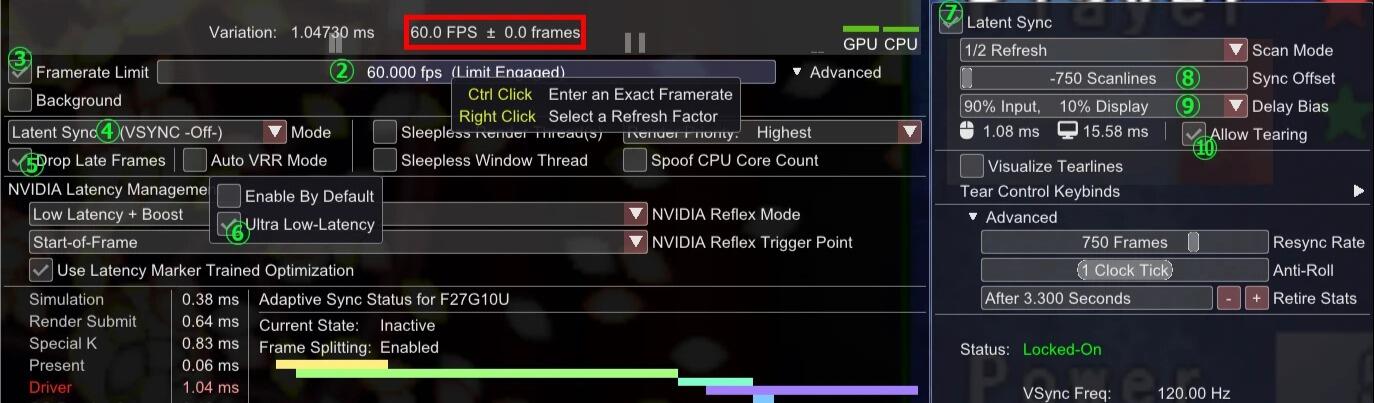

本文仅讲解如何在Special K使用魔法锁帧时达到低延迟,不介绍其他功能。
为了达到更低的延迟,魔法锁帧只建议在游戏自带锁帧有问题时使用。(部分游戏使用垂直同步来达到固定帧率的目的,而没有处理内置锁帧)
前置条件:已根据专栏 cv38385085 的 2.1.3 Special K 完成设置。
Special K 魔法锁帧
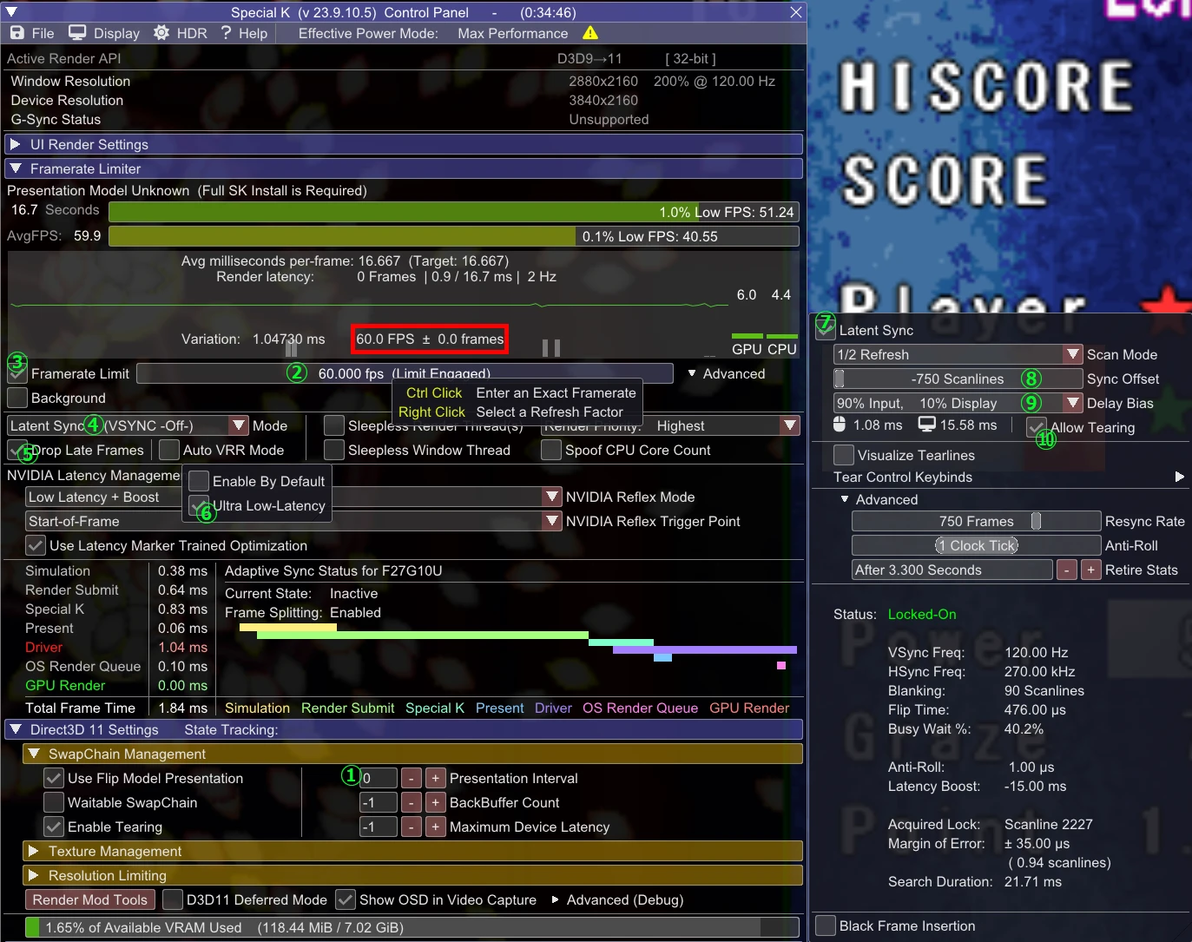
①Presentation Interval(呈现间隔):默认为-1(不进行修改,使用游戏自己的设置)。此时,鼠标悬停在Window Resolution时的弹窗内,Swap Interval如果是“0: VSYNC OFF”(关闭垂直同步),则为最低延迟,无需调整该项。如果不是,在通过游戏自带设置无法调整的情况下,可以使用Special K的设置进行覆盖,把Presentation Interval的数值改为0。
②在图中红框部分的帧率指示器高于正常帧率时,可以使用鼠标左右拖动此处,启用魔法锁帧将帧率稳定于正常值。(笔者见过出现此类问题的游戏有东方妖精乡和QP Shooting Dangerous,两者在窗口模式下关闭垂直同步后帧率会变为62帧)
③魔法锁帧的开关,勾选上则为开启。
④同步模式:选择延迟最低的Latent Sync。另外两个选项一个是Normal Mode(启用垂直同步),一个是VRR(可变刷新率,一般来说比固定刷新率延迟更高)。
Latent Sync is a tear-free no-sync feature similar to the Scanline Sync of RTSS and offers the same or lower input latency to that of VRR. It is useful in scenarios for when your frame rate needs to be identical to the refresh rate (e.g. 60 FPS on a 60 Hz display), a factor thereof (e.g. 60 FPS on a 120 Hz display), or in scenarios where VRR is not available. It is a two-phase limiter which waits before and after the Present call of a game, and CPU idle time is distributed between waiting for the Vertical Blanking period (favors tearing stability) and delaying the beginning of the next frame (favors input latency). The Delay Bias option in Special K’s control panel controls this behavior, and while the setting defaults to 0% (favors tearing stability with no regard for the input), it can be adjusted to favor input latency at the risk of potentially introducing occasional tearing. It is by adjusting this bias in favor of input latency that Latent Sync can beat the input latency of VRR. [https://wiki.special-k.info/Advanced/Video#latent-sync]
⑤抛弃过时的帧:启用这个以增加画面撕裂的代价来减少延迟。
⑥我们使用的是固定刷新率,不使用可变刷新率,则需要关闭VRR。(在固定刷新率下它不会真正生效,会通过调整帧锁定来增加流畅度,代价是增加延迟)
⑦鼠标右键单击②,选择刷新因素。和④一样,此处需要勾选。
Scan Mode(扫描模式):不需要处理,在调整②时会自动选择。(这里1/2是因为笔者的显示器是120fps)
⑧Sync Offset(同步偏移):控制画面同步点,调整扫描线撕裂的位置。
因为画面的呈现是从上往下扫描的,如果同步点在屏幕更高的位置,帧提交的等待时间减少,画面延迟就会降低:
• 负值:同步点靠近屏幕顶部,撕裂会发生在上方,减少输入延迟,增加撕裂影响。
• 正值:同步点靠近屏幕底部,撕裂会发生在下方,增加输入延迟,减少撕裂影响。
