

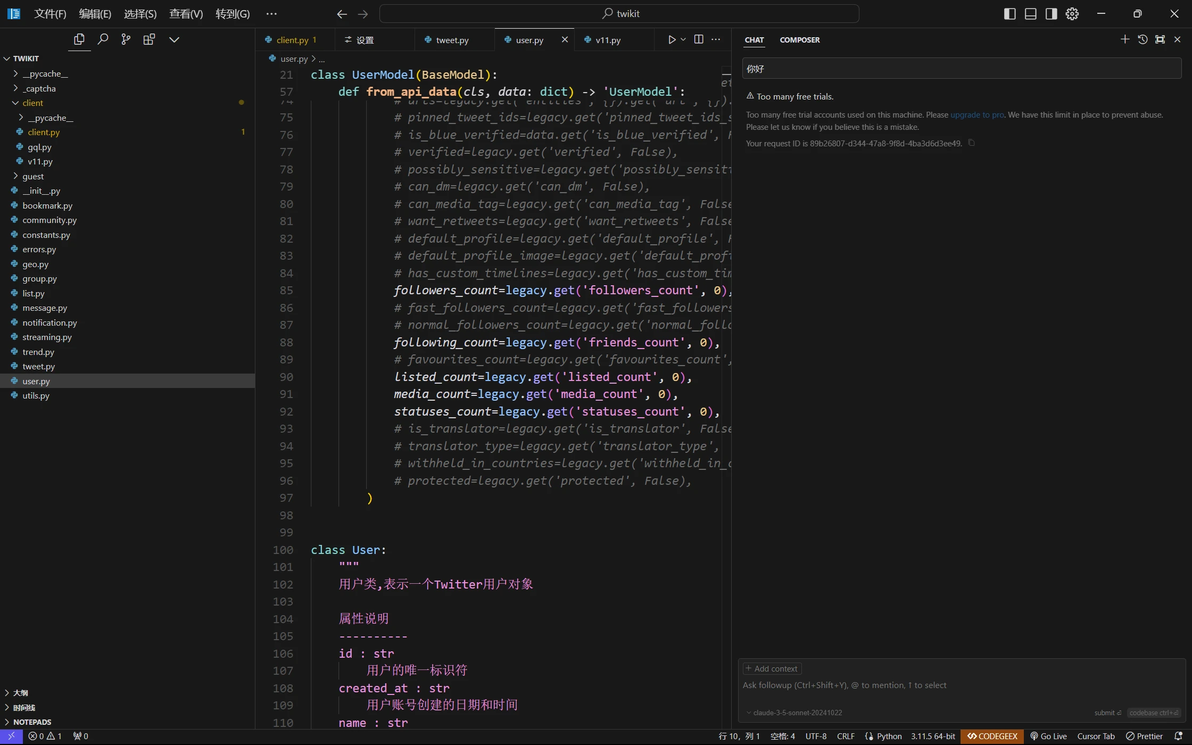
当此机器上使用的免费试用帐户过多,即便删除重置账号也无法使用问答,需要重置设备ID。
当看到以下提示时重置Cursor试用期:
Too many free trial accounts used on this machine.
Please upgrade to pro. We have this limit in place
to prevent abuse. Please let us know if you believe
this is a mistake.
自动安装(推荐)
国外网络环境
Linux/macOS
curl -fsSL https://raw.githubusercontent.com/yuaotian/go-cursor-help/master/scripts/install.sh | sudo bash
Windows (以管理员身份运行PowerShell)
irm https://raw.githubusercontent.com/yuaotian/go-cursor-help/master/scripts/install.ps1 | iex
国内网络环境
macOS
curl -fsSL https://aizaozao.com/accelerate.php/https://raw.githubusercontent.com/yuaotian/go-cursor-help/refs/heads/master/scripts/run/cursor_mac_id_modifier.sh | sudo bash
Linux
curl -fsSL https://aizaozao.com/accelerate.php/https://raw.githubusercontent.com/yuaotian/go-cursor-help/refs/heads/master/scripts/run/cursor_linux_id_modifier.sh | sudo bash
Windows
irm https://aizaozao.com/accelerate.php/https://raw.githubusercontent.com/yuaotian/go-cursor-help/refs/heads/master/scripts/run/cursor_win_id_modifier.ps1 | iex
解决方案:完全卸载Cursor并重新安装(API密钥问题)
下载 Geek.exe 卸载工具[免费]
完全卸载Cursor应用
重新安装Cursor应用
继续执行解决方案1
临时解决方案:
解决方案 1: 快速重置(推荐)
关闭Cursor应用
运行机器码重置脚本(见下方安装说明)
重新打开Cursor继续使用
解决方案 2: 切换账号
文件 -> Cursor设置 -> 退出登录
关闭Cursor
运行机器码重置脚本
使用新账号登录
解决方案 3: 网络优化
如果上述解决方案不起作用,请尝试:
切换到低延迟节点(推荐区域:日本、新加坡、美国、香港)
确保网络稳定性
清除浏览器缓存并重试
相关cursor白嫖工具
https://github.com/yuaotian/go-cursor-help
https://github.com/yeongpin/cursor-free-vip
https://github.com/chengazhen/cursor-auto-free
cursor规则模板
https://github.com/PatrickJS/awesome-cursorrules
