

传统的 bash 功能比较单一。以下操作均是基于debian12 系统,桌面环境是kde plasma,安装 zsh,并使用 oh-my-zsh 对终端进行美化,安装插件。
安装基本工具
更新软件源
sudo apt update && sudo apt upgrade -y
安装 zsh
sudo apt install zsh
安装oh-my-zsh
使用curl安装,curl一般系统是自带的,没有的话,先安装curl
sh -c "$(curl -fsSL https://install.ohmyz.sh/)"
配置~/.zshrc
将自己在~/.bashrc中配置且自己需要的配置复制迁移到~/.zshrc中,例如,我在安装zsh前在bashrc中添加了关于nvm的相关配置
## nvm
export NVM_DIR="$HOME/.nvm/nvm-0.38.0"
[ -s "$NVM_DIR/nvm.sh" ] && \. "$NVM_DIR/nvm.sh"
# This loads nvm [ -s "$NVM_DIR/bash_completion" ] && \. "$NVM_DIR/bash_completion"
# This loads nvm bash_completion
. "$HOME/.cargo/env"
然后复制你的配置文件,添加到~/.zshrc中去,并执行下列操作 source ~/.zshrc
配置主题
主题这个自定义程度很高,根据自己的喜好,我个人喜欢简洁清晰的主题
sudo wget -O $ZSH_CUSTOM/themes/haoomz.zsh-theme https://cdn.haoyep.com/gh/leegical/Blog_img/zsh/haoomz.zsh-theme
安装主题后,需要到~/.zshrc配置文件中声明主题,ZSH_THEME就是设置你主题是什么的参数,根据自己的主题设置相应的参数,记得保存要source ~/.zshrc才能让配置生效
# Set name of the theme to load --- if set to "random", it will
# load a random theme each time Oh My Zsh is loaded, in which case,
# to know which specific one was loaded, run: echo $RANDOM_THEME
# See https://github.com/ohmyzsh/ohmyzsh/wiki/Themes
ZSH_THEME="haoomz"
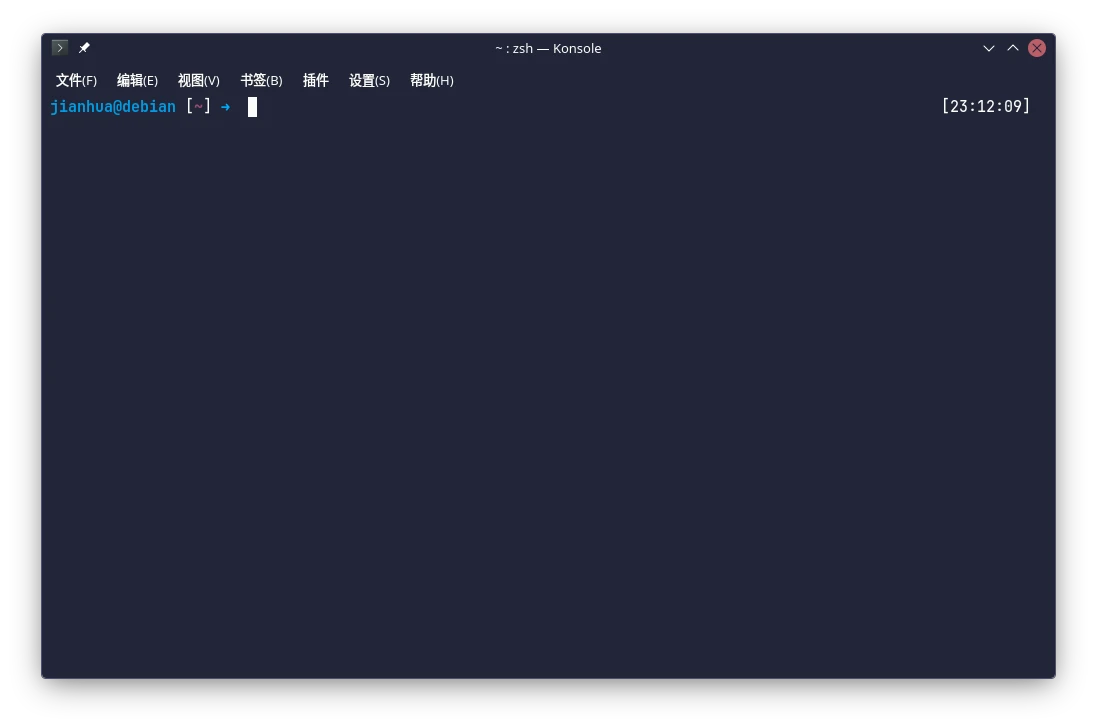
上图就是我设置主题后的效果图
安装插件
安装方式:把插件下载到本地的 ~/.oh-my-zsh/custom/plugins 目录。
zsh自带的插件不需要下载,直接声明就可以
示例:
zsh-autosuggestions 是一个命令提示插件,当你输入命令时,会自动推测你可能需要输入的命令,按下右键可以快速采用建议。效果如下:

这个插件需要下载,所以要安装
git clone https://github.com/zsh-users/zsh-autosuggestions ${ZSH_CUSTOM:-~/.oh-my-zsh/custom}/plugins/zsh-autosuggestions
安装好后在~/.zshrc中声明,找到如下面的配置参数plugins=(),开始应该只有一个git,安装插件根据自己的需求,我这里不做推荐,网络上有很多相关推荐,记得编辑后要source ~/.zshrc
# Which plugins would you like to load?
# Standard plugins can be found in $ZSH/plugins/
# Custom plugins may be added to $ZSH_CUSTOM/plugins/
# Example format: plugins=(rails git textmate ruby lighthouse)
# Add wisely, as too many plugins slow down shell startup.
plugins=(git sudo zsh-autosuggestions zsh-syntax-highlighting z extract web-search)
