UE5编译->更新vs2022后出现的问题汇总解决

虚幻引擎5
一、出现无法创建C++项目;C++编译通过的工程,突然编译出错。。。不要用NuGet Manager修复警告漏洞,已经修复过就卸载VS2022,然后重装。重装过后忽略NuGet警告提示。
二、UE5.2 UE5.3无法打包,提示信息出现Detected compiler newer than Visual Studio 2022, please update min version checking in WindowsPlatformCompilerSetup.h
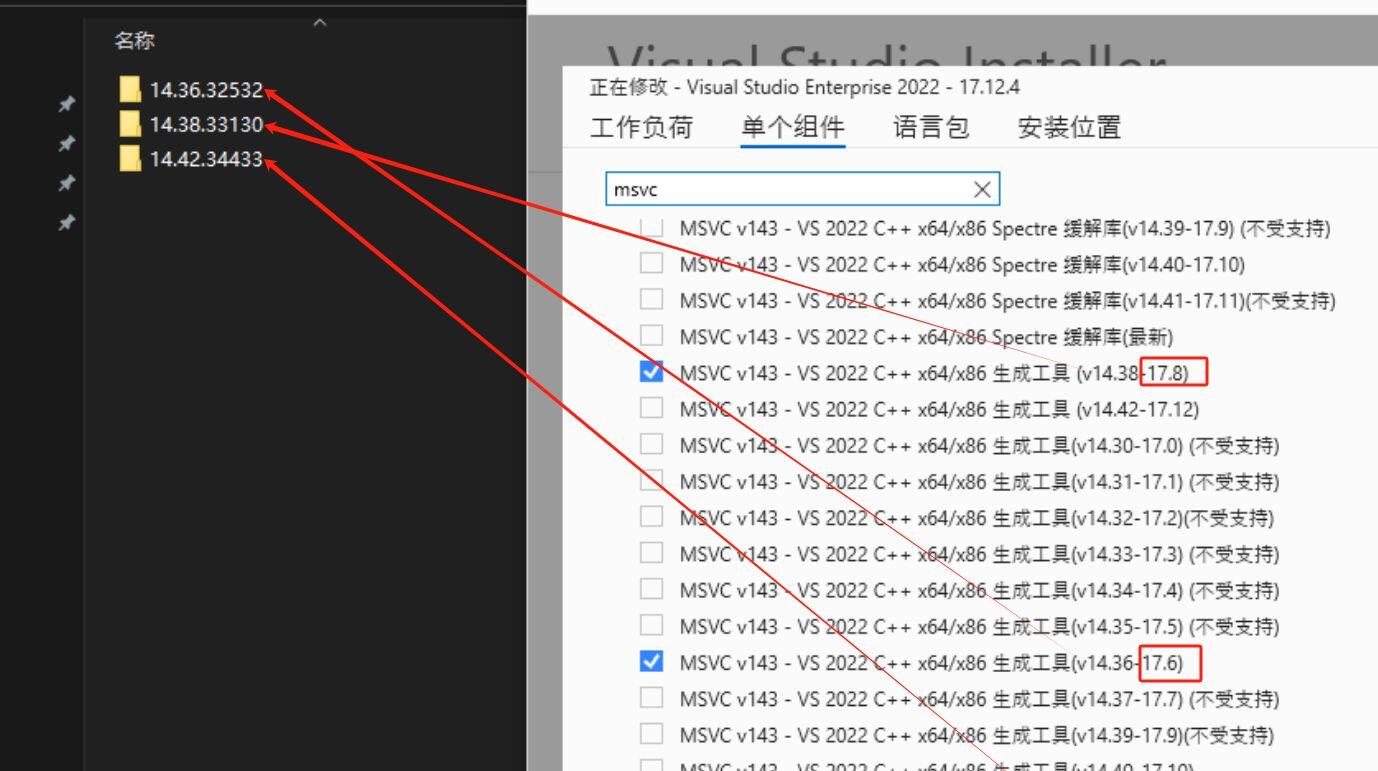
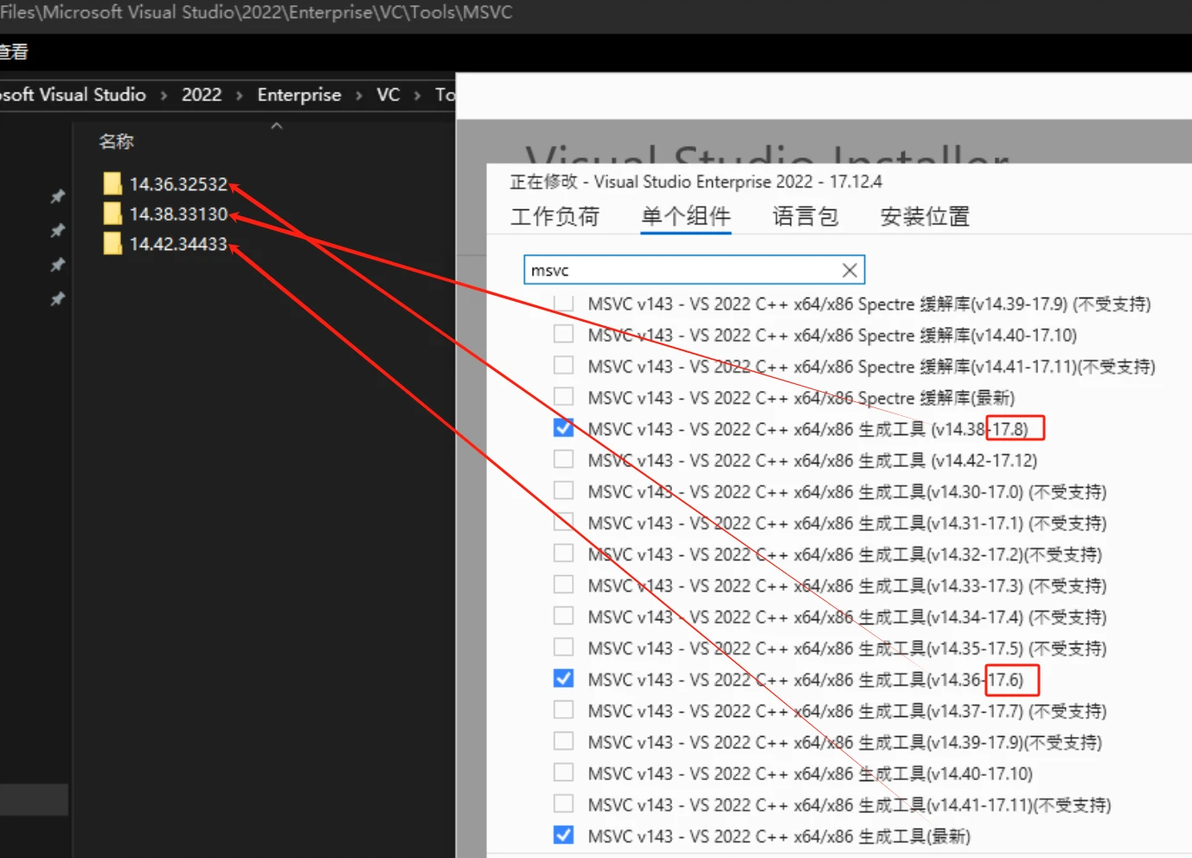
1.打开Visual Studio lnstaller -> Modify -> individual Components单独安装组件,安装MSVC早期版本,UE5.2最高打包编译的版本是MSVC 14.36.32532
2.修改配置文件"%appdata%\Unreal Engine\UnrealBuildTool\BuildConfiguration.xml"
<?xml version="1.0" encoding="utf-8" ?>
<Configuration xmlns="https://www.unrealengine.com/BuildConfiguration">
<WindowsPlatform>
<CompilerVersion>14.36.32532</CompilerVersion>
<ToolchainVersion>14.36.32532</ToolchainVersion>
</WindowsPlatform>
</Configuration>
然后保存。
编译版本和对应关系查找如下图:
本文为我原创,未经授权禁止转载
cv39892933
分享至
投诉或建议
