目录
Flutter Slidable 列表侧滑菜单 列表侧滑删除

本文章的效果
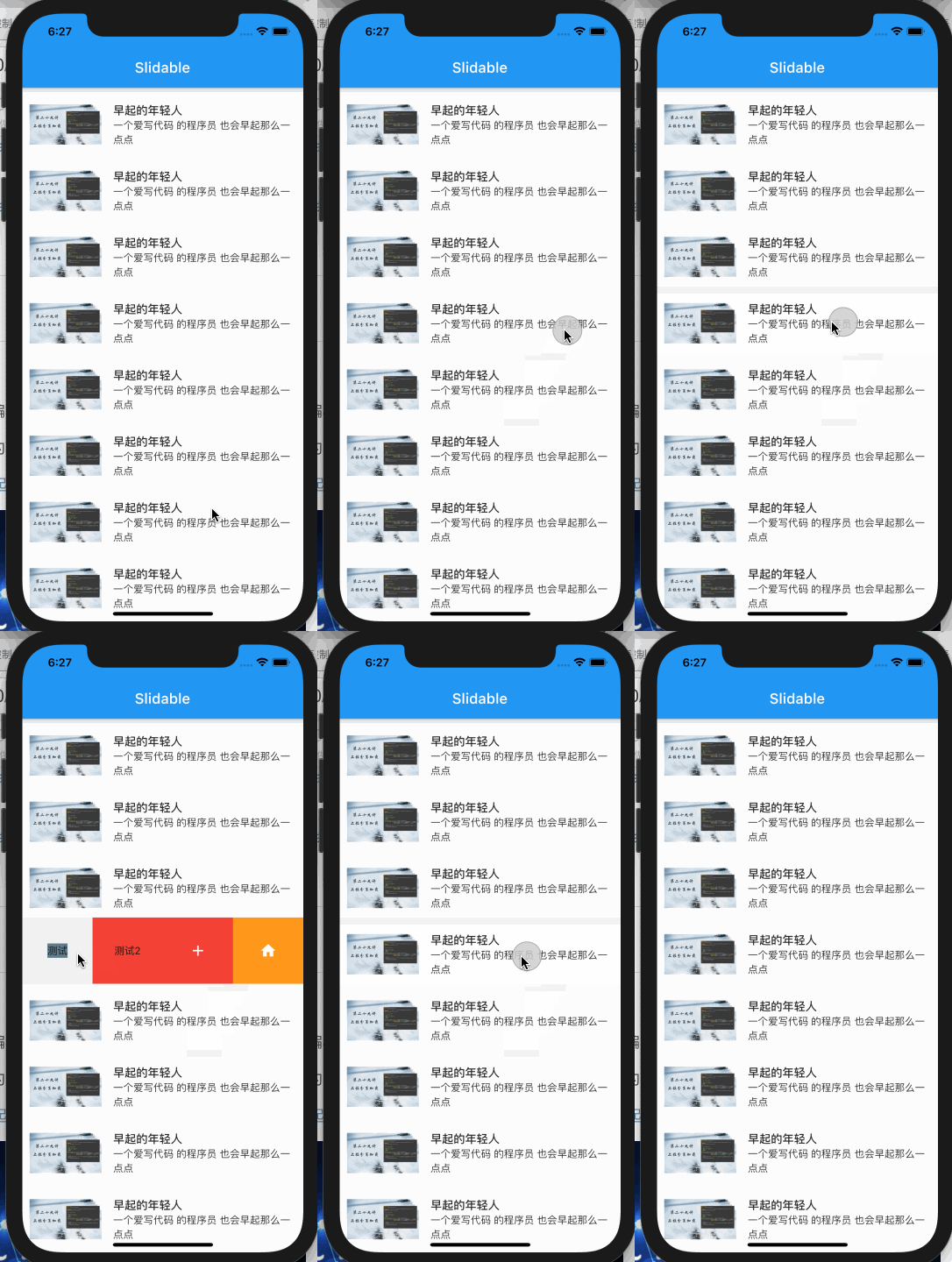
不要忘了先添加依赖
flutter_slidable: ^0.5.7
首先来个列表
代码块
Dart
自动换行
复制代码
  //来一个列表
  ListView buildListView() {
    //列表
    return ListView.builder(
      //显示个数
      itemCount: 200,
      //每个子Item样式
      itemBuilder: (BuildContext context, int index) {
        //封装构建
        return buildItem(index);
      },
    );
  }
复制成功
然后列表的每一个子Item都使用 Slidable 组件来嵌套
代码块
Dart
自动换行
复制代码
  Widget buildItem(int index) {
    //滑动组件
    return Slidable(
      key: ValueKey("$index"),
      //左滑删除
      //dismissal: buildSlidableDismissal(),
      //滑动方向
      direction: Axis.horizontal,
      //配置的是左侧
      actions: [],
      //配置的是右侧
      secondaryActions: secondaryActionsArray(),
      //滑动的交互效果
      // SlidableDrawerActionPane 从左逐渐压缩进来 折叠
      // SlidableScrollActionPane 相当于是从屏幕左侧滑动进来
      // SlidableBehindActionPane 直接显示在背面
      // SlidableStrechActionPane 从左侧压缩滑动进来
      actionPane: SlidableDrawerActionPane(),
      //列表显示的子Item
      child: buildContainer(),
    );
  }
复制成功
滑动的交互效果
SlidableDrawerActionPane 从左逐渐压缩进来 折叠
SlidableScrollActionPane 相当于是从屏幕左侧滑动进来
SlidableBehindActionPane 直接显示在背面
SlidableStrechActionPane 从左侧压缩滑动进来
然后列表子条目是通过配置选项内容来配置左滑和右滑的,在这个Demo中,我们只配置了向左侧滑动的效果,滑动菜单如下:
代码块
Dart
自动换行
复制代码
  List<Widget> secondaryActionsArray() {
    return [
      SlideAction(
        child: Container(
          color: Colors.blueGrey,
          child: Text("测试"),
        ),
      ),
      SlideAction(
        color: Colors.red,
        child: Text("测试2"),
      ),
      IconSlideAction(
        icon: Icons.add,
        color: Colors.red,
        onTap: () {
          print("点击了add");
          //主动关闭
          Slidable.of(context).close();
        },
        closeOnTap: false,
      ),
      IconSlideAction(
        //图标
        icon: Icons.home,
        //背景色
        color: Colors.orange,
        //图标的颜色
        foregroundColor: Colors.white,
        //点击事件回调
        onTap: () {
          print("点击了add");
        },
        //点击 false 不关闭 ,true关闭
        closeOnTap: false,
      )
    ];
  }
复制成功
最后列表显示的效果构建如下
代码块
Dart
自动换行
复制代码
  Container buildContainer() {
    return Container(
      color: Colors.white,
      padding: EdgeInsets.all(10),
      child: Row(
        children: [
          //左边的图片
          Image.asset(
            "assets/images/banner1.png",
            width: 100,
          ),
          //来点间距
          SizedBox(
            width: 16,
          ),
          //右侧的文字
          Expanded(
            //内容居左对齐
            child: Column(
              crossAxisAlignment: CrossAxisAlignment.start,
              children: [
                Text(
                  "早起的年轻人",
                  style: TextStyle(
                    fontSize: 16,
                    fontWeight: FontWeight.w500,
                  ),
                ),
                Text(
                  "一个爱写代码 的程序员 也会早起那么一点点",
                  style: TextStyle(
                    fontSize: 14,
                    fontWeight: FontWeight.w400,
                  ),
                ),
              ],
            ),
          ),
        ],
      ),
      margin: EdgeInsets.only(top: 10),
    );
  }
复制成功
完毕
不局限于思维,不局限语言限制,才是编程的最高境界。
本文为我原创,未经授权禁止转载
cv10691572
分享至
投诉或建议
